AI agent for chief digital officers
Data Quality Issue Triage Agent
Every data quality report reproduced, sized and routed to the right owner
What it does
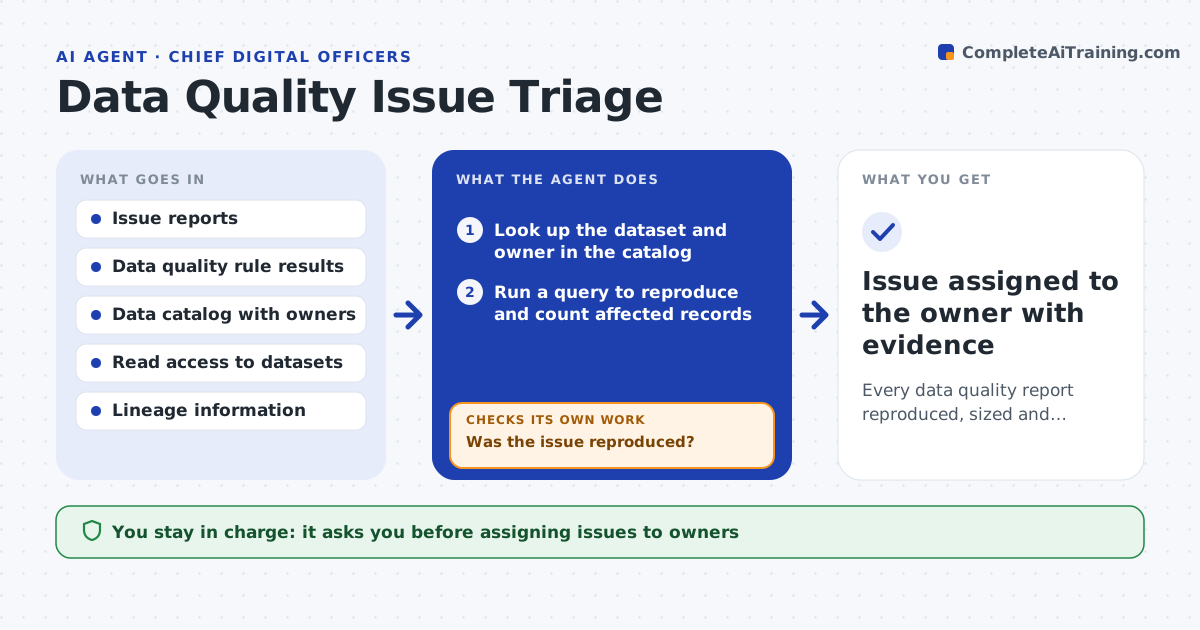
Data problems such as duplicate customers or wrong product codes get reported in chats and emails and then forgotten. This agent collects reports from your issue form and from automated data quality rules. For each one it checks the data catalog to find the dataset and its owner, then reproduces the issue with a query to measure how many records are affected. If it cannot reproduce the issue, it asks the reporter for an example record and tries again. It traces lineage to see which reports and processes use the data and rates impact from that. It then drafts an issue for the right owner with the query, the count and the impact. You approve before issues are assigned. Edge case: an issue that starts in a source system is routed to the system owner, not the warehouse team.
How it works
Follow the arrows from top to bottom. The orange dashed arrow is the loop: when a check fails, the agent goes back and tries again.
Read the steps as a list
- New data quality report or failed rule
- Look up the dataset and owner in the catalog
- Run a query to reproduce and count affected records
- Was the issue reproduced?If not: ask the reporter for an example record and rerun. Back to step 3.
- Check lineage for downstream reports and processes
- Rate impact and trace whether the fault is at source
- Data governance lead approves assignmentThe agent waits here for your OK.
- Issue assigned to the owner with evidence
How it decides
Impact is rated by record count and by how many downstream reports or processes depend on the dataset.
- High impact when a finance or regulatory report uses the data
- Route to the source system owner when the error exists at source
- Merge reports that describe the same issue
Make it yours
Every agent is a starting point. You choose these settings for your own situation.
- Intake channels to monitor
- Impact rating rules
- Daily or hourly run
- Escalation contacts
What keeps you in control
It always asks you first
- Assigning issues to owners
- Escalating high-impact issues
Hard limits
- Read-only access to data
- Never edits or deletes records
It stops when
- Done: issue reproduced and assigned or closed as not reproducible
- Stop: no owner recorded for the dataset
Set it up
We guide you through the set-up, step by step
Members get the full set-up guide for this agent. No technical skills needed: you copy, paste and upload.
- One set of instructions to paste into your AI, with the clicks for ChatGPT, Claude, Microsoft 365 Copilot, Gemini and Grok
- The agent then walks you through connecting your own data, one source at a time
- A downloadable copy with the flow chart, the rules and the full guide