AI agent for chief digital officers
Data Quality Monitoring Agent
Key datasets passing quality checks with fast fixes
What it does
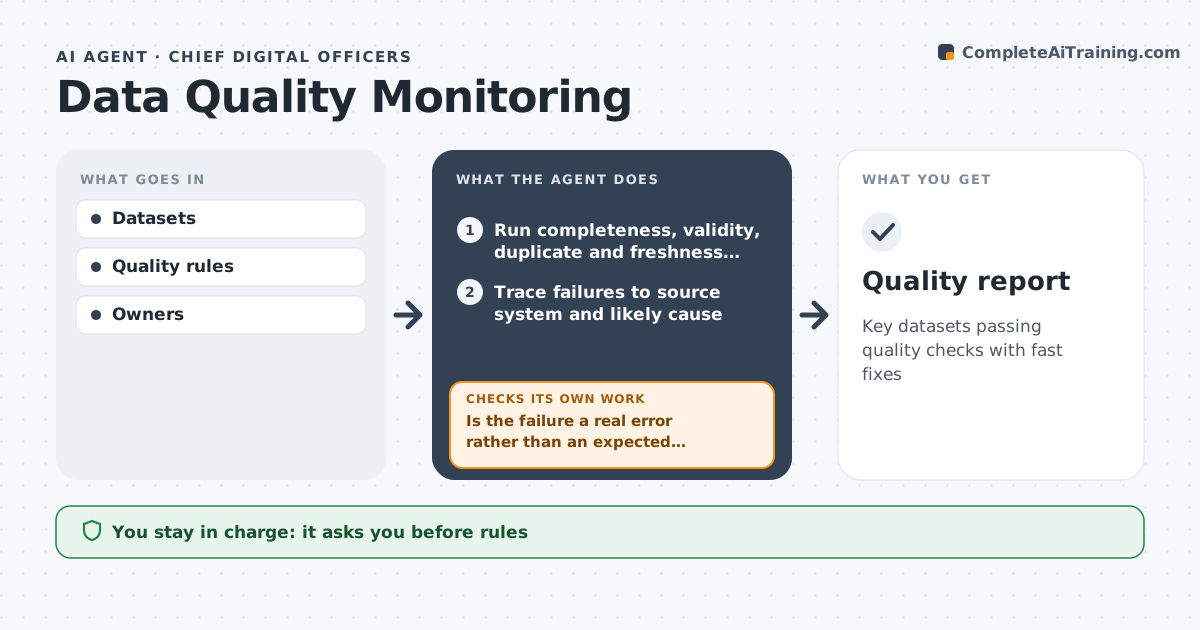
Decisions depend on clean data, but errors in key datasets often go unnoticed until a report is wrong. Every day this agent runs quality checks on key datasets: completeness, valid values, duplicates and freshness. Data older than 24 hours or with duplicates over 1% fails. When a check fails, it traces the failure to the source system, identifies the likely cause, and alerts the data owner with examples. It tracks the fix and reruns the check to confirm; if the rerun still fails, it escalates to the owner's manager. It publishes a weekly quality score per dataset. The CDO approves changes to quality rules and escalations. Edge case: a seasonal pattern looks like an error, so the agent adjusts the rule only after the owner confirms it is expected.
How it works
Follow the arrows from top to bottom. The orange dashed arrow is the loop: when a check fails, the agent goes back and tries again.
Read the steps as a list
- Daily run
- Run completeness, validity, duplicate and freshness checks
- Trace failures to source system and likely cause
- Is the failure a real error rather than an expected seasonal pattern?If not: ask the owner to confirm and propose a rule adjustment. Back to step 3.
- Alert data owner with examples
- Does the rerun pass after the fix?If not: escalate to owner's manager. Back to step 5.
- CDO approves rule changes and escalationsThe agent waits here for your OK.
- Update weekly quality score per dataset
- Quality report
How it decides
It runs set rules and tracks failures to fixed status.
- Freshness over 24 hours fails
- Duplicates over 1% fail
- Rule changes need confirmation
Make it yours
Every agent is a starting point. You choose these settings for your own situation.
- Datasets
- Rules
- Thresholds
- Report frequency
What keeps you in control
It always asks you first
- Rules
- Escalations
Hard limits
- Never edits data
- No personal data in alerts
It stops when
- Done: all pass
- Stop: source down
Set it up
We guide you through the set-up, step by step
Members get the full set-up guide for this agent. No technical skills needed: you copy, paste and upload.
- One set of instructions to paste into your AI, with the clicks for ChatGPT, Claude, Microsoft 365 Copilot, Gemini and Grok
- The agent then walks you through connecting your own data, one source at a time
- A downloadable copy with the flow chart, the rules and the full guide