AI agent for videographers
Delivery Spec Export QC Agent
Every deliverable passes the spec on first submission
What it does
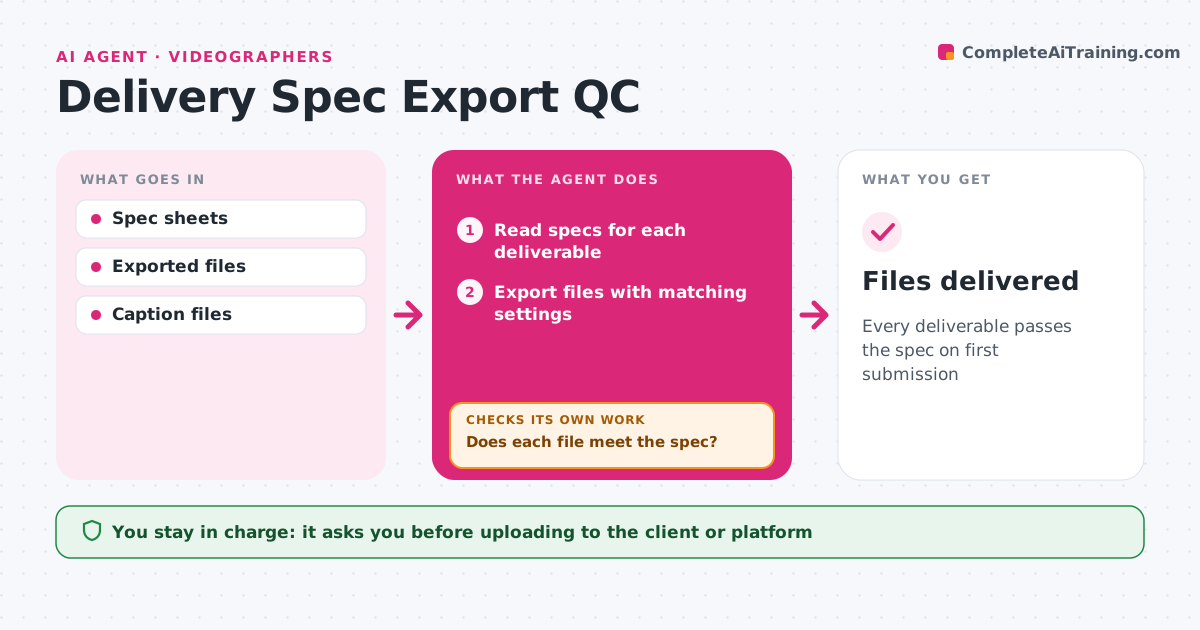
Every platform and broadcaster has its own delivery specs, and one wrong setting means a rejected file and a missed air date. When the final cut is locked, this agent reads the spec sheet for each deliverable. It exports files with matching settings, then measures each one: resolution, frame rate, codec, bitrate, loudness, true peaks, safe areas, captions and file names. If a file fails, it adjusts the export settings and re-exports, then measures again. It renames files to the spec pattern and checks captions for timing gaps. When everything passes, it builds a delivery report listing each check. The editor approves the upload. Edge case: if loudness passes on average but has peaks above the limit, it flags the peaks with their timecodes instead of passing the file.
How it works
Follow the arrows from top to bottom. The orange dashed arrow is the loop: when a check fails, the agent goes back and tries again.
Read the steps as a list
- Final cut locked
- Read specs for each deliverable
- Export files with matching settings
- Measure resolution, codec, loudness and captions
- Does each file meet the spec?If not: adjust export settings and re-export. Back to step 3.
- Build delivery report
- Editor approves uploadThe agent waits here for your OK.
- Files delivered
How it decides
A file passes only when every measured value is within the spec. Failures trigger new export settings.
- Flag true peaks above the limit
- Rename files to the spec pattern
- Check captions for timing gaps
Make it yours
Every agent is a starting point. You choose these settings for your own situation.
- Spec presets per client
- Loudness target
- File naming rules
- Report format
What keeps you in control
It always asks you first
- Uploading to the client or platform
Hard limits
- Never overwrites the master
- Never uploads without approval
It stops when
- Done: delivered
- Stop: spec unclear; ask the client
Set it up
We guide you through the set-up, step by step
Members get the full set-up guide for this agent. No technical skills needed: you copy, paste and upload.
- One set of instructions to paste into your AI, with the clicks for ChatGPT, Claude, Microsoft 365 Copilot, Gemini and Grok
- The agent then walks you through connecting your own data, one source at a time
- A downloadable copy with the flow chart, the rules and the full guide