AI agent for editors
Editorial Style Exception Agent
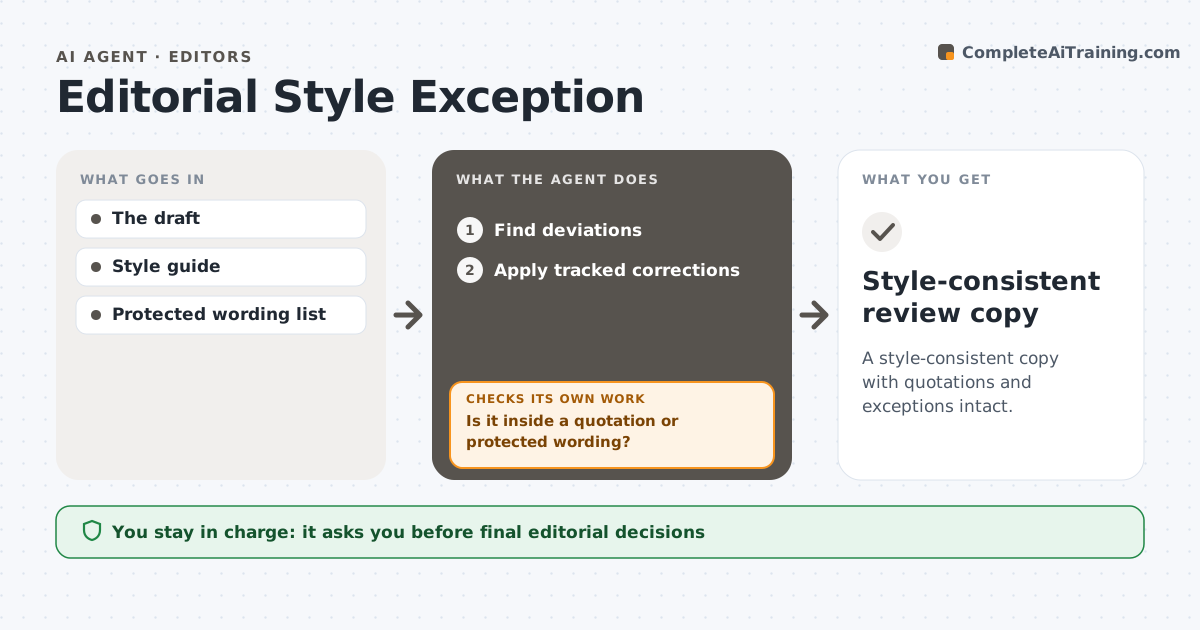
A style-consistent copy with quotations and exceptions intact.
What it does
Automated style corrections can damage direct quotations, brand names and wording the author chose on purpose. This agent runs at the start of a copyedit. It finds apparent deviations from the house style, such as spelling, capitalization and number formats. For each one, it checks whether the text is inside a quotation or on the protected wording list, and leaves those alone. Other deviations are corrected as tracked changes, using context to decide, for example, whether a number should be spelled out. It then checks each change has not altered meaning, and rolls back and asks the editor when it might have. The editor accepts or rejects every change. Edge case: a book title in another spelling standard stays as published.
How it works
Follow the arrows from top to bottom. The orange dashed arrow is the loop: when a check fails, the agent goes back and tries again.
Read the steps as a list
- Copyedit starts
- Find deviations
- Is it inside a quotation or protected wording?If not: (protected) leave it. Back to step 2.
- Apply tracked corrections
- Is the meaning unchanged?If not: roll back and ask the editor. Back to step 4.
- Editor accepts changesThe agent waits here for your OK.
- Style-consistent review copy
How it decides
It checks context before correcting.
- Quotations and protected words are never changed.
- Every correction is a tracked change.
- Changes that might alter meaning are rolled back.
- Published titles keep their original spelling.
Make it yours
Every agent is a starting point. You choose these settings for your own situation.
- House style guide
- Protected wording list (default: names, titles, quotations)
- Correction categories to apply
- Who accepts changes (default: copy editor)
- Output format (default: tracked changes)
What keeps you in control
It always asks you first
- Final editorial decisions
- Publication
Hard limits
- Tracked changes only.
It stops when
- Done: copy ready.
Set it up
We guide you through the set-up, step by step
Members get the full set-up guide for this agent. No technical skills needed: you copy, paste and upload.
- One set of instructions to paste into your AI, with the clicks for ChatGPT, Claude, Microsoft 365 Copilot, Gemini and Grok
- The agent then walks you through connecting your own data, one source at a time
- A downloadable copy with the flow chart, the rules and the full guide