AI agent for content creators
Episode Promo Clip Agent
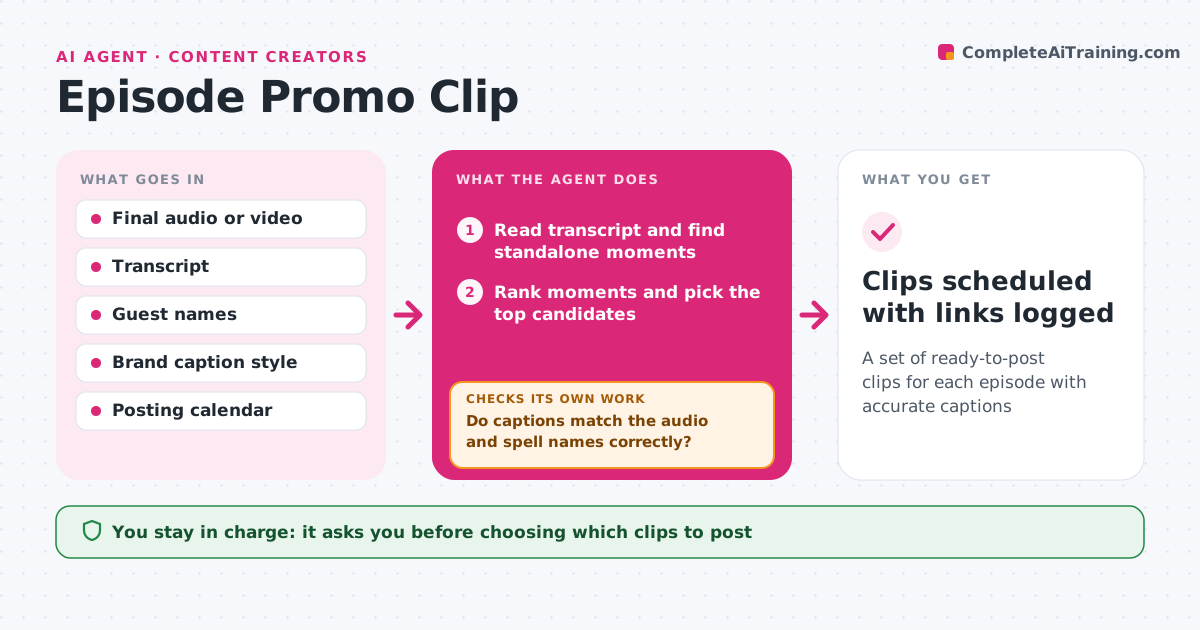
A set of ready-to-post clips for each episode with accurate captions
What it does
Short clips bring in new listeners, but finding the best moments in a long recording takes hours. This agent reads the episode transcript and looks for moments that stand on their own: a clear point, a strong line and no reference to earlier context. It ranks them and picks the top candidates. It cuts each clip in vertical and square formats and adds captions. Then it checks the captions against the audio for timing and the spelling of names, using the guest name list as the source. Clips that fail get fixed captions, adjusted timing or a cleaner start point, and are checked again. You choose which clips go out and approve the posting schedule before anything is scheduled. Edge case: if a great moment starts with 'as I said before', it looks for a clean start a few seconds later or drops the clip.
How it works
Follow the arrows from top to bottom. The orange dashed arrow is the loop: when a check fails, the agent goes back and tries again.
Read the steps as a list
- Final episode exported
- Read transcript and find standalone moments
- Rank moments and pick the top candidates
- Cut clips in vertical and square formats with captions
- Do captions match the audio and spell names correctly?If not: fix the caption text or timing, or move the clip start to a cleaner point. Back to step 4.
- Podcaster picks clips and approves the scheduleThe agent waits here for your OK.
- Schedule approved clips on the chosen platforms
- Clips scheduled with links logged
How it decides
It scores moments on whether they make sense alone, length and energy, and skips moments that depend on earlier context. A clip passes only when captions match the audio and names are spelled right.
- Drop a moment that refers to earlier parts of the conversation
- Keep clips within the platform length limit
- Use the guest name list as the spelling source
Make it yours
Every agent is a starting point. You choose these settings for your own situation.
- Number of clips per episode (default 5)
- Clip length range (default 20 to 60 seconds)
- Caption style and brand colors
- Platforms and posting days
What keeps you in control
It always asks you first
- Choosing which clips to post
- Publishing or scheduling posts
Hard limits
- Never posts without approval
- Does not cut a guest's words in a way that changes their meaning
It stops when
- Done: approved clips scheduled
- Stop: fewer than two usable moments; tell the person
Set it up
We guide you through the set-up, step by step
Members get the full set-up guide for this agent. No technical skills needed: you copy, paste and upload.
- One set of instructions to paste into your AI, with the clicks for ChatGPT, Claude, Microsoft 365 Copilot, Gemini and Grok
- The agent then walks you through connecting your own data, one source at a time
- A downloadable copy with the flow chart, the rules and the full guide