AI agent for field service technicians
Equipment Fault Code Troubleshooting Agent
Find the faulty part with measurements before replacing anything
What it does
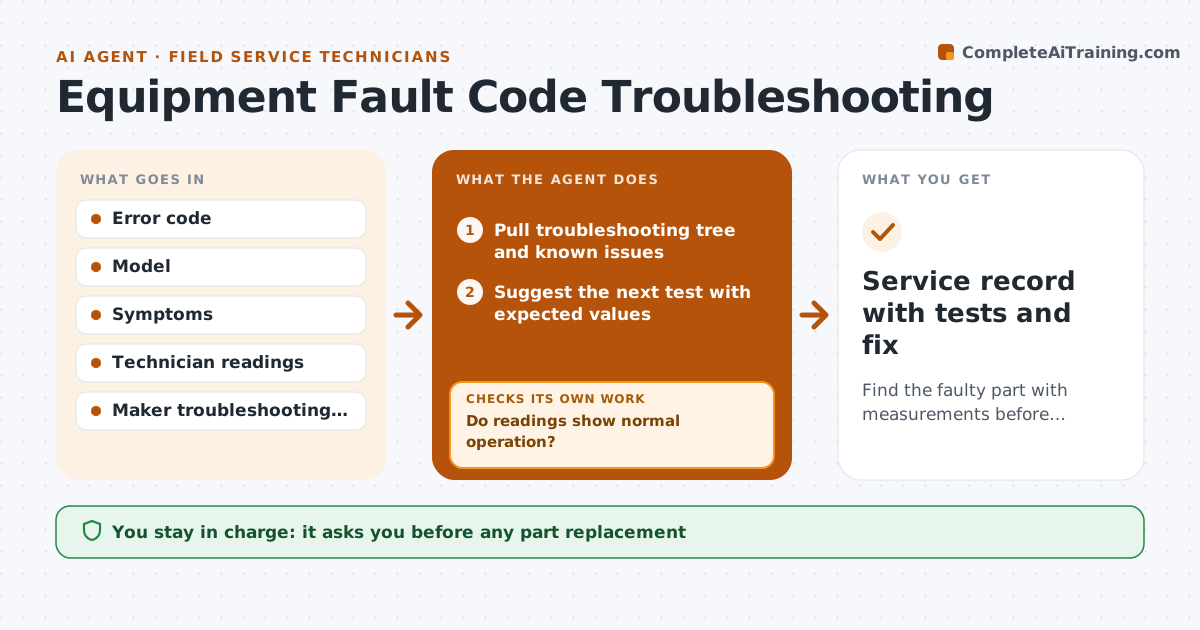
An error code on a boiler, chiller, rooftop unit or machine narrows the problem but rarely names the part, and swapping parts by guesswork is costly. When the technician enters a code and symptoms, this agent pulls the maker's troubleshooting tree and known issues. It groups related codes as one fault first. It suggests the next test with expected values, putting quick non-invasive tests first, and always shows safety lockout steps before electrical tests. After each reading, it reranks the likely causes and suggests the next test. The technician chooses every repair. After the repair, the agent asks for readings that prove the system runs normally. If they are off, it rules out that cause and goes back to the next test. Edge case: a code that appears together with a related code is treated as one fault before testing separately.
How it works
Follow the arrows from top to bottom. The orange dashed arrow is the loop: when a check fails, the agent goes back and tries again.
Read the steps as a list
- Technician enters code and symptoms
- Pull troubleshooting tree and known issues
- Suggest the next test with expected values
- Record reading and rerank causes
- Technician chooses the repairThe agent waits here for your OK.
- Record readings after the repair
- Do readings show normal operation?If not: rule out that cause and suggest the next test. Back to step 3.
- Service record with tests and fix
How it decides
It follows the maker's tree and reranks causes after each reading, putting quick non-invasive tests first.
- Non-invasive tests first
- Related codes are grouped
- Safety lockout steps are always shown before electrical tests
Make it yours
Every agent is a starting point. You choose these settings for your own situation.
- Equipment brands covered
- Test order preferences
- Required proof readings
- Escalation contacts
What keeps you in control
It always asks you first
- Any part replacement
- Any work needing a permit or shutdown
Hard limits
- Never skips lockout steps
- Never advises bypassing safety controls
It stops when
- Done: normal readings after repair
- Stop: fault needs the maker's specialist, open an escalation
Set it up
We guide you through the set-up, step by step
Members get the full set-up guide for this agent. No technical skills needed: you copy, paste and upload.
- One set of instructions to paste into your AI, with the clicks for ChatGPT, Claude, Microsoft 365 Copilot, Gemini and Grok
- The agent then walks you through connecting your own data, one source at a time
- A downloadable copy with the flow chart, the rules and the full guide