AI agent for structural engineers
Existing Structure Condition Assessment Agent
A traceable condition report with prioritized repairs
What it does
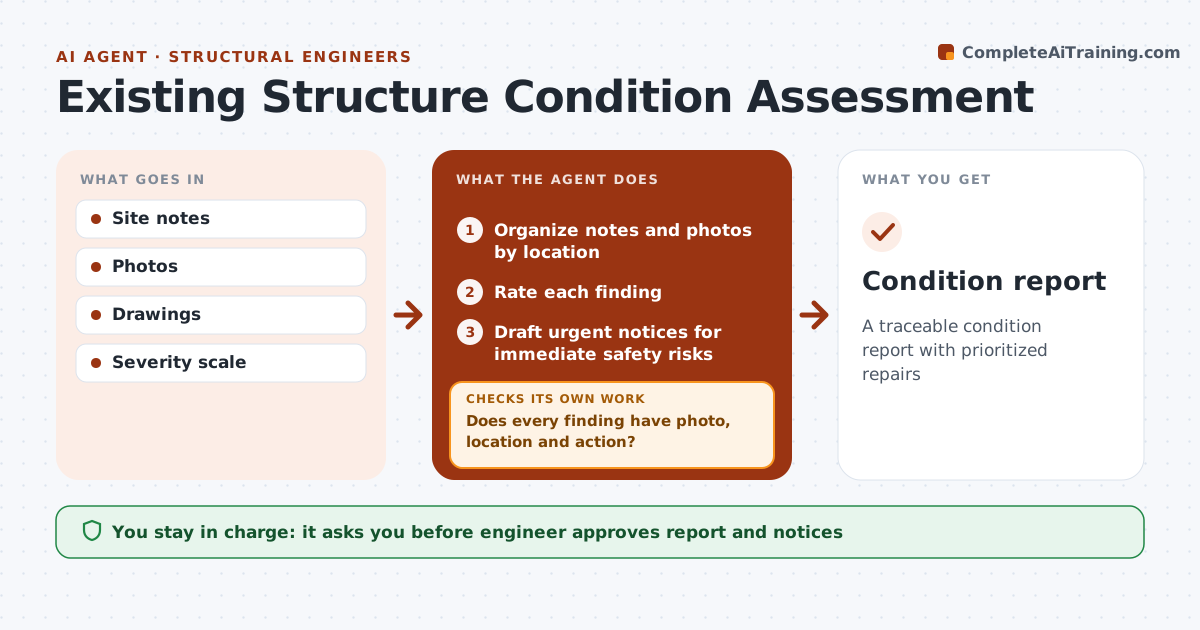
Assessing an existing building means many observations, photos and measurements that must be turned into a clear report. This agent organizes site notes and photos by location and element and rates each finding using the firm's severity scale. It checks that every finding has a photo, a location and a recommended action, and sends gaps back to the engineer. Findings that suggest an immediate safety risk trigger an urgent notice draft for the engineer to send right away. It then drafts the condition report and checks that every severe finding has a clear next step. The engineer approves and sends the report. Edge case: a safety risk is never left to wait for the full report.
How it works
Follow the arrows from top to bottom. The orange dashed arrow is the loop: when a check fails, the agent goes back and tries again.
Read the steps as a list
- Site visit done
- Organize notes and photos by location
- Rate each finding
- Does every finding have photo, location and action?If not: ask the engineer for missing data. Back to step 2.
- Draft urgent notices for immediate safety risks
- Draft report
- Does every severe finding have a clear next step and timeframe?If not: add the missing step and ask the engineer to confirm. Back to step 6.
- Engineer approves and sendsThe agent waits here for your OK.
- Condition report
How it decides
Findings rated by severity. Each must have a photo, location and action.
- Severity scale from firm
- Safety risks urgent
- Photos required
Make it yours
Every agent is a starting point. You choose these settings for your own situation.
- Severity scale
- Report template
- Urgent rules
- Photo requirements
What keeps you in control
It always asks you first
- Engineer approves report and notices
Hard limits
- Never sends reports
- Never declares buildings safe
It stops when
- Done: report sent
- Stop: site inaccessible
Set it up
We guide you through the set-up, step by step
Members get the full set-up guide for this agent. No technical skills needed: you copy, paste and upload.
- One set of instructions to paste into your AI, with the clicks for ChatGPT, Claude, Microsoft 365 Copilot, Gemini and Grok
- The agent then walks you through connecting your own data, one source at a time
- A downloadable copy with the flow chart, the rules and the full guide