AI agent for software architects
Failure Mode Review Agent
A ranked list of failure gaps with tested fixes before they hit production
What it does
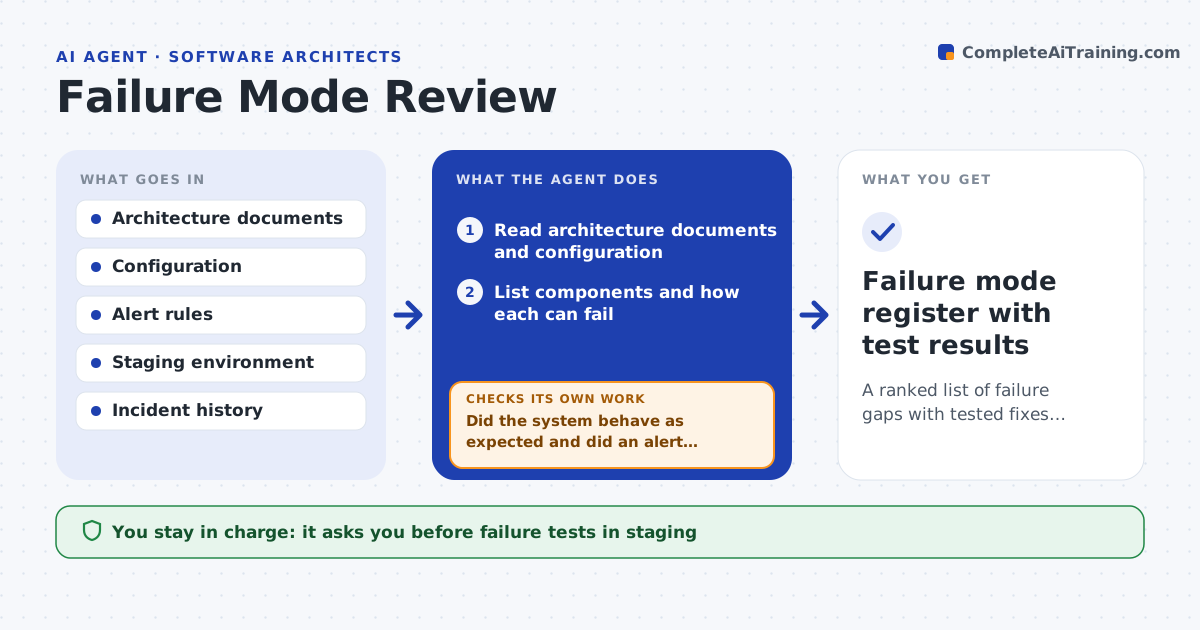
Most outages come from failures that someone could have listed beforehand. This agent lists the components in the system, such as databases, queues, third-party services and network links, from the architecture documents. For each it enumerates how it can fail: slow, down, wrong data, full or out of sync. It then checks whether handling exists, like retries, fallbacks or timeouts, and whether monitoring would raise an alert. It ranks the gaps by impact and likelihood. For the top gaps, it proposes a staging test, such as stopping a service or adding delay, and runs it only after approval. After each test it checks the result against what was expected and updates the ranking. The architect approves the final plan. Edge case: a retry setting turns a small slowdown into a flood.
How it works
Follow the arrows from top to bottom. The orange dashed arrow is the loop: when a check fails, the agent goes back and tries again.
Read the steps as a list
- Review is scheduled or a major change lands
- Read architecture documents and configuration
- List components and how each can fail
- Check existing handling and monitoring for each failure
- Rank the gaps by impact, likelihood and detectability
- Architect approves the staging tests to runThe agent waits here for your OK.
- Run each approved failure test in staging
- Did the system behave as expected and did an alert fire?If not: record the finding, adjust the ranking and add a fix proposal. Back to step 4.
- Does each fix remove the gap when retested in staging?If not: revise the fix and retest. Back to step 7.
- Architect approves the remediation planThe agent waits here for your OK.
- Failure mode register with test results
How it decides
A gap is ranked by customer impact, likelihood and whether anything would warn the team. Tests start with the highest-ranked gaps.
- Rank any failure with no alert as high detectability risk
- Test only in staging
- Test the highest-impact gaps first
- Treat retries without a limit as a gap
Make it yours
Every agent is a starting point. You choose these settings for your own situation.
- Components in scope
- Test types allowed
- Review schedule (default every 6 months)
- Impact scale used for ranking
What keeps you in control
It always asks you first
- Failure tests in staging
- Final remediation plan
Hard limits
- Never runs tests in production
- Never changes configuration directly
It stops when
- Done: gaps tested, fixed or accepted by the architect
- Stop: staging does not match production closely enough
Set it up
We guide you through the set-up, step by step
Members get the full set-up guide for this agent. No technical skills needed: you copy, paste and upload.
- One set of instructions to paste into your AI, with the clicks for ChatGPT, Claude, Microsoft 365 Copilot, Gemini and Grok
- The agent then walks you through connecting your own data, one source at a time
- A downloadable copy with the flow chart, the rules and the full guide