AI agent for penetration testers
Finding Verification and Dedupe Agent
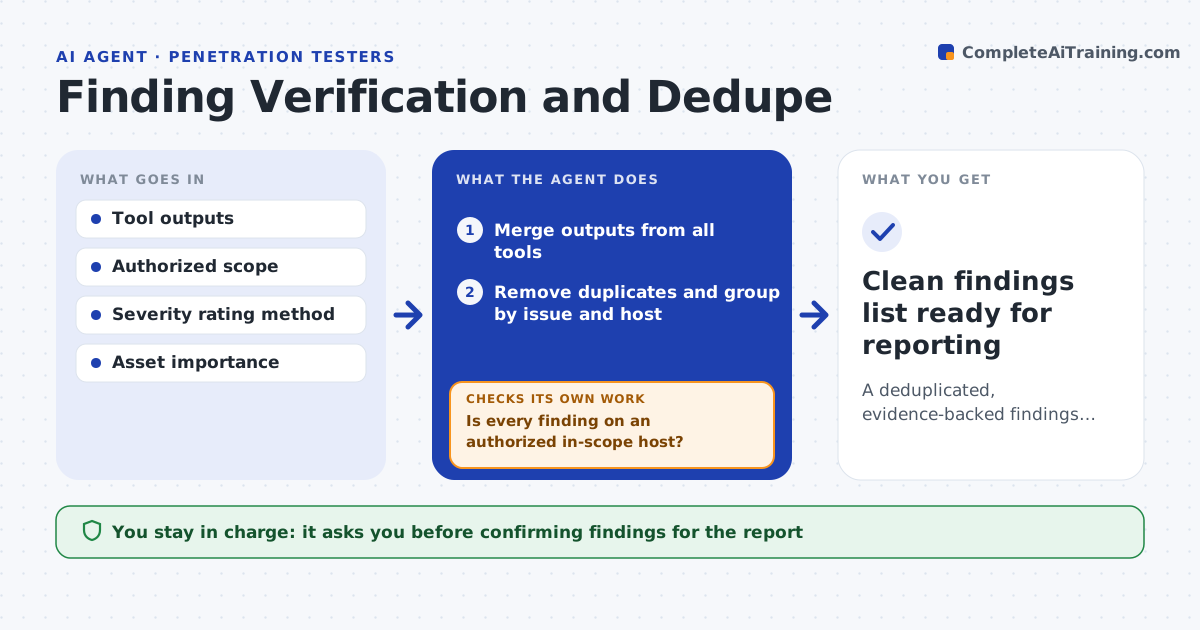
A deduplicated, evidence-backed findings list with false positives filtered out
What it does
Security scanning tools produce long lists that mix real issues with duplicates and false positives, and sorting them by hand wastes hours. This agent merges output from several tools, removes duplicates by matching the same issue on the same target, and groups the rest by issue and host. It first drops anything on a host outside the authorized scope and notes it. For each remaining finding it gathers the evidence the tools captured and rates confidence. Low-confidence items are marked for the tester to confirm by hand instead of being reported as fact. It assigns severity using your rating method and the asset's importance, and drafts a clean findings list. You confirm findings before they enter the report. Edge case: an out-of-scope host in tool output is dropped and noted, never carried forward.
How it works
Follow the arrows from top to bottom. The orange dashed arrow is the loop: when a check fails, the agent goes back and tries again.
Read the steps as a list
- Tool output ready to process
- Merge outputs from all tools
- Remove duplicates and group by issue and host
- Is every finding on an authorized in-scope host?If not: drop out-of-scope findings and note them. Back to step 3.
- Gather evidence and rate confidence for each finding
- Is each finding high-confidence with evidence?If not: mark it for manual confirmation by the tester. Back to step 5.
- Assign severity and draft the findings list
- Tester confirms findings for the reportThe agent waits here for your OK.
- Clean findings list ready for reporting
How it decides
It merges and dedupes by issue and target, rates confidence from the captured evidence, and marks low-confidence items for manual confirmation.
- Dedupe by same issue on same target
- Mark low-confidence items for manual confirmation
- Drop and note findings outside authorized scope
Make it yours
Every agent is a starting point. You choose these settings for your own situation.
- Tools to merge
- Confidence thresholds
- Severity rating method
- Asset importance weights
What keeps you in control
It always asks you first
- Confirming findings for the report
Hard limits
- Does not report low-confidence items as confirmed
- Never processes out-of-scope targets
It stops when
- Done: findings deduped and confirmed
- Stop: authorized scope is not available
Set it up
We guide you through the set-up, step by step
Members get the full set-up guide for this agent. No technical skills needed: you copy, paste and upload.
- One set of instructions to paste into your AI, with the clicks for ChatGPT, Claude, Microsoft 365 Copilot, Gemini and Grok
- The agent then walks you through connecting your own data, one source at a time
- A downloadable copy with the flow chart, the rules and the full guide