AI agent for devops engineers
Flaky Test Quarantine Agent
A trustworthy pipeline where flaky tests are measured, fixed or quarantined with an owner
What it does
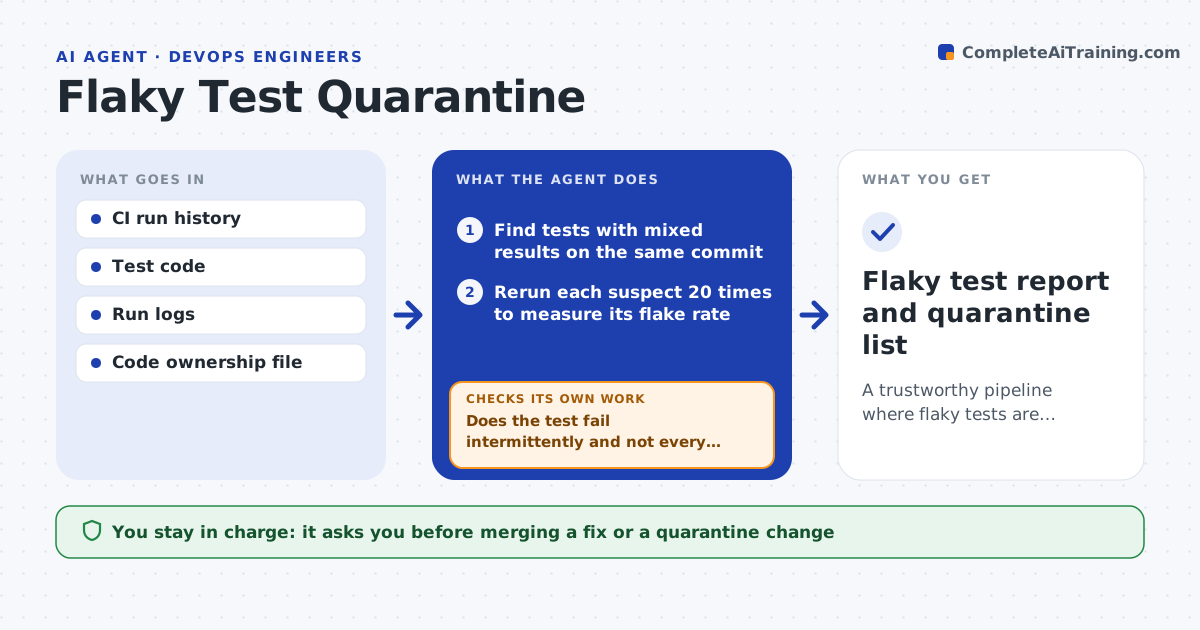
When a pipeline fails for no clear reason, developers just rerun it and stop trusting red builds. This agent reads recent CI history, finds tests that pass and fail on the same code, and reruns each suspect many times to measure its flake rate. It looks for shared causes: timing, test order, shared data, network calls or a slow machine. It then proposes either a fix or a quarantine, which moves the test into a separate non-blocking run with an owner and a deadline. After the change it reruns the test to confirm the fix removed the flake. The engineer approves merges. Edge case: a test that fails the same way every time is a real failure, not a flake, and is left alone.
How it works
Follow the arrows from top to bottom. The orange dashed arrow is the loop: when a check fails, the agent goes back and tries again.
Read the steps as a list
- Nightly review of CI history
- Find tests with mixed results on the same commit
- Rerun each suspect 20 times to measure its flake rate
- Does the test fail intermittently and not every time?If not: drop it from the flaky list and report it as a real failure. Back to step 3.
- Look for shared causes such as timing, order, shared data or network
- Propose a fix or a quarantine with an owner and deadline
- Engineer approves the mergeThe agent waits here for your OK.
- Rerun the test 20 times after the change
- Is the flake rate now below the limit?If not: try the next cause or quarantine the test. Back to step 5.
- Flaky test report and quarantine list
How it decides
A test is flaky when it fails and passes on identical code. Quarantine applies above a flake rate; a cause that is found is fixed instead.
- Call a test flaky above a 2 percent failure rate on unchanged code
- Quarantine at 10 percent or higher if no fix is found
- Set a 14-day deadline for each quarantined test
- Never quarantine a test that fails on every run
Make it yours
Every agent is a starting point. You choose these settings for your own situation.
- Reruns per suspect (default 20)
- Flake rate that triggers action (default 2 percent)
- Quarantine deadline (default 14 days)
- Code owners to assign
What keeps you in control
It always asks you first
- Merging a fix or a quarantine change
Hard limits
- Never deletes tests
- Never merges a change without approval
It stops when
- Done: all flaky tests are fixed or quarantined with owners
- Stop: CI history is too short to judge
Set it up
We guide you through the set-up, step by step
Members get the full set-up guide for this agent. No technical skills needed: you copy, paste and upload.
- One set of instructions to paste into your AI, with the clicks for ChatGPT, Claude, Microsoft 365 Copilot, Gemini and Grok
- The agent then walks you through connecting your own data, one source at a time
- A downloadable copy with the flow chart, the rules and the full guide