AI agent for videographers
Footage Ingest and Logging Agent
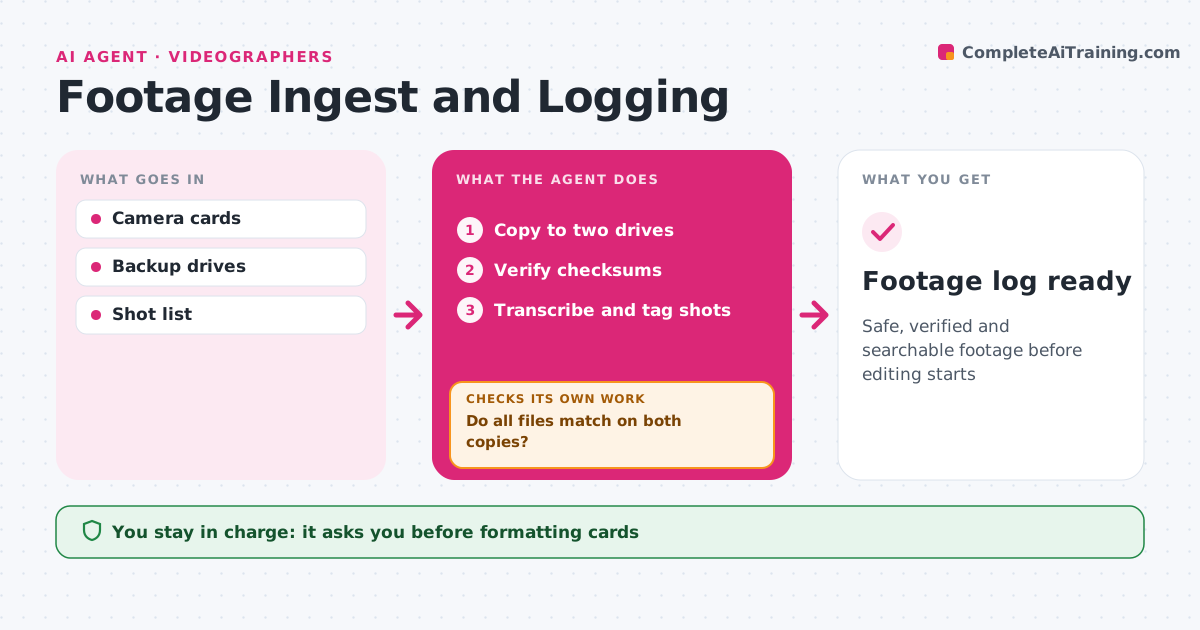
Safe, verified and searchable footage before editing starts
What it does
After a shoot, camera cards must be copied, checked and logged before anyone can edit, and a card formatted too early can lose a day of footage. When a card is inserted, this agent copies it to two drives and verifies every file with checksums. If any checksum fails, it copies that file again and checks once more. Only when every file matches on both copies does it mark the card as safe. It then reads metadata, transcribes speech and tags shots by scene, take and speaker. It flags clips with technical problems, such as soft focus or audio clipping. A person confirms before any card is formatted; the agent never wipes cards. The result is a footage log ready for the edit. Edge case: a clip that the camera split across two files is joined in the log so it is not missed.
How it works
Follow the arrows from top to bottom. The orange dashed arrow is the loop: when a check fails, the agent goes back and tries again.
Read the steps as a list
- Card inserted
- Copy to two drives
- Verify checksums
- Do all files match on both copies?If not: recopy the failed files. Back to step 2.
- Transcribe and tag shots
- Flag technical problems
- Person confirms card can be formattedThe agent waits here for your OK.
- Footage log ready
How it decides
A card is safe only when every file matches its checksum on both copies.
- Never mark a card safe without matching checksums
- Flag clips with audio clipping
- Join split clips
Make it yours
Every agent is a starting point. You choose these settings for your own situation.
- Backup locations
- Tag scheme
- Problem flags
- Folder naming
What keeps you in control
It always asks you first
- Formatting cards
Hard limits
- Never formats cards
- Keeps two copies
It stops when
- Done: log ready
- Stop: drive full; ask for space
Set it up
We guide you through the set-up, step by step
Members get the full set-up guide for this agent. No technical skills needed: you copy, paste and upload.
- One set of instructions to paste into your AI, with the clicks for ChatGPT, Claude, Microsoft 365 Copilot, Gemini and Grok
- The agent then walks you through connecting your own data, one source at a time
- A downloadable copy with the flow chart, the rules and the full guide