AI agent for no-code developers
Form and Checkout Flow Test Agent
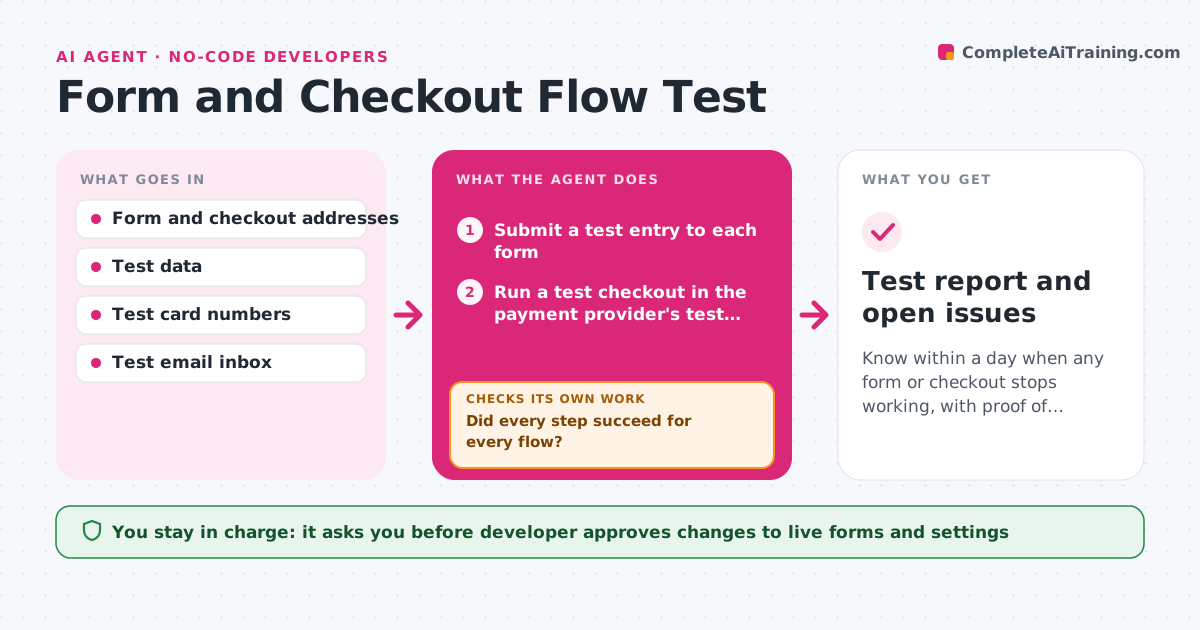
Know within a day when any form or checkout stops working, with proof of where it failed.
What it does
A contact form stops sending emails after a plugin update, and nobody notices for nine days. This agent runs through every form and the checkout on your site on a schedule. For each form it submits a test entry, checks the confirmation page, checks that the notification email arrived and that the entry was saved in the CRM or database. For checkout it uses the payment provider's test mode and checks the order record, the receipt email and the stock update. When a step fails, it records a screenshot, the page address and the failing step. After a fix, it tests the same flow again to confirm. The developer approves any change to live forms. Edge case: the form works but the email lands in spam, so the agent reports a delivery problem.
How it works
Follow the arrows from top to bottom. The orange dashed arrow is the loop: when a check fails, the agent goes back and tries again.
Read the steps as a list
- Daily run or after a site update
- Submit a test entry to each form
- Run a test checkout in the payment provider's test mode
- Check the confirmation, email and saved record
- Did every step succeed for every flow?If not: retry once, then capture a screenshot and log the failing step. Back to step 2.
- Write a failure report with screenshots
- Propose the likely cause such as a plugin, key or setting
- Developer approves any change to a live formThe agent waits here for your OK.
- Run the failed flow again after the fix
- Does the retested flow pass fully?If not: update the report and propose the next likely cause. Back to step 7.
- Test report and open issues
How it decides
A flow passes only if the confirmation shows, the email arrives within 5 minutes and the record is saved with the right fields.
- Retry a failing flow once before reporting it
- Treat an email arriving after 5 minutes or in spam as a failure
- Run checkout only in test mode, never with live payment
- Fail a flow if the saved record is missing any required field
Make it yours
Every agent is a starting point. You choose these settings for your own situation.
- Forms and checkouts to test
- Run times (default daily)
- Email delivery time allowed (default 5 minutes)
- Test data and test inbox
- Who receives failure reports
What keeps you in control
It always asks you first
- Developer approves changes to live forms and settings
Hard limits
- Never use real card data or place a live order
- Never change a live form or setting without approval
It stops when
- Done: all flows pass
- Stop: a failure continues after two proposed fixes, so escalate to the developer
Set it up
We guide you through the set-up, step by step
Members get the full set-up guide for this agent. No technical skills needed: you copy, paste and upload.
- One set of instructions to paste into your AI, with the clicks for ChatGPT, Claude, Microsoft 365 Copilot, Gemini and Grok
- The agent then walks you through connecting your own data, one source at a time
- A downloadable copy with the flow chart, the rules and the full guide