AI agent for systems analysts
Hardening Benchmark Drift Agent
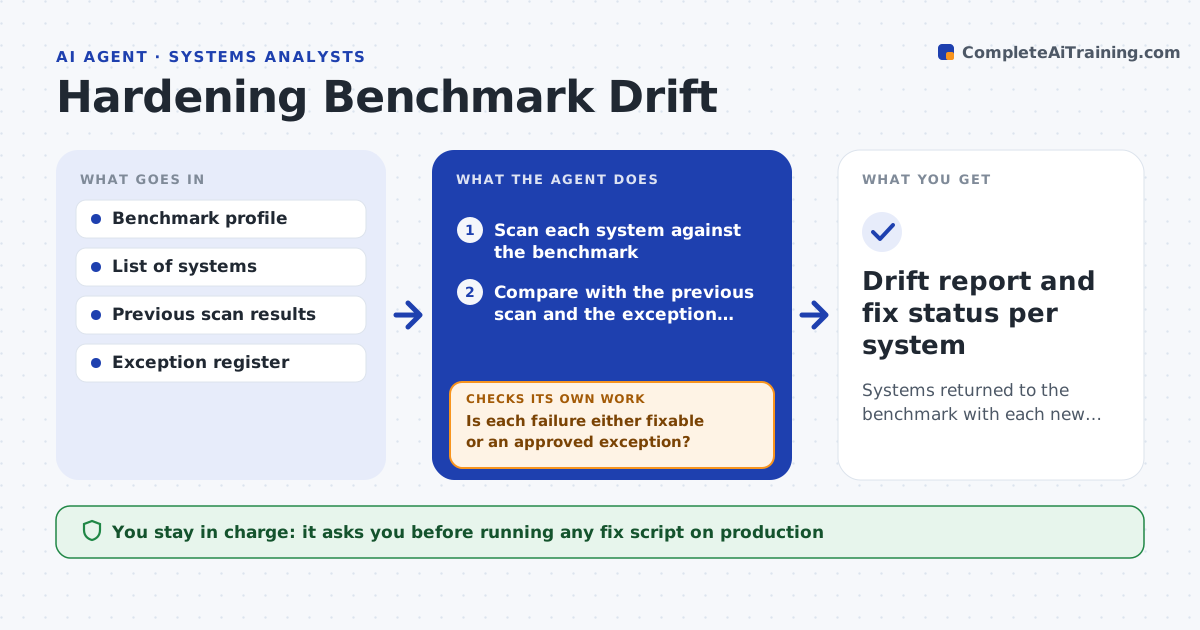
Systems returned to the benchmark with each new failure explained and fixed or excepted
What it does
A server built to a secure baseline slowly changes: a service is switched on, a setting is relaxed, a patch is skipped. This agent scans the chosen systems against the benchmark, compares today's results with the last scan, and shows only what is new. It groups new failures by cause, such as one package update that reset many settings, so the owner fixes the cause and not each line. For each group it drafts a fix script. After the owner runs a script on a test system, the agent scans again to confirm the controls pass. A person approves any script run on production. Edge case: a failure that is an accepted exception is checked against the exception register and skipped.
How it works
Follow the arrows from top to bottom. The orange dashed arrow is the loop: when a check fails, the agent goes back and tries again.
Read the steps as a list
- Scheduled benchmark scan
- Scan each system against the benchmark
- Compare with the previous scan and the exception register
- List new failures and group them by cause
- Is each failure either fixable or an approved exception?If not: ask the owner for an exception or mark it as needing a design change. Back to step 3.
- Draft fix scripts for each group
- Test the scripts on a non-production system
- Do the controls pass after the test run?If not: adjust the script, note any side effect, and test again. Back to step 6.
- System owner approves the script on productionThe agent waits here for your OK.
- Drift report and fix status per system
How it decides
Failures are ranked by severity in the benchmark. Those with a shared cause are fixed together and an accepted exception is not reported.
- Report only changes since the last scan
- Fix high severity failures first
- Group failures when 5 or more systems share the cause
- Skip any failure with an active, in-date exception
Make it yours
Every agent is a starting point. You choose these settings for your own situation.
- Benchmark profile (default CIS level 1)
- Scan schedule
- Systems in scope
- Severity levels that must be fixed first
What keeps you in control
It always asks you first
- Running any fix script on production
- Granting a new exception
Hard limits
- Never runs scripts on production without approval
- Never changes benchmark settings
It stops when
- Done: all failures fixed, excepted or ticketed
- Stop: a scan cannot reach a system
Set it up
We guide you through the set-up, step by step
Members get the full set-up guide for this agent. No technical skills needed: you copy, paste and upload.
- One set of instructions to paste into your AI, with the clicks for ChatGPT, Claude, Microsoft 365 Copilot, Gemini and Grok
- The agent then walks you through connecting your own data, one source at a time
- A downloadable copy with the flow chart, the rules and the full guide