AI agent for phd students
Historiography Position Map Agent
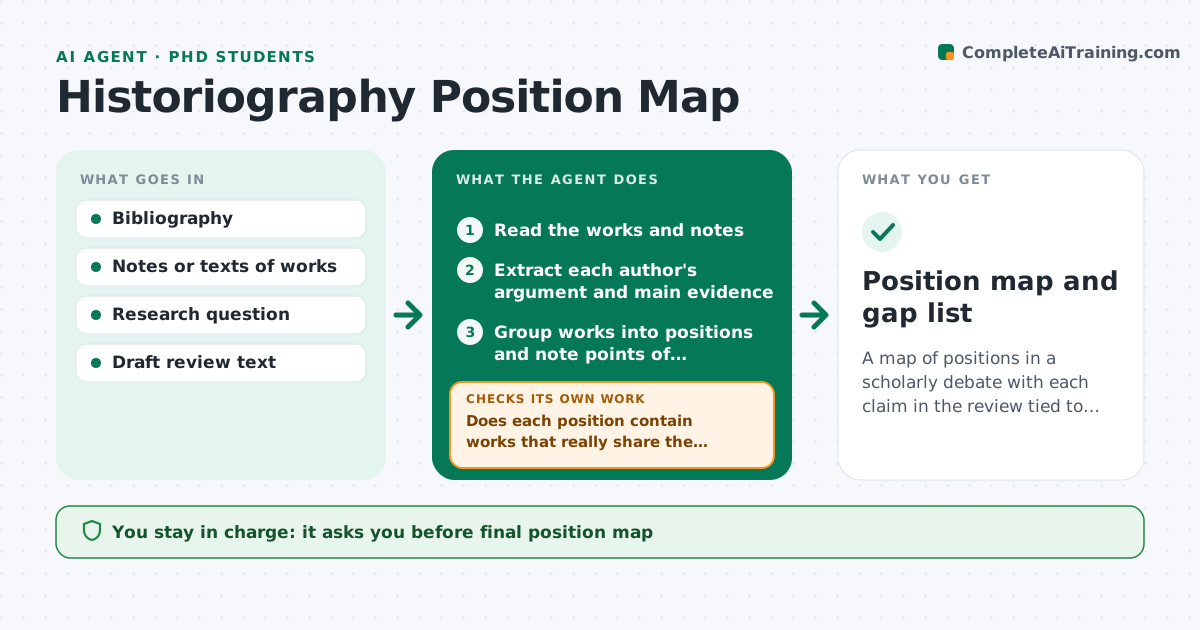
A map of positions in a scholarly debate with each claim in the review tied to a source and gaps visible
What it does
Literature reviews often summarize each author in turn and fail to show who disagrees about what. This agent collects the works on a research question, extracts each author's argument and evidence, and groups them into positions. It lists works the historian has not read and cites for each claim in the review which source supports it. It checks that every claim in the draft is backed by a work, and that no major position is left out. After the historian adds new works, it rebuilds the map. The historian approves the map. Edge case: two authors appear to disagree but are using different time periods, so the agent notes the framing difference rather than a conflict.
How it works
Follow the arrows from top to bottom. The orange dashed arrow is the loop: when a check fails, the agent goes back and tries again.
Read the steps as a list
- Review project starts or works added
- Read the works and notes
- Extract each author's argument and main evidence
- Group works into positions and note points of disagreement
- Does each position contain works that really share the argument?If not: split the group and note the differences. Back to step 3.
- List works not yet read or cited
- Read the draft review
- Is every claim in the draft backed by a cited work?If not: mark the unsupported claim and suggest a source or removal. Back to step 6.
- Check that major positions are all represented
- Historian approves the mapThe agent waits here for your OK.
- Position map and gap list
How it decides
Works form a position when their central argument and evidence type are alike. Every claim in the review must cite at least one work.
- Group by argument and evidence type, not by date
- Flag a claim with no citation
- Note framing differences before labeling a disagreement
- Mark works not read as pending, not as supporting
Make it yours
Every agent is a starting point. You choose these settings for your own situation.
- Position categories
- Works included
- Citation style
- Handling of unsupported claims
What keeps you in control
It always asks you first
- Final position map
- Any claim about what an author argued
Hard limits
- Never invents a citation
- Never summarizes a work it has not read
It stops when
- Done: positions mapped and claims supported
- Stop: not enough works to map
Set it up
We guide you through the set-up, step by step
Members get the full set-up guide for this agent. No technical skills needed: you copy, paste and upload.
- One set of instructions to paste into your AI, with the clicks for ChatGPT, Claude, Microsoft 365 Copilot, Gemini and Grok
- The agent then walks you through connecting your own data, one source at a time
- A downloadable copy with the flow chart, the rules and the full guide