AI agent for preschool teachers
Home Language Support Plan Agent
Support every routine for each multilingual child and keep two-way family communication clear
What it does
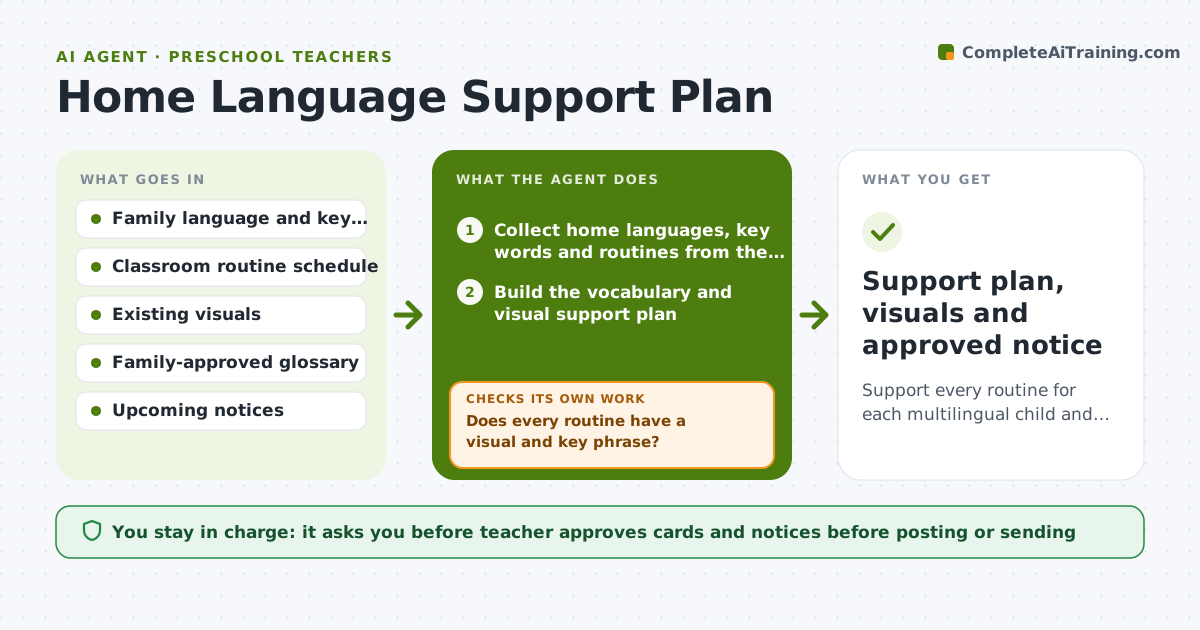
A child arrives speaking Tagalog or Somali and the class runs in English. This agent gathers the family's languages, key words, routines and what the child already knows. It builds a vocabulary and visual support plan for the first weeks. Then it audits each classroom routine, such as arrival, circle, snack and clean-up, and lists which routines have no support in the child's language. It fills each gap with a card, a picture or a short phrase and checks the list again. It drafts translated family notices and checks them against a glossary the family has approved, flagging any term that is not on it. The teacher approves what is posted or sent. Edge case: if no glossary exists, it asks the family for the preferred words first.
How it works
Follow the arrows from top to bottom. The orange dashed arrow is the loop: when a check fails, the agent goes back and tries again.
Read the steps as a list
- Multilingual child enrolled or new notice due
- Collect home languages, key words and routines from the family
- Build the vocabulary and visual support plan
- Audit each classroom routine for home language support
- Does every routine have a visual and key phrase?If not: Draft a card or phrase for each missing routine and audit again. Back to step 4.
- Draft the translated family notice
- Compare translated terms with the family-approved glossary
- Do all key terms match the glossary?If not: Replace mismatched terms, mark unknown words and ask the family to confirm. Back to step 6.
- Teacher approves what is posted or sentThe agent waits here for your OK.
- Support plan, visuals and approved notice
How it decides
It marks a routine as supported only when it has a visual and a key phrase in the home language. Translations pass only if every key term matches the glossary.
- Count a routine as supported only with a visual plus a phrase
- Use the family's own words over dictionary translations
- Flag any term not in the glossary for family review
- Prioritize safety, toileting and pickup routines first
Make it yours
Every agent is a starting point. You choose these settings for your own situation.
- Languages supported (default the families' languages)
- Routines audited (default arrival, circle, snack, toileting, pickup)
- Audit frequency (default monthly)
- Notice reading level (default simple and short)
What keeps you in control
It always asks you first
- Teacher approves cards and notices before posting or sending
- Family confirms new glossary terms
Hard limits
- Never rely on machine translation alone for safety notices
- Never send a notice without teacher approval
- Do not guess a child's language level
It stops when
- Done: All routines supported and notice approved
- Stop: Family asks for an interpreter, so hand to the teacher and school office
Set it up
We guide you through the set-up, step by step
Members get the full set-up guide for this agent. No technical skills needed: you copy, paste and upload.
- One set of instructions to paste into your AI, with the clicks for ChatGPT, Claude, Microsoft 365 Copilot, Gemini and Grok
- The agent then walks you through connecting your own data, one source at a time
- A downloadable copy with the flow chart, the rules and the full guide