AI agent for voice actors
Home Studio Daily Readiness Agent
A recording setup that passes a short quality test before every session
What it does
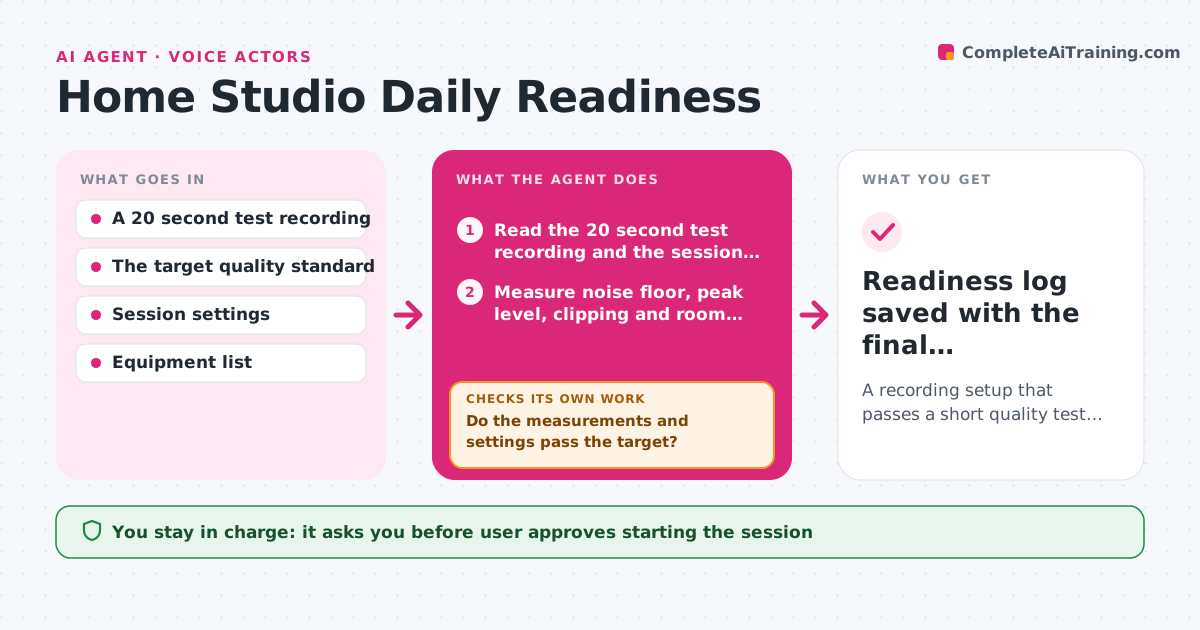
A voice actor sits down for a paid session, and the audition link fails because the fridge hums, a USB cable is loose and the input level is set wrong. Before each session, this agent reads a short test recording and checks the noise floor, input level, clipping, room reverb, mouth noise and any unwanted tone. It identifies likely causes, such as fan noise or the gain staging, and suggests one fix at a time, like turning off the air conditioner or moving the mic 10 centimeters. After each fix it records again and rechecks, looping until the test passes. It also checks the session settings, such as sample rate and file naming. The user approves starting the session. Edge case: noise that appears only every few minutes triggers a longer test recording.
How it works
Follow the arrows from top to bottom. The orange dashed arrow is the loop: when a check fails, the agent goes back and tries again.
Read the steps as a list
- Session about to start
- Read the 20 second test recording and the session settings
- Measure noise floor, peak level, clipping and room reverb
- Check sample rate, bit depth and file name settings
- Do the measurements and settings pass the target?If not: Name the likely cause, suggest one fix and ask for a new test recording. Back to step 2.
- Run a longer test if noise appears at intervals
- Is the longer recording also clean?If not: Find the noise source from the timing and suggest the next fix. Back to step 2.
- User approves starting the sessionThe agent waits here for your OK.
- Readiness log saved with the final measurements
How it decides
It measures noise floor, peak level and reverb against the target. It names the most likely cause for each failure and suggests the single quickest fix first.
- Pass requires a noise floor below minus 55 dB
- Pass requires peaks between minus 12 and minus 6 dB with no clipping
- Suggest one fix at a time and retest
- Run a 3 minute test if noise appears intermittently
Make it yours
Every agent is a starting point. You choose these settings for your own situation.
- Noise and level targets
- Sample rate and format
- Equipment list
- Time before session for the check
- Longer test duration
What keeps you in control
It always asks you first
- User approves starting the session
Hard limits
- Never start or stop the recording itself
- Only suggest changes the user makes
It stops when
- Done: The test passes and the session starts
- Stop: The setup fails after 5 attempts, so the agent suggests moving to another space or rescheduling
Set it up
We guide you through the set-up, step by step
Members get the full set-up guide for this agent. No technical skills needed: you copy, paste and upload.
- One set of instructions to paste into your AI, with the clicks for ChatGPT, Claude, Microsoft 365 Copilot, Gemini and Grok
- The agent then walks you through connecting your own data, one source at a time
- A downloadable copy with the flow chart, the rules and the full guide