AI agent for illustrators
Illustration Deadline Stage Reporter Agent
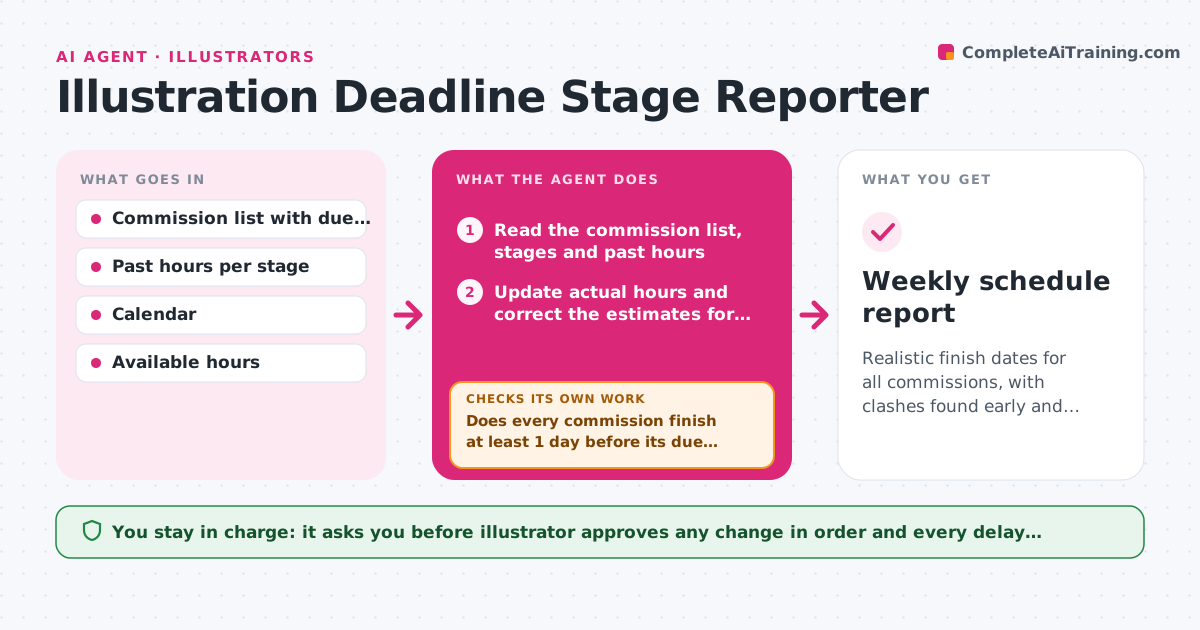
Realistic finish dates for all commissions, with clashes found early and delay notices ready when needed
What it does
Three commissions are due in the same week, and the illustrator only realizes it after saying yes to the third. This agent keeps a record of each commission's stage, such as sketch, line work, color and revisions, with the due date and the real hours spent per stage on past jobs. It projects the finish date for each commission and flags clashes, then suggests reordering or moving a stage to a quieter day. It updates the projection each time the illustrator marks a stage done, comparing actual time with the estimate and correcting the next estimates. When a delay is likely, it drafts a notice to the client with a new date. The illustrator approves any delay notices. Edge case: a client with a history of late feedback gets extra time added to the revision stage.
How it works
Follow the arrows from top to bottom. The orange dashed arrow is the loop: when a check fails, the agent goes back and tries again.
Read the steps as a list
- Stage completed or new commission
- Read the commission list, stages and past hours
- Update actual hours and correct the estimates for later stages
- Project finish dates against available hours
- Does every commission finish at least 1 day before its due date?If not: Suggest reordering stages or moving work to open days, then project again. Back to step 3.
- List clashes that cannot be solved by reordering
- Illustrator approves the new order and any delay noticeThe agent waits here for your OK.
- Update the schedule and draft the notice for the client
- Does the new schedule hold after the notice is applied?If not: Recalculate with the new dates and flag the remaining clash. Back to step 3.
- Weekly schedule report
How it decides
It projects each stage from average past time adjusted for complexity, then flags any commission whose projected finish is within 1 day of or after its due date.
- Flag a commission with projected finish less than 1 day before due
- Add 20 percent to revision stages for clients with a late feedback history
- Use the average of the last 5 similar commissions for stage estimates
- Never schedule more than 6 working hours per day
Make it yours
Every agent is a starting point. You choose these settings for your own situation.
- Stages used and average hours
- Working hours per day (default 6)
- Margin before due date (default 1 day)
- Revision time uplift for slow clients
- Day of the weekly report
What keeps you in control
It always asks you first
- Illustrator approves any change in order and every delay notice
Hard limits
- Never tell a client about a delay without approval
- Never accept a commission on the illustrator's behalf
It stops when
- Done: All commissions have a realistic finish date
- Stop: Clashes cannot be solved, so the agent lists the options such as declining or delaying
Set it up
We guide you through the set-up, step by step
Members get the full set-up guide for this agent. No technical skills needed: you copy, paste and upload.
- One set of instructions to paste into your AI, with the clicks for ChatGPT, Claude, Microsoft 365 Copilot, Gemini and Grok
- The agent then walks you through connecting your own data, one source at a time
- A downloadable copy with the flow chart, the rules and the full guide