AI agent for administrative assistants
Inbox Triage and Follow-Up Tracker Agent
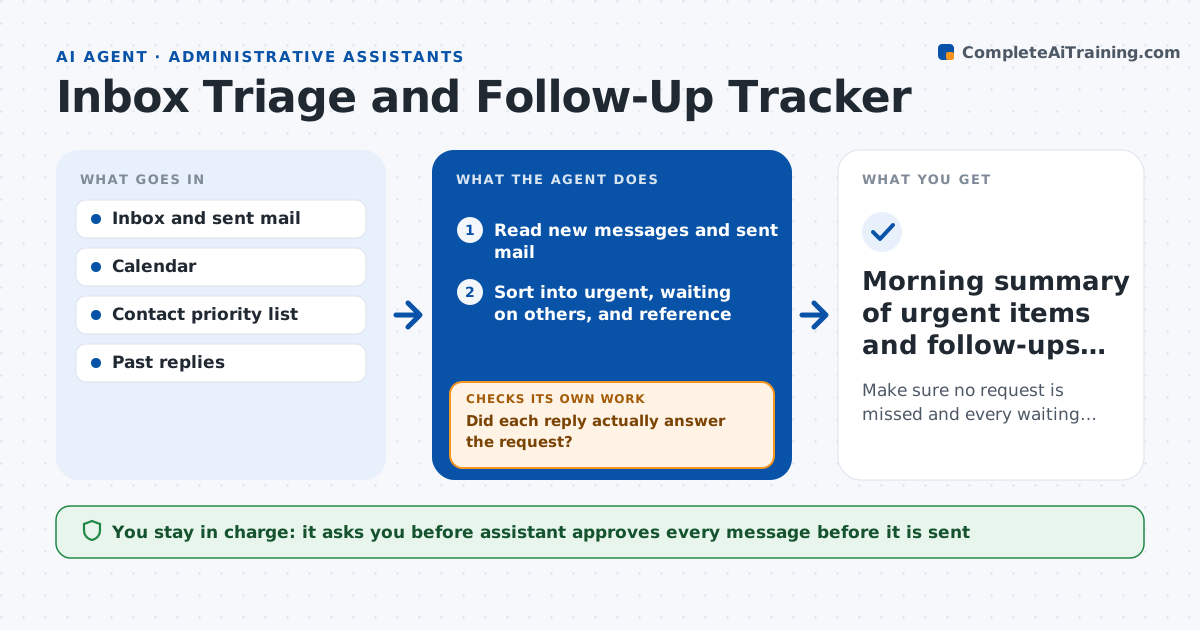
Make sure no request is missed and every waiting item gets a timely follow-up.
What it does
An inbox holds requests, replies still owed and threads waiting on someone else, and the important ones drown among newsletters. This agent reads the inbox each morning and sorts messages into urgent, waiting on others and reference. For routine messages it drafts replies using past answers and the calendar. It also keeps a list of items waiting on others and resurfaces each one when it goes stale, drafting a short follow-up. After a reply arrives, it checks that the request was actually answered, and if not, keeps the item open. Edge case: messages from the executive's family or lawyer are always marked urgent. The assistant approves every outgoing message.
How it works
Follow the arrows from top to bottom. The orange dashed arrow is the loop: when a check fails, the agent goes back and tries again.
Read the steps as a list
- Morning run
- Read new messages and sent mail
- Sort into urgent, waiting on others, and reference
- Extract requests, deadlines and open questions
- Draft replies to routine messages
- Assistant approves each outgoing messageThe agent waits here for your OK.
- Update the waiting-on list with dates
- Did each reply actually answer the request?If not: keep the item open and draft a clarifying follow-up. Back to step 4.
- Find waiting items older than 3 business days
- Draft follow-ups for stale items
- Morning summary of urgent items and follow-ups due
How it decides
It ranks by sender priority, deadlines and open questions, and treats an item as closed only when the request itself is answered.
- Mark messages from the priority contact list urgent
- Resurface a waiting item after 3 business days
- Draft a reply only when a similar past answer exists
- Never auto-archive anything with a deadline
Make it yours
Every agent is a starting point. You choose these settings for your own situation.
- Priority contact list
- Days before a follow-up is suggested (default 3)
- Run times
- Topics always routed to the executive
What keeps you in control
It always asks you first
- Assistant approves every message before it is sent
- Executive approves replies on sensitive topics
Hard limits
- Never sends, deletes or archives mail on its own
- Does not forward messages outside the organization
It stops when
- Done: all urgent items handled and the waiting list is current
- Stop: message needs a decision only the executive can make
Set it up
We guide you through the set-up, step by step
Members get the full set-up guide for this agent. No technical skills needed: you copy, paste and upload.
- One set of instructions to paste into your AI, with the clicks for ChatGPT, Claude, Microsoft 365 Copilot, Gemini and Grok
- The agent then walks you through connecting your own data, one source at a time
- A downloadable copy with the flow chart, the rules and the full guide