AI agent for police officers
Interview Statement Consistency Agent
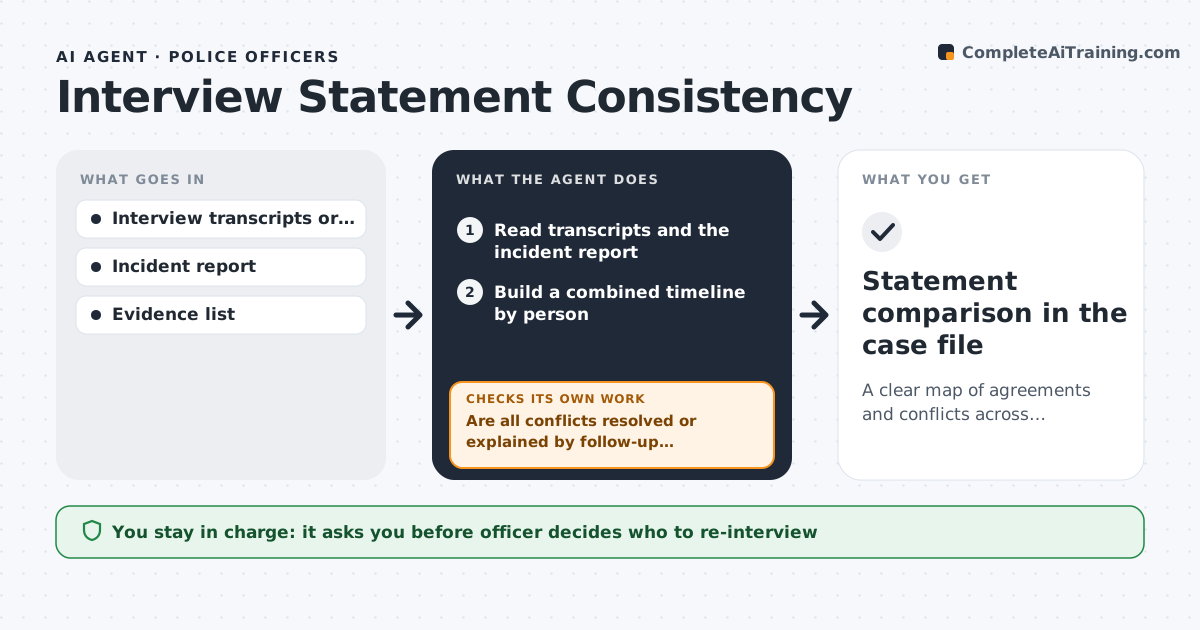
A clear map of agreements and conflicts across statements, with follow-up topics
What it does
After interviews, officers need to see quickly where statements agree and where they differ. This agent reads the transcripts or notes of each interview and the incident report, builds a combined timeline by person, and marks every conflict in time, place, person or action, including conflicts with physical evidence such as video. For each conflict it drafts neutral follow-up questions. When new statements arrive, it updates the comparison and checks whether each conflict is now resolved or explained. Open conflicts stay open until a follow-up answers them. The officer decides whom to re-interview and how. Edge case: when a witness was interviewed through an interpreter, the agent notes that wording differences may come from translation, not from the witness changing the story.
How it works
Follow the arrows from top to bottom. The orange dashed arrow is the loop: when a check fails, the agent goes back and tries again.
Read the steps as a list
- Second statement logged
- Read transcripts and the incident report
- Build a combined timeline by person
- Mark conflicts with each other and with evidence
- Draft follow-up topics for each conflict
- Are all conflicts resolved or explained by follow-up interviews?If not: keep conflicts open and wait for new statements. Back to step 2.
- Officer decides on re-interviewsThe agent waits here for your OK.
- Statement comparison in the case file
How it decides
A conflict is any difference in time, place, person or action between statements or between a statement and evidence.
- Conflicts in time, place, person or action are flagged
- Interpreter use is noted
- Follow-up topics are neutral questions
Make it yours
Every agent is a starting point. You choose these settings for your own situation.
- Conflict categories
- Follow-up topic style
- Case types covered
- Where the comparison is saved
What keeps you in control
It always asks you first
- Officer decides who to re-interview
Hard limits
- Never judges credibility
- Never contacts people involved
It stops when
- Done: conflicts resolved or documented
- Stop: case closed
Set it up
We guide you through the set-up, step by step
Members get the full set-up guide for this agent. No technical skills needed: you copy, paste and upload.
- One set of instructions to paste into your AI, with the clicks for ChatGPT, Claude, Microsoft 365 Copilot, Gemini and Grok
- The agent then walks you through connecting your own data, one source at a time
- A downloadable copy with the flow chart, the rules and the full guide