AI agent for sales and marketings
Lead Handoff Quality Agent
Propose lead scoring rules that cut sales rejections without losing leads that turn into deals.
What it does
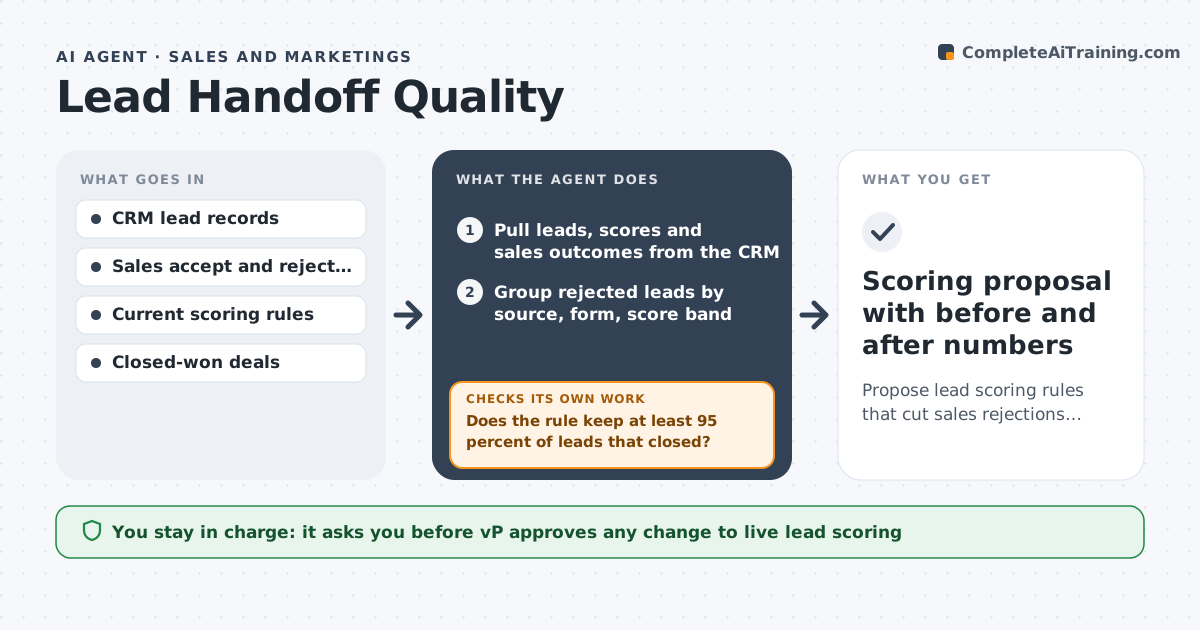
Every month sales says the leads are poor and marketing says sales does not follow up. Nobody has the data to settle it. This agent reads lead records and sales outcomes from the CRM, groups rejected leads by source, form, score and rejection reason, and finds the patterns. It then drafts a scoring change, replays it on the last six months of leads, and compares how many accepted leads it would have kept and how many rejected ones it would have removed. If the change drops too many leads that sales later closed, it loosens the rule and tests again. It never edits live scoring. Edge case: a webinar source looks bad, but its leads close slowly, so the agent checks a longer window before blaming it. The VP approves every change.
How it works
Follow the arrows from top to bottom. The orange dashed arrow is the loop: when a check fails, the agent goes back and tries again.
Read the steps as a list
- Month ends or rejection rate crosses the limit
- Pull leads, scores and sales outcomes from the CRM
- Group rejected leads by source, form, score band and stated reason
- Find patterns that appear far more in rejected leads than accepted ones
- Draft a scoring rule change for each strong pattern
- Replay each rule on six months of past leads
- Does the rule keep at least 95 percent of leads that closed?If not: loosen the rule or narrow it to one source, then redraft. Back to step 5.
- Check slow-closing sources with a longer window
- VP of marketing approves changes to live scoringThe agent waits here for your OK.
- Scoring proposal with before and after numbers
How it decides
It keeps a rule change only if it removes more rejected leads than it removes leads that later closed, tested on past data.
- Flag a pattern only if it covers at least 30 leads in the window
- Reject a rule that loses more than 5 percent of closed-won leads
- Use a 90 day window for sources with long sales cycles
- Mark vague rejection reasons as unknown, not as a cause
Make it yours
Every agent is a starting point. You choose these settings for your own situation.
- Minimum share of closed-won leads a rule must keep (default 95 percent)
- Replay window in months (default 6)
- Rejection rate that triggers a run (default 25 percent)
- CRM fields used as lead source and rejection reason
What keeps you in control
It always asks you first
- VP approves any change to live lead scoring
- VP approves anything shared with the sales leader
Hard limits
- Never changes live scoring or CRM fields itself
- Does not contact leads or sales reps
It stops when
- Done: at least one rule passes the replay test and is ready for approval
- Stop: fewer than 100 leads with outcomes, so the data is too thin to test
Set it up
We guide you through the set-up, step by step
Members get the full set-up guide for this agent. No technical skills needed: you copy, paste and upload.
- One set of instructions to paste into your AI, with the clicks for ChatGPT, Claude, Microsoft 365 Copilot, Gemini and Grok
- The agent then walks you through connecting your own data, one source at a time
- A downloadable copy with the flow chart, the rules and the full guide