AI agent for revenue operations managers
Lead Scoring Model Recalibration Agent
Keep lead scoring aligned with real conversion results.
What it does
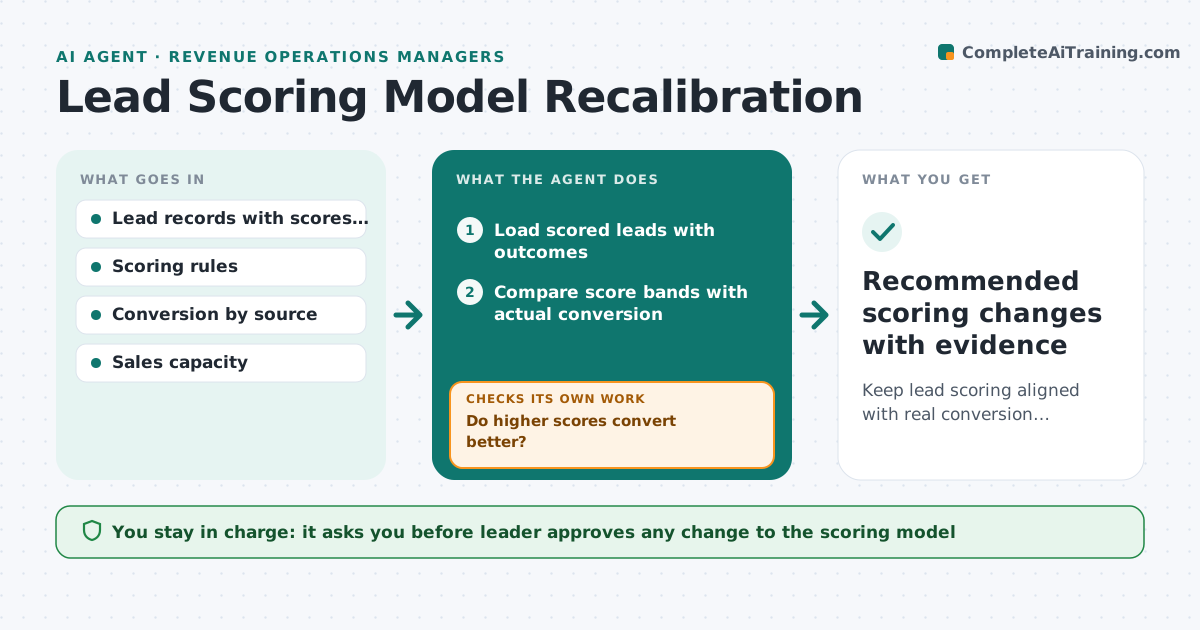
Lead scoring rules get old, and sales receives poor leads because the weights no longer match what turns into customers. The agent compares scored leads with actual outcomes, finds where the scores mislead, and tests alternative weights on historical data. It checks how a change would affect lead volume and conversion, so sales are not flooded or starved. It proposes a set of updates with the evidence. When data is thin, it asks for a longer window. The leader approves any change. Edge case: leads from webinars score high but rarely convert, so the agent proposes lowering that weight and shows the volume drop.
How it works
Follow the arrows from top to bottom. The orange dashed arrow is the loop: when a check fails, the agent goes back and tries again.
Read the steps as a list
- Quarterly review or conversion drops
- Load scored leads with outcomes
- Compare score bands with actual conversion
- Do higher scores convert better?If not: Find the rules that mislead and list them. Back to step 3.
- Is there enough data to test changes?If not: Extend the time window and reload data. Back to step 2.
- Test alternative weights on historical data
- Check effect on lead volume and sales capacity
- Does the new model beat the old one without overloading sales?If not: Adjust the weights and retest. Back to step 6.
- Leader approves any changeThe agent waits here for your OK.
- Recommended scoring changes with evidence
How it decides
It tests changes on past leads and keeps those that raise conversion of top-scored leads without cutting lead volume below the capacity of sales. Thin data leads to a longer window, not a guess.
- Need at least 300 closed leads to test
- Keep only changes that raise conversion of the top band by 10 percent or more
- Lead volume must stay within sales capacity
- Test on data not used to set the weights
Make it yours
Every agent is a starting point. You choose these settings for your own situation.
- Minimum leads for testing (default 300)
- Improvement needed (default 10 percent)
- Sales capacity per week
- Review schedule
What keeps you in control
It always asks you first
- Leader approves any change to the scoring model
Hard limits
- Never changes the live scoring rules
- Never tunes only on the same data it tests on
It stops when
- Done: changes approved or no change needed
- Stop: data remains too thin, so the leader is told
Set it up
We guide you through the set-up, step by step
Members get the full set-up guide for this agent. No technical skills needed: you copy, paste and upload.
- One set of instructions to paste into your AI, with the clicks for ChatGPT, Claude, Microsoft 365 Copilot, Gemini and Grok
- The agent then walks you through connecting your own data, one source at a time
- A downloadable copy with the flow chart, the rules and the full guide