AI agent for sales operations analysts
Lead Source Attribution Cleanup Agent
Make meeting source tags match the first or most influential touch under the team's attribution rule
What it does
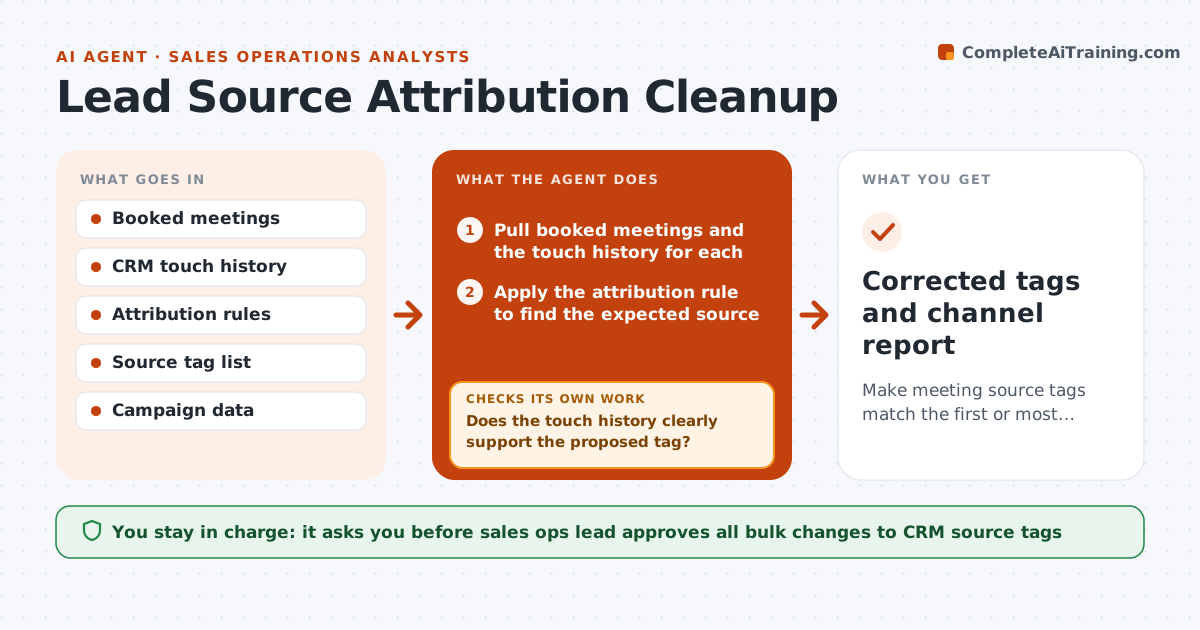
A booked meeting shows source as Outbound because the SDR called, but the contact first came through a webinar and replied to an ad. Leaders then fund the wrong channel. This agent cleans the data. It reads recent booked meetings, traces each back through the touches in the CRM such as ad clicks, form fills, emails and calls, and finds missing or conflicting source tags. It proposes a corrected tag with the evidence, groups the changes by pattern and checks whether the channel totals change. After approved fixes, it reruns the pattern check. A sales ops lead approves bulk CRM changes. Edge case: a contact has five touches in one week. The agent applies the attribution rule and shows the logic.
How it works
Follow the arrows from top to bottom. The orange dashed arrow is the loop: when a check fails, the agent goes back and tries again.
Read the steps as a list
- Weekly attribution check
- Pull booked meetings and the touch history for each
- Apply the attribution rule to find the expected source
- Compare with the current tag and flag missing or conflicting ones
- Does the touch history clearly support the proposed tag?If not: Mark the meeting as unclear and ask the SDR for context. Back to step 3.
- Group proposed fixes by pattern and show the effect on channel totals
- Sales ops lead approves bulk CRM changesThe agent waits here for your OK.
- Apply the approved corrections in the CRM
- Do the re-run totals match the expected pattern after fixes?If not: Investigate remaining mismatches and revise the proposal. Back to step 3.
- Corrected tags and channel report
How it decides
It applies the written attribution rule, such as first touch within 90 days. A tag is changed only when the touch history clearly supports it.
- Use first touch within 90 days unless the rule says otherwise
- A tag change needs at least one dated touch as evidence
- Bulk changes over 50 records need the lead's approval
- Unclear cases go to the SDR, not guessed
Make it yours
Every agent is a starting point. You choose these settings for your own situation.
- Attribution rule and window (default first touch 90 days)
- Source tag list
- Bulk approval threshold (default 50)
- Lookback period
- Report layout
What keeps you in control
It always asks you first
- Sales ops lead approves all bulk changes to CRM source tags
Hard limits
- Never changes CRM records without approval
- Logs every change with before and after
It stops when
- Done: tags corrected and totals reconciled
- Stop: the attribution rule is unclear, ask sales ops to define it
Set it up
We guide you through the set-up, step by step
Members get the full set-up guide for this agent. No technical skills needed: you copy, paste and upload.
- One set of instructions to paste into your AI, with the clicks for ChatGPT, Claude, Microsoft 365 Copilot, Gemini and Grok
- The agent then walks you through connecting your own data, one source at a time
- A downloadable copy with the flow chart, the rules and the full guide