AI agent for backend developers
Legacy Code Refactor Agent
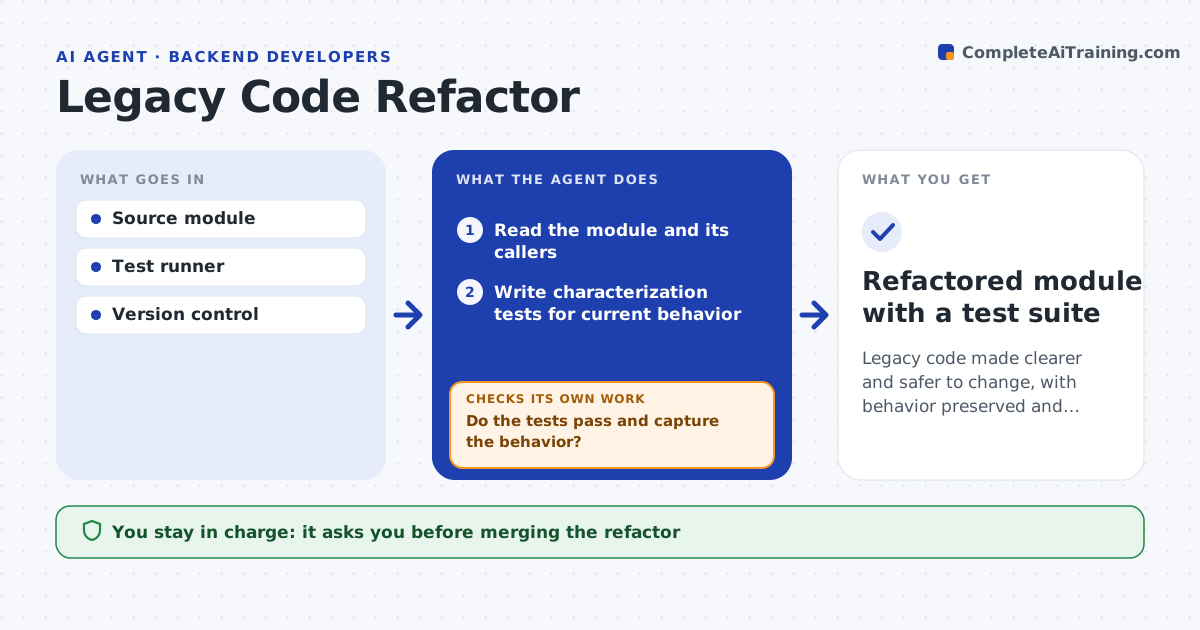
Legacy code made clearer and safer to change, with behavior preserved and proven by tests
What it does
Old code is risky to change because it has no tests and nobody remembers exactly how it works. This agent reads a chosen module and writes characterization tests that capture what it does today, including odd behavior. It runs them to confirm they pass on the current code. Then it refactors in small steps, running all tests after each step. If a test fails, it reverts that step and tries a smaller change. It keeps a log of each safe step so the work is easy to review. At the end it reports what was simplified and what still needs attention. You approve merging. Edge case: behavior that looks like a bug is never fixed silently. It is flagged with the test that proves it, so you decide.
How it works
Follow the arrows from top to bottom. The orange dashed arrow is the loop: when a check fails, the agent goes back and tries again.
Read the steps as a list
- Module chosen for refactor
- Read the module and its callers
- Write characterization tests for current behavior
- Run the tests on the current code
- Do the tests pass and capture the behavior?If not: add tests for uncovered paths before refactoring. Back to step 3.
- Refactor in small steps, running tests after each
- Did the tests still pass after the step?If not: revert the step and try a smaller change. Back to step 6.
- Developer approves the mergeThe agent waits here for your OK.
- Refactored module with a test suite
How it decides
It only keeps a refactor step when the characterization tests still pass, and it never changes behavior without flagging it.
- Keep a step only if tests stay green
- Flag suspected bugs instead of fixing them silently
- Stop refactoring a path that has no test coverage
Make it yours
Every agent is a starting point. You choose these settings for your own situation.
- Module scope
- Test coverage target before refactoring
- Step size
- Whether to propose bug fixes separately
What keeps you in control
It always asks you first
- Merging the refactor
- Fixing any behavior flagged as a possible bug
Hard limits
- Never changes behavior without flagging it
- Keeps every step reversible
It stops when
- Done: module refactored with tests passing
- Stop: behavior cannot be captured in tests
Set it up
We guide you through the set-up, step by step
Members get the full set-up guide for this agent. No technical skills needed: you copy, paste and upload.
- One set of instructions to paste into your AI, with the clicks for ChatGPT, Claude, Microsoft 365 Copilot, Gemini and Grok
- The agent then walks you through connecting your own data, one source at a time
- A downloadable copy with the flow chart, the rules and the full guide