AI agent for school principals
Library and Resource Budget Allocation Agent
Allocate the resource budget in line with need and use, without duplication.
What it does
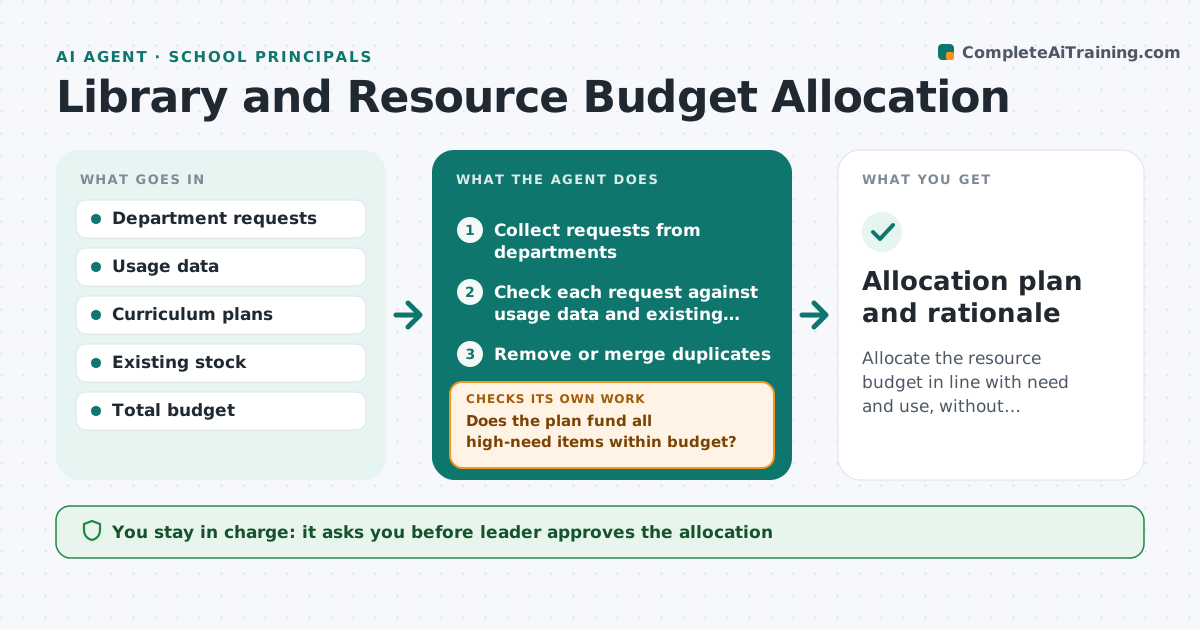
Departments request more for library and resources than the budget allows, and they use data poorly to justify it. The agent collects the requests, checks them against usage data and curriculum needs, ranks them, and tests different allocation splits. It flags requests that duplicate existing items. It then reruns the splits if the leader changes a priority. It records the reason each request was funded, reduced or deferred, so department heads get a clear answer. If the leader changes a priority, it reruns the splits and shows the effect. The leader approves the allocation. Edge case: two departments both request the same set of novels, so the agent proposes sharing a set and shows the saving.
How it works
Follow the arrows from top to bottom. The orange dashed arrow is the loop: when a check fails, the agent goes back and tries again.
Read the steps as a list
- Budget planning opens
- Collect requests from departments
- Check each request against usage data and existing stock
- Remove or merge duplicates
- Rank requests by curriculum need and past use
- Test several allocation splits within the budget
- Does the plan fund all high-need items within budget?If not: Adjust the split or defer lower priority items. Back to step 6.
- Leader approves the allocationThe agent waits here for your OK.
- Record the allocation and notify departments after approval
- Did the leader change a priority?If not: Re-run the splits and show the effect. Back to step 5.
- Allocation plan and rationale
How it decides
It ranks requests by curriculum need and past use, and removes duplicates against existing stock. It tests several splits and picks one that funds high-need items within budget.
- Items with low or no use in the last 12 months rank lower
- Duplicates are merged before ranking
- High need means curriculum required
- Keep 5 percent in reserve
Make it yours
Every agent is a starting point. You choose these settings for your own situation.
- Reserve share (default 5 percent)
- Usage period (default 12 months)
- Priority weights
- Departments included
What keeps you in control
It always asks you first
- Leader approves the allocation
Hard limits
- Never orders items
- Never notifies departments before the leader approves
It stops when
- Done: allocation approved
- Stop: budget changes, so planning restarts
Set it up
We guide you through the set-up, step by step
Members get the full set-up guide for this agent. No technical skills needed: you copy, paste and upload.
- One set of instructions to paste into your AI, with the clicks for ChatGPT, Claude, Microsoft 365 Copilot, Gemini and Grok
- The agent then walks you through connecting your own data, one source at a time
- A downloadable copy with the flow chart, the rules and the full guide