AI agent for librarians
Library Event Attendance Follow-up Agent
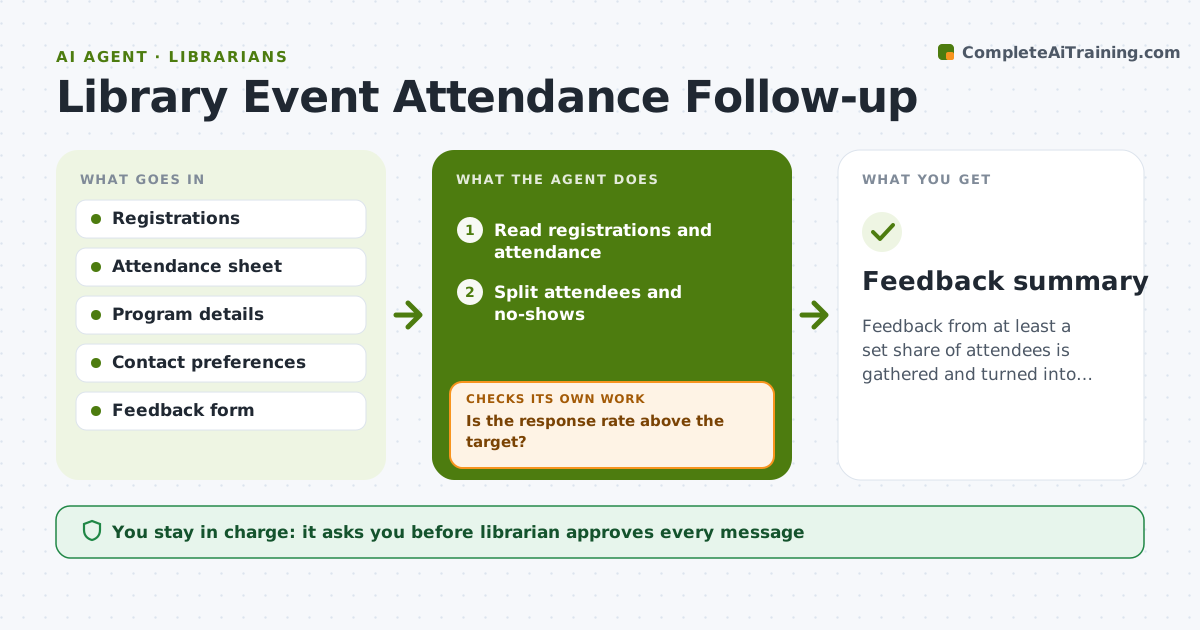
Feedback from at least a set share of attendees is gathered and turned into proposed changes for the next program.
What it does
After a library workshop or story hour, nobody has time to ask how it went, so the next program is planned without feedback. The agent reads registrations and attendance, works out who came and who did not, and drafts two short messages: a feedback request to attendees and a gentler note to no-shows with the next date. It groups replies by theme, such as time, topic or room, and proposes changes. It rechecks the response rate after a few days and resends once if it is low. The librarian approves every message. Edge case: a program for children, where messages go to parents and the agent never contacts a minor.
How it works
Follow the arrows from top to bottom. The orange dashed arrow is the loop: when a check fails, the agent goes back and tries again.
Read the steps as a list
- Program ends
- Read registrations and attendance
- Split attendees and no-shows
- Draft a feedback request and a no-show note
- Librarian approves the messagesThe agent waits here for your OK.
- Send the messages
- Check replies after 4 days
- Is the response rate above the target?If not: Draft one reminder and send it after approval. Back to step 7.
- Group replies by theme and propose changes for the next program
- Librarian approves the changesThe agent waits here for your OK.
- Feedback summary
How it decides
It separates attendees from no-shows and treats a response rate below the target after 4 days as a reason to resend once.
- Target response rate is 30%
- Resend once only
- Contact parents for children's programs
- Mark a theme as actionable when 3 or more replies mention it
Make it yours
Every agent is a starting point. You choose these settings for your own situation.
- Response rate target (default 30%)
- Days before reminder (default 4)
- Program types covered
- Survey questions
What keeps you in control
It always asks you first
- Librarian approves every message
- Librarian approves the changes for the next program
Hard limits
- Never send a message without approval
- Do not contact minors directly
It stops when
- Done: feedback summary approved
- Stop: contact consent is missing for most attendees
Set it up
We guide you through the set-up, step by step
Members get the full set-up guide for this agent. No technical skills needed: you copy, paste and upload.
- One set of instructions to paste into your AI, with the clicks for ChatGPT, Claude, Microsoft 365 Copilot, Gemini and Grok
- The agent then walks you through connecting your own data, one source at a time
- A downloadable copy with the flow chart, the rules and the full guide