AI agent for audio engineers
Master Delivery Spec Check Agent
Deliveries that pass the receiver's spec the first time
What it does
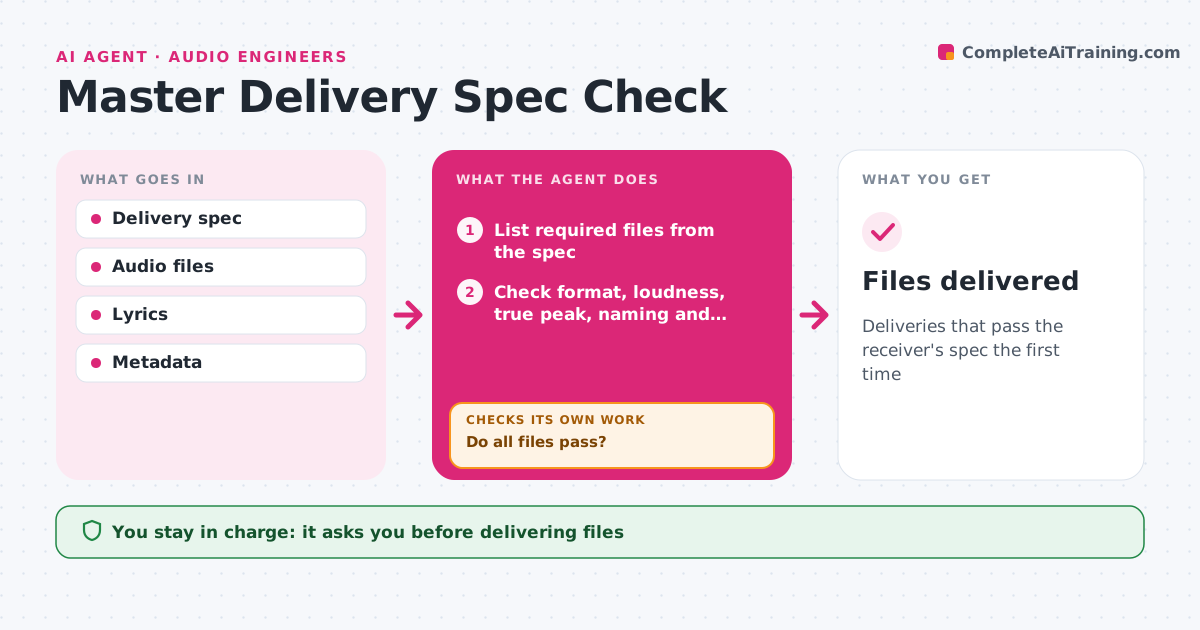
Distributors and labels reject deliveries for small spec errors, which delays releases. From the delivery spec, this agent lists every file needed: masters, instrumentals, stems and clean versions, each with format, sample rate, bit depth, loudness, true peak, naming and metadata such as ISRC codes. It checks each delivered file against the spec and checks that the stems add up to the full mix. Failed files are listed with the exact problem. After fixes, it checks again. It also compares clean versions with the lyric transcript to catch missed explicit words. It drafts the delivery note and metadata sheet. The engineer, producer or composer approves the delivery. Edge case: a clean version with one missed explicit word is caught by the lyric comparison.
How it works
Follow the arrows from top to bottom. The orange dashed arrow is the loop: when a check fails, the agent goes back and tries again.
Read the steps as a list
- Final files ready
- List required files from the spec
- Check format, loudness, true peak, naming and metadata
- Check stems sum to the mix and clean versions are clean
- Do all files pass?If not: list problems and recheck re-exports. Back to step 3.
- Draft delivery note and metadata sheet
- Approve the deliveryThe agent waits here for your OK.
- Files delivered
How it decides
A file passes only if every spec item matches and stems sum to the mix within tolerance.
- True peak must stay under the spec limit
- Stems must null against the mix within tolerance
- Clean versions are checked against lyrics
Make it yours
Every agent is a starting point. You choose these settings for your own situation.
- Delivery specs by receiver
- Stem tolerance
- Naming template
- Metadata fields
What keeps you in control
It always asks you first
- Delivering files
Hard limits
- Never alters masters
- Never delivers without approval
It stops when
- Done: delivery accepted
- Stop: spec missing
Set it up
We guide you through the set-up, step by step
Members get the full set-up guide for this agent. No technical skills needed: you copy, paste and upload.
- One set of instructions to paste into your AI, with the clicks for ChatGPT, Claude, Microsoft 365 Copilot, Gemini and Grok
- The agent then walks you through connecting your own data, one source at a time
- A downloadable copy with the flow chart, the rules and the full guide