AI agent for elementary school teachers
Math Practice Differentiation Agent
Practice that fits each student's level
What it does
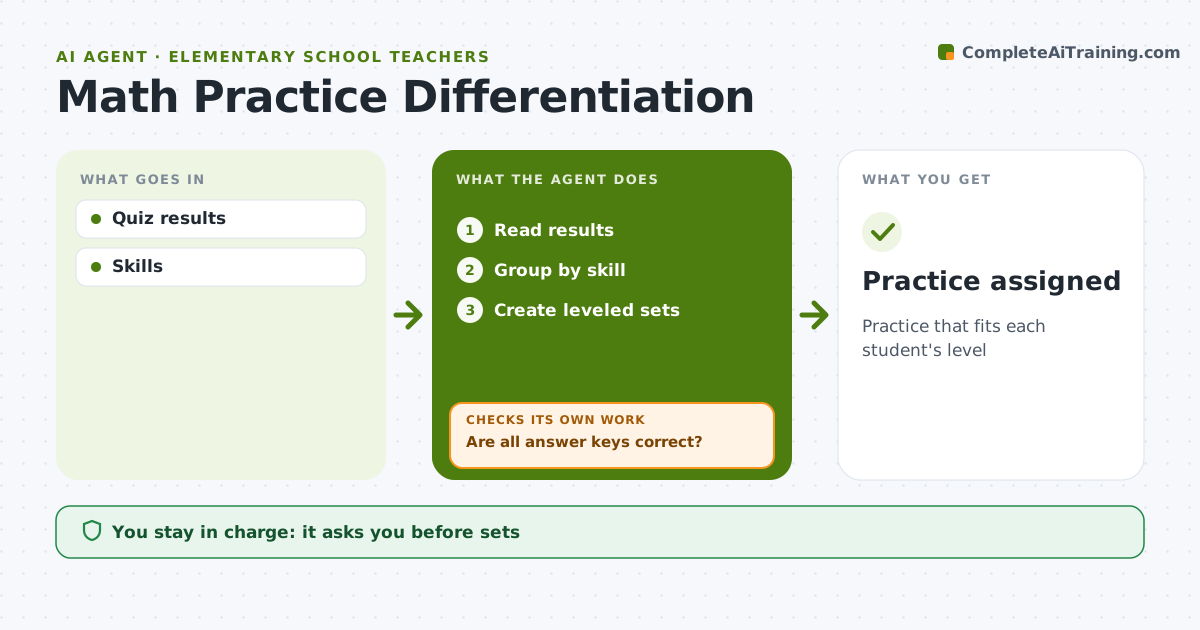
After a math quiz, a primary class usually splits into students who need reteaching, students who need practice and students ready for a challenge. Making three sets of materials by hand every week takes evenings. This agent reads quiz results by skill, groups students for each skill, and creates leveled practice sets: worked examples for the support group, standard practice for the middle group and word problems for the extension group. It checks every answer key by solving each problem itself and fixes any that do not match, then checks again. The teacher approves the sets before they are assigned. On the next quiz it checks whether each group improved and moves students between groups. The teacher makes all grouping decisions final. Edge case: students with accommodations get adapted formats, such as fewer items per page or read-aloud versions.
How it works
Follow the arrows from top to bottom. The orange dashed arrow is the loop: when a check fails, the agent goes back and tries again.
Read the steps as a list
- Quiz scored
- Read results
- Group by skill
- Create leveled sets
- Are all answer keys correct?If not: fix problems. Back to step 4.
- Teacher approves setsThe agent waits here for your OK.
- Practice assigned
How it decides
Skill scores group students.
- Three groups
- Keys verified
- Accommodations applied
Make it yours
Every agent is a starting point. You choose these settings for your own situation.
- Groups
- Set length
- Formats
- Skills
What keeps you in control
It always asks you first
- Sets
Hard limits
- No grades by agent
It stops when
- Done: assigned
- Stop: none
Set it up
We guide you through the set-up, step by step
Members get the full set-up guide for this agent. No technical skills needed: you copy, paste and upload.
- One set of instructions to paste into your AI, with the clicks for ChatGPT, Claude, Microsoft 365 Copilot, Gemini and Grok
- The agent then walks you through connecting your own data, one source at a time
- A downloadable copy with the flow chart, the rules and the full guide