AI agent for marketing consultants
Monthly Client Performance Review Agent
Give each client a clear monthly review with causes and next steps
What it does
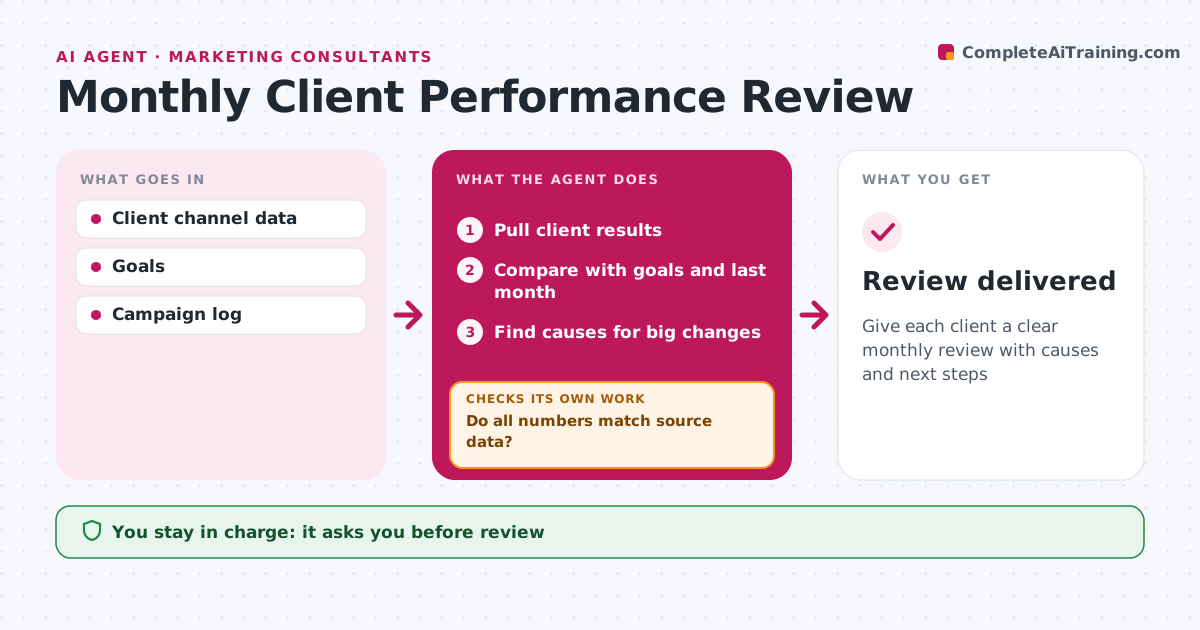
Clients expect a monthly review of results and next steps, and building it for several clients takes consultants days. When the month ends, this agent pulls results from each client's channels and compares them with goals and last month. It finds the biggest changes, and any change above 10 percent needs a cause, such as a campaign launch, a budget shift or a seasonal pattern. It drafts a review with results, causes and three next steps. Before the consultant sees it, the agent checks every number against the source data. If a figure does not match, it corrects it and checks again. The consultant edits the review and presents it to the client. Edge case: when a client's tool had an outage during the month, the agent notes it so lower numbers are not misread as a real drop.
How it works
Follow the arrows from top to bottom. The orange dashed arrow is the loop: when a check fails, the agent goes back and tries again.
Read the steps as a list
- Month ends
- Pull client results
- Compare with goals and last month
- Find causes for big changes
- Draft the review
- Do all numbers match source data?If not: fix numbers and redraft. Back to step 2.
- Consultant edits and presentsThe agent waits here for your OK.
- Review delivered
How it decides
Changes above 10% get a cause search.
- Changes above 10% need a cause
- Outages noted
- Three next steps
Make it yours
Every agent is a starting point. You choose these settings for your own situation.
- Change threshold
- Report format
- Metrics
What keeps you in control
It always asks you first
- Review
Hard limits
- Never sends to clients itself
- Labels causes as likely
It stops when
- Done: review delivered
- Stop: data missing
Set it up
We guide you through the set-up, step by step
Members get the full set-up guide for this agent. No technical skills needed: you copy, paste and upload.
- One set of instructions to paste into your AI, with the clicks for ChatGPT, Claude, Microsoft 365 Copilot, Gemini and Grok
- The agent then walks you through connecting your own data, one source at a time
- A downloadable copy with the flow chart, the rules and the full guide