AI agent for editors
Old Post Refresh Agent
Restore traffic to decaying posts with targeted updates
What it does
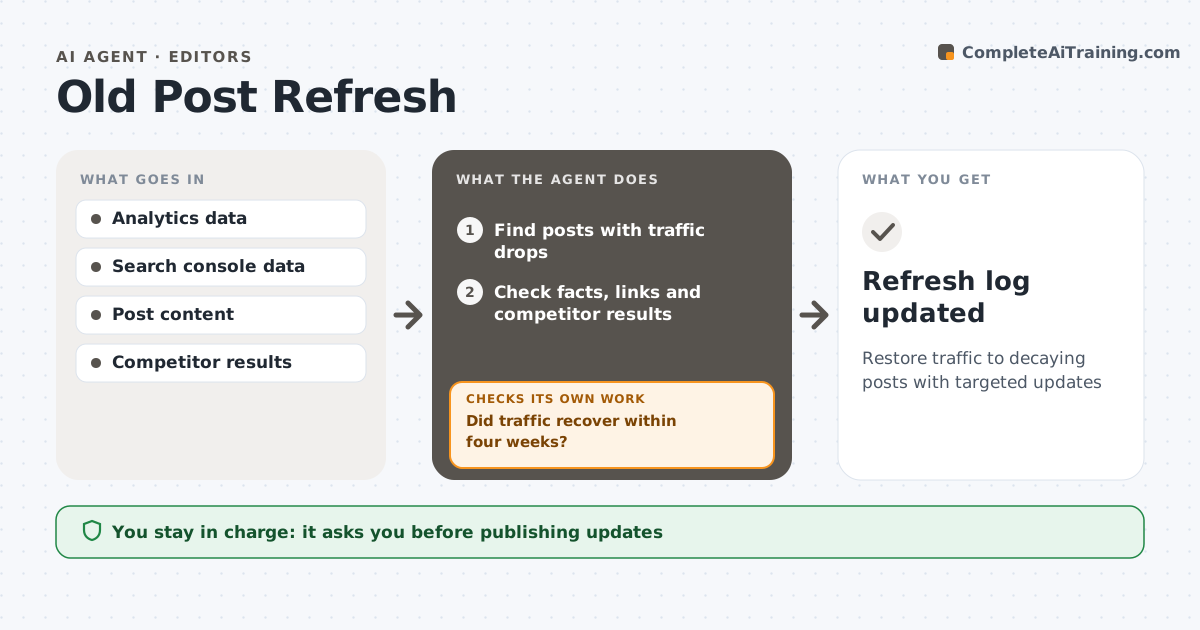
Old posts still bring traffic, but they slowly decay as facts age and competitors publish newer pages. Each month this agent finds posts whose traffic dropped by the set threshold, such as 30 percent over three months. For each, it checks why: outdated facts, broken links, competitors with newer posts, or missing topics people now search for. It drafts an update plan listing the changes and a revised draft, with facts checked against current sources. The writer or editor approves every change before it is published. After publishing, the agent watches traffic for four weeks and checks whether it recovered. If it did not, the post goes back into review with a fresh look at search results. Everything is recorded in the refresh log. Edge case: posts about past events are not refreshed; instead they get a link to a newer post on the topic.
How it works
Follow the arrows from top to bottom. The orange dashed arrow is the loop: when a check fails, the agent goes back and tries again.
Read the steps as a list
- Monthly refresh review
- Find posts with traffic drops
- Check facts, links and competitor results
- Draft an update plan and revised text
- Writer approves changes before publishingThe agent waits here for your OK.
- Did traffic recover within four weeks?If not: review again and try a different change. Back to step 3.
- Refresh log updated
How it decides
Posts with traffic drops above the threshold are checked for outdated facts, broken links and missing topics.
- Traffic drop of 30% over three months triggers review
- Event posts link to newer posts
- Facts must be checked against current sources
Make it yours
Every agent is a starting point. You choose these settings for your own situation.
- Traffic drop threshold
- Recovery window
- Posts excluded
What keeps you in control
It always asks you first
- Publishing updates
Hard limits
- Never publishes changes itself
- Never invents facts
It stops when
- Done: traffic recovered
- Stop: post retired
Set it up
We guide you through the set-up, step by step
Members get the full set-up guide for this agent. No technical skills needed: you copy, paste and upload.
- One set of instructions to paste into your AI, with the clicks for ChatGPT, Claude, Microsoft 365 Copilot, Gemini and Grok
- The agent then walks you through connecting your own data, one source at a time
- A downloadable copy with the flow chart, the rules and the full guide