
AI agent for neuroscientists
Open Data Deposit Preparation Agent
Submit a dataset that passes the repository checks the first time
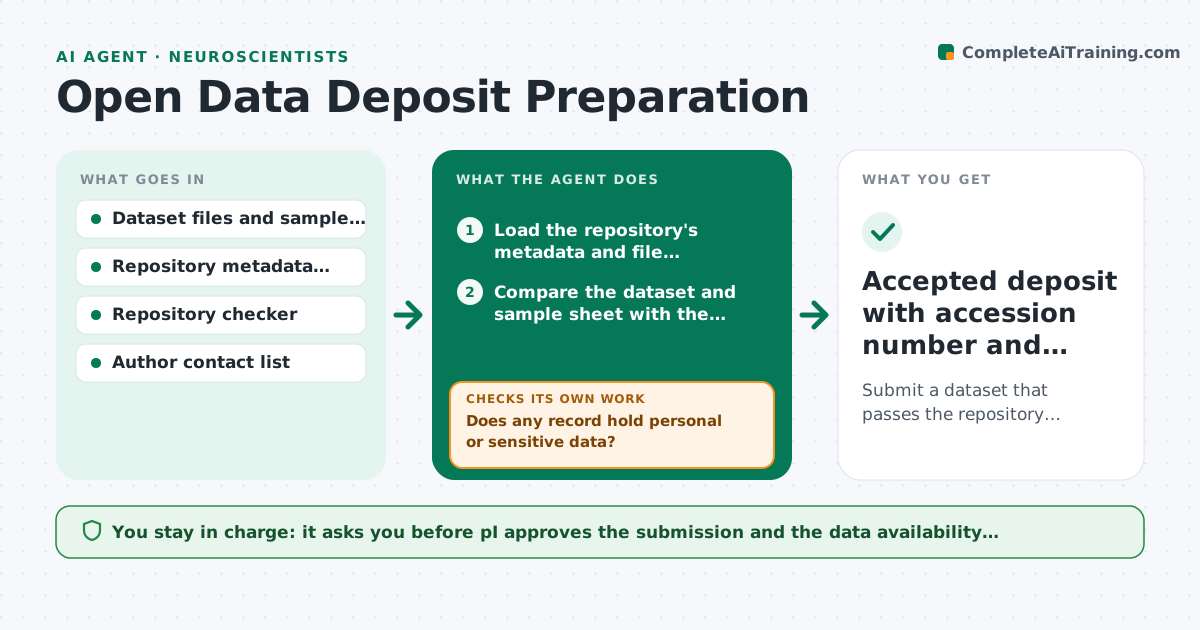
What it does
A paper is accepted and the journal requires data deposit in a public repository. The submission is rejected for missing sample metadata, wrong file formats or a failed checker, and the paper waits. This agent prepares the deposit. It checks the dataset against the repository's required metadata, flags gaps, requests details from authors with the exact fields needed, validates the file formats and then runs the repository's own checker. It repeats until the checker passes clean. It also prepares the descriptions and links needed for the paper's data availability statement. The PI approves the submission. Edge case: a sample record contains personal information. The agent flags it and holds the file.
How it works
Follow the arrows from top to bottom. The orange dashed arrow is the loop: when a check fails, the agent goes back and tries again.
Read the steps as a list
- Deposit required
- Load the repository's metadata and file requirements
- Compare the dataset and sample sheet with the requirements
- List missing or invalid fields and files
- Does any record hold personal or sensitive data?If not: Hold those files and ask the PI how to handle them. Back to step 3.
- Ask authors for the missing details with exact field names
- Validate file formats and convert where allowed
- Run the repository's checker on the package
- Does the checker pass with no errors?If not: Fix each listed error and rerun the checker. Back to step 5.
- PI approves the submissionThe agent waits here for your OK.
- Accepted deposit with accession number and statement text
How it decides
A deposit is ready only when all required fields are filled, formats are accepted and the checker returns no errors. Sensitive data is held for review.
- All required metadata fields must be filled
- Only accepted file formats may be deposited
- Personal data is held until the PI decides
- The checker must pass before submission
Make it yours
Every agent is a starting point. You choose these settings for your own situation.
- Target repository
- Required fields
- Author contacts
- Data availability statement template
- Checker settings
What keeps you in control
It always asks you first
- PI approves the submission and the data availability statement
Hard limits
- Never uploads data itself
- Does not guess missing metadata
It stops when
- Done: deposit accepted and accession numbers recorded
- Stop: required data cannot be shared, ask the PI and journal about exceptions
Set it up
We guide you through the set-up, step by step
Members get the full set-up guide for this agent. No technical skills needed: you copy, paste and upload.
- One set of instructions to paste into your AI, with the clicks for ChatGPT, Claude, Microsoft 365 Copilot, Gemini and Grok
- The agent then walks you through connecting your own data, one source at a time
- A downloadable copy with the flow chart, the rules and the full guide



