AI agent for surgeons
OR Block Time Utilization Review Agent
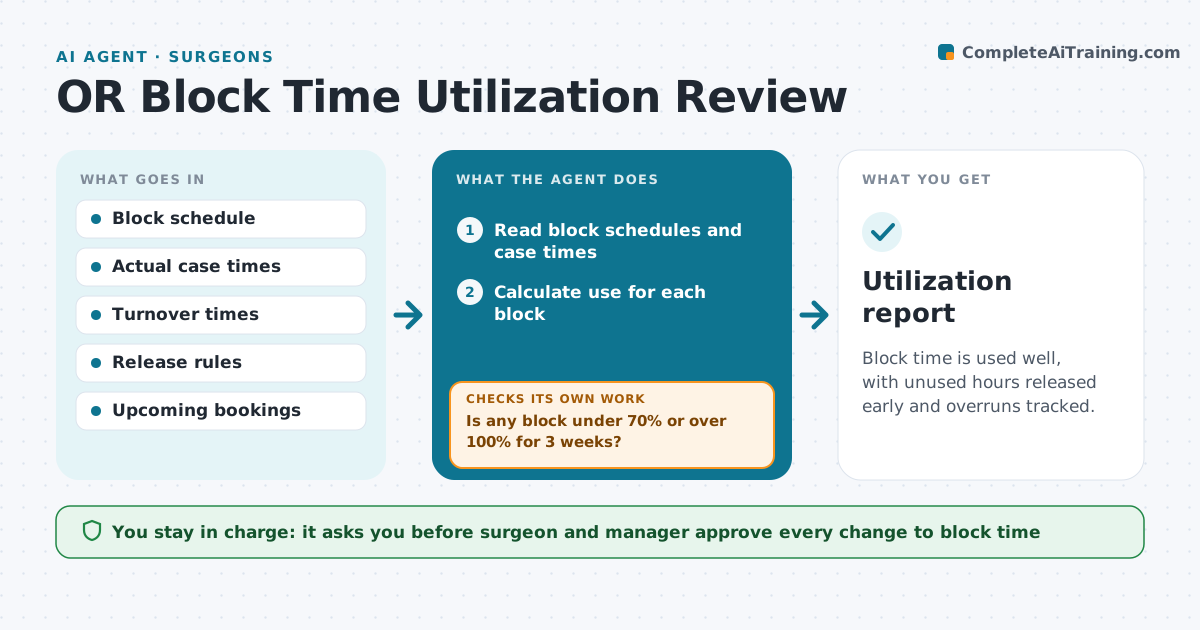
Block time is used well, with unused hours released early and overruns tracked.
What it does
Block time goes unused or overruns, and releasing it late wastes capacity. The agent compares scheduled blocks with the actual start, end and turnover times, finds unused hours and recurring overruns, and suggests releasing or swapping time. It tests every suggestion against upcoming bookings and the release rules to be sure it will not create a conflict. It also keeps a log of why cases ran over, such as late starts or long turnovers, so the manager can fix causes and not only move time around. The surgeon and the manager approve any change. Edge case: a block that looks unused because the surgeon moved cases to a clinic, but is held for emergencies.
How it works
Follow the arrows from top to bottom. The orange dashed arrow is the loop: when a check fails, the agent goes back and tries again.
Read the steps as a list
- Weekly utilization run
- Read block schedules and case times
- Calculate use for each block
- Is any block under 70% or over 100% for 3 weeks?If not: Mark it as stable and check again next week. Back to step 3.
- Find unused hours and common overrun causes
- Suggest release, swap or extension
- Test the suggestion against upcoming bookings and rules
- Does the suggestion cause any conflict?If not: Adjust the suggestion and retest. Back to step 7.
- Surgeon and manager approve changesThe agent waits here for your OK.
- Update the schedule
- Utilization report
How it decides
It computes use as actual time over block time, and suggests a change when the same block is under 70% or over 100% for several weeks.
- Suggest release when use is below 70% for 3 weeks
- Release unused time at least 72 hours ahead
- Treat emergency holds separately
- Include turnover time in the calculation
Make it yours
Every agent is a starting point. You choose these settings for your own situation.
- Utilization thresholds (default 70%)
- Release notice time (default 72 hours)
- Blocks covered
- Weeks to judge
What keeps you in control
It always asks you first
- Surgeon and manager approve every change to block time
Hard limits
- Never change a schedule without approval
- Do not remove emergency holds
It stops when
- Done: changes approved and schedule updated
- Stop: policy conflict that the manager must resolve
Set it up
We guide you through the set-up, step by step
Members get the full set-up guide for this agent. No technical skills needed: you copy, paste and upload.
- One set of instructions to paste into your AI, with the clicks for ChatGPT, Claude, Microsoft 365 Copilot, Gemini and Grok
- The agent then walks you through connecting your own data, one source at a time
- A downloadable copy with the flow chart, the rules and the full guide