AI agent for quantity surveyors
Owner Change Order Review Agent
Check every contractor change order against contract rates, drawings and schedule before approval
What it does
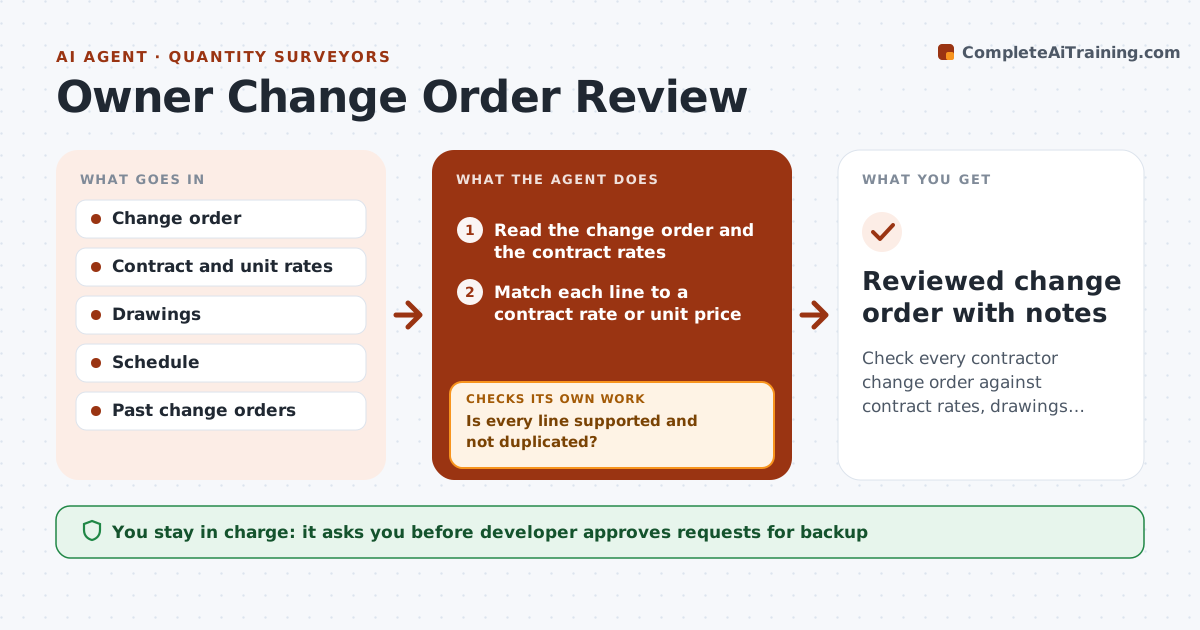
Change orders are often approved because the project is busy, not because the numbers are right. The agent reads each change order and compares its items with the contract rates, the drawings and the schedule. It flags lines without a contract basis, duplicated items already in earlier orders and quantities that do not match the drawings. It asks the contractor for backup such as quotes or takeoffs, then rechecks after the reply. It also checks the schedule claim against the critical path. It prepares a clear recommendation of approve, reduce or reject for each line. The developer approves or rejects each change. Edge case: a line repeats a cost already in change order 4, and the agent removes it.
How it works
Follow the arrows from top to bottom. The orange dashed arrow is the loop: when a check fails, the agent goes back and tries again.
Read the steps as a list
- Change order submitted
- Read the change order and the contract rates
- Match each line to a contract rate or unit price
- Compare quantities with the drawings
- Is every line supported and not duplicated?If not: Mark the line and request backup from the contractor. Back to step 3.
- Developer approves sending the backup requestThe agent waits here for your OK.
- Check the schedule impact against the critical path
- Is the revised cost and time claim supported?If not: Rematch the lines with the new backup and reprice. Back to step 2.
- Draft the recommendation by line
- Developer approves or rejects the change orderThe agent waits here for your OK.
- Reviewed change order with notes
How it decides
A change order passes only when each line has a contract basis, a quantity check and a schedule impact the contractor has explained.
- Price at contract unit rates before any negotiated price
- Reject a line that duplicates an earlier change order
- Require backup for any line over $5,000 without a rate
- Question a schedule claim over 5 days without a critical path note
Make it yours
Every agent is a starting point. You choose these settings for your own situation.
- Backup threshold (default $5,000)
- Schedule question threshold (default 5 days)
- Contract rate source
- Review turnaround target
What keeps you in control
It always asks you first
- Developer approves requests for backup
- Developer approves or rejects each change order
Hard limits
- Never approve a change without a person
- Never contact the contractor without approval
It stops when
- Done: every line is approved, reduced or rejected
- Stop: the contract basis is unclear and the developer must interpret
Set it up
We guide you through the set-up, step by step
Members get the full set-up guide for this agent. No technical skills needed: you copy, paste and upload.
- One set of instructions to paste into your AI, with the clicks for ChatGPT, Claude, Microsoft 365 Copilot, Gemini and Grok
- The agent then walks you through connecting your own data, one source at a time
- A downloadable copy with the flow chart, the rules and the full guide