AI agent for it specialists
Patch Compliance Rollout Agent
Every in-scope device patched within the target days, with exceptions explained
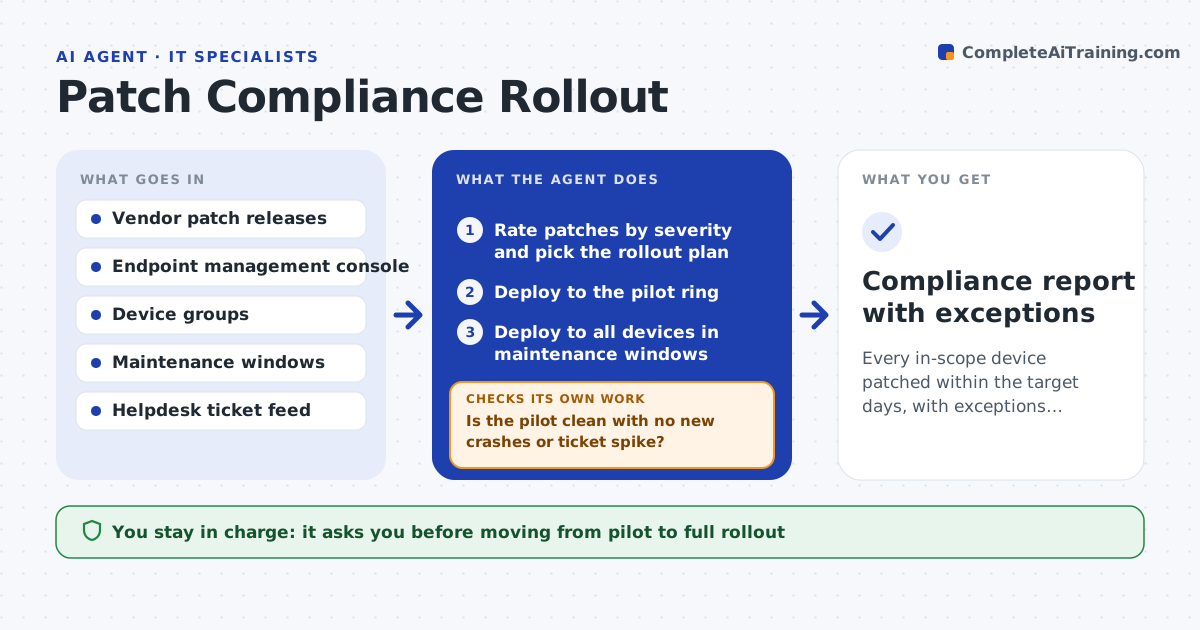
What it does
Every month vendors release security patches that must reach every device, but many teams push them and never confirm they installed. This agent reads the patch release list, rates each patch by severity and plans a rollout in rings: a pilot group first, then everyone. After each ring it checks install status in the endpoint manager and looks for new crash reports or helpdesk spikes. If a device failed to install, it retries and then records the cause, such as low disk space. If the pilot shows problems, it pauses the rollout and drafts a note for you instead of continuing. You approve moving from pilot to full rollout. Edge case: a server that cannot reboot during business hours is scheduled into the next maintenance window instead of being forced.
How it works
Follow the arrows from top to bottom. The orange dashed arrow is the loop: when a check fails, the agent goes back and tries again.
Read the steps as a list
- Monthly patch release
- Rate patches by severity and pick the rollout plan
- Deploy to the pilot ring
- Is the pilot clean with no new crashes or ticket spike?If not: pause, identify the failing patch, and draft a hold note. Back to step 2.
- IT lead approves full rolloutThe agent waits here for your OK.
- Deploy to all devices in maintenance windows
- Is every device at the target patch level?If not: retry failed installs once, then log each cause as an exception. Back to step 6.
- Compliance report with exceptions
How it decides
Critical patches go to the pilot within a day and to all devices after the pilot is clean for the set period. A failed install is retried once before being logged as an exception.
- Critical patches complete within 14 days, others within 30
- Pause rollout on any crash spike in the pilot
- Schedule servers only within their maintenance window
Make it yours
Every agent is a starting point. You choose these settings for your own situation.
- Pilot group members
- Days to complete for critical and other patches
- Maintenance windows
- Who approves full rollout
What keeps you in control
It always asks you first
- Moving from pilot to full rollout
- Forcing reboots outside maintenance windows
Hard limits
- Never forces a reboot during business hours without approval
- Does not uninstall patches automatically
It stops when
- Done: compliance target met and exceptions logged
- Stop: pilot shows a serious failure
Set it up
We guide you through the set-up, step by step
Members get the full set-up guide for this agent. No technical skills needed: you copy, paste and upload.
- One set of instructions to paste into your AI, with the clicks for ChatGPT, Claude, Microsoft 365 Copilot, Gemini and Grok
- The agent then walks you through connecting your own data, one source at a time
- A downloadable copy with the flow chart, the rules and the full guide