AI agent for medical billers
Payment Posting Variance Agent
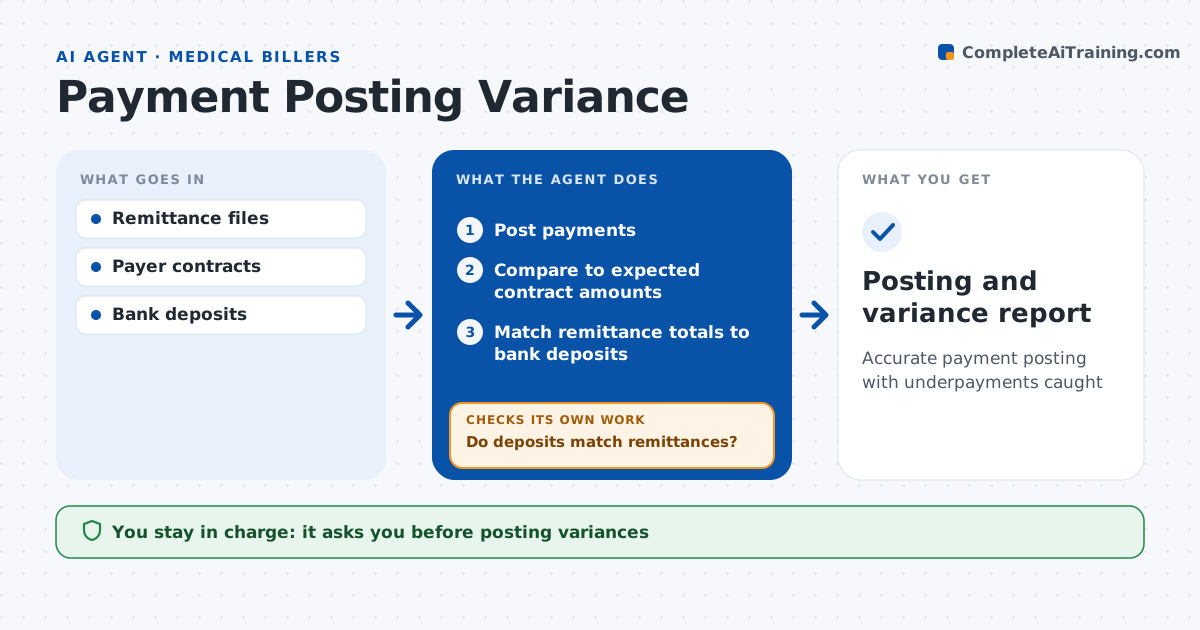
Accurate payment posting with underpayments caught
What it does
Payers often pay less than the contract allows, and underpayments buried in remittance files are rarely caught by hand. When electronic remittances arrive, this agent posts payments and checks each line against the expected amount from the payer contract. It flags underpayments over 10 dollars, wrong adjustments and patient responsibility errors, but applies allowed contract reductions first so they are not flagged. It then totals each remittance against the bank deposit. If the deposit and remittance differ, it looks for missing files or bundled payments and rematches; a deposit still unmatched after five days is escalated. It drafts underpayment appeals with the contract terms attached. The biller approves every posting with a variance and every appeal; the agent never submits appeals itself. Edge case: a payer pays a multi-procedure claim at a reduced rate that the contract allows, so the agent applies that rule before flagging.
How it works
Follow the arrows from top to bottom. The orange dashed arrow is the loop: when a check fails, the agent goes back and tries again.
Read the steps as a list
- Remittance received
- Post payments
- Compare to expected contract amounts
- Match remittance totals to bank deposits
- Do deposits match remittances?If not: look for missing files or bundled payments and rematch. Back to step 4.
- Biller approves variances and appealsThe agent waits here for your OK.
- Posting and variance report
How it decides
It compares paid amounts to contract rates after allowed reductions.
- Paid under contract by over $10: flag
- Allowed reduction rule applies: no flag
- Deposit unmatched for 5 days: escalate
Make it yours
Every agent is a starting point. You choose these settings for your own situation.
- Variance threshold
- Payers in scope
- Deposit matching window
- Report format
What keeps you in control
It always asks you first
- Posting variances
- Appeals
Hard limits
- Never moves money
- Never changes contract rates
It stops when
- Done: posted and reconciled
- Stop: contract rates missing
Set it up
We guide you through the set-up, step by step
Members get the full set-up guide for this agent. No technical skills needed: you copy, paste and upload.
- One set of instructions to paste into your AI, with the clicks for ChatGPT, Claude, Microsoft 365 Copilot, Gemini and Grok
- The agent then walks you through connecting your own data, one source at a time
- A downloadable copy with the flow chart, the rules and the full guide