AI agent for software architects
Performance and Scalability Load Test Agent
Know the system's safe capacity and fix bottlenecks before launch
What it does
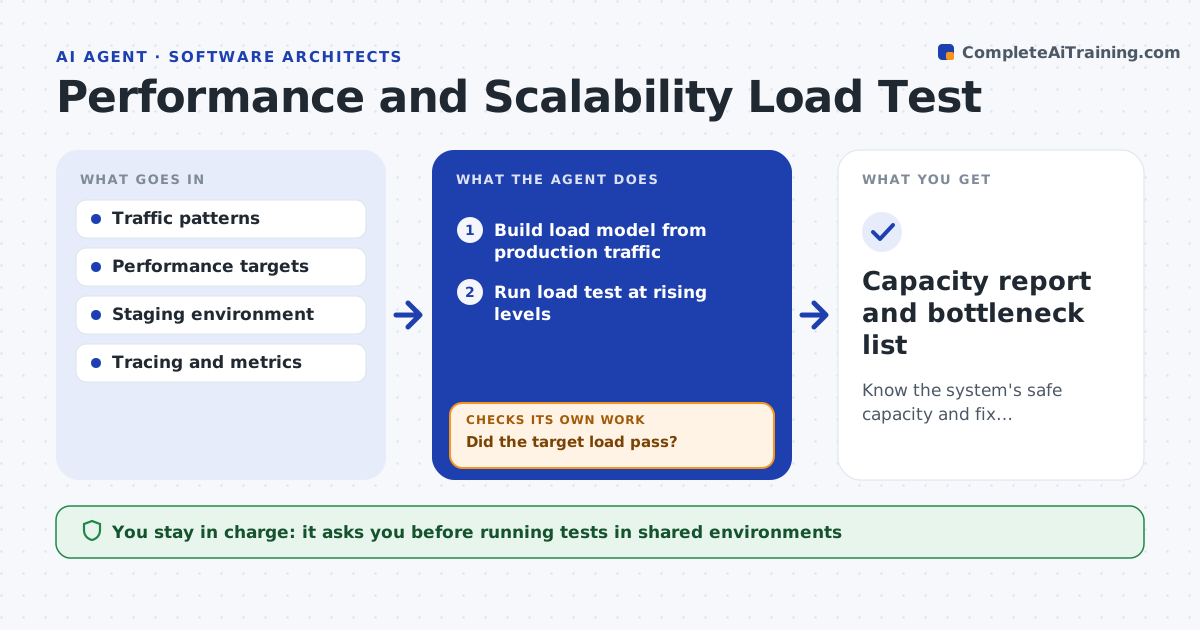
Before a launch or a big change, teams need to know where the system will break, not find out on the day. This agent builds a load model from production traffic patterns, then asks the owner to approve a test time in staging. It runs load tests at rising levels and reads response times, error rates, traces and resource use. A level passes when the 95th percentile response time and error rate stay within targets for the full run. Tests stop if errors pass 5 percent. When a target is missed, it looks for the bottleneck in traces and metrics, proposes a fix and reruns after the fix is applied. It writes a capacity report with the safe level and the first bottleneck. Edge case: if staging is much smaller than production, results are scaled carefully and marked as estimates.
How it works
Follow the arrows from top to bottom. The orange dashed arrow is the loop: when a check fails, the agent goes back and tries again.
Read the steps as a list
- Release or traffic event scheduled
- Build load model from production traffic
- Owner approves test time in stagingThe agent waits here for your OK.
- Run load test at rising levels
- Read response times, errors, traces and resource use
- Did the target load pass?If not: find the bottleneck, propose a fix, and rerun after it is applied. Back to step 4.
- Write capacity report
- Capacity report and bottleneck list
How it decides
A load level passes when the 95th percentile response time and error rate stay within targets for the full run.
- Targets use 95th percentile, not averages
- Results from smaller staging are marked estimates
- Tests stop when error rate passes 5 percent
Make it yours
Every agent is a starting point. You choose these settings for your own situation.
- Performance targets
- Load levels
- Staging scale factor
- Error stop limit (default 5 percent)
What keeps you in control
It always asks you first
- Running tests in shared environments
- Any production test
Hard limits
- Never load tests production without explicit approval
- Stops tests when errors exceed the limit
It stops when
- Done: target passes
- Stop: bottleneck needs an architecture change
Set it up
We guide you through the set-up, step by step
Members get the full set-up guide for this agent. No technical skills needed: you copy, paste and upload.
- One set of instructions to paste into your AI, with the clicks for ChatGPT, Claude, Microsoft 365 Copilot, Gemini and Grok
- The agent then walks you through connecting your own data, one source at a time
- A downloadable copy with the flow chart, the rules and the full guide