AI agent for compliance analysts
Policy Review Cycle Agent
All policies reviewed on time with current content
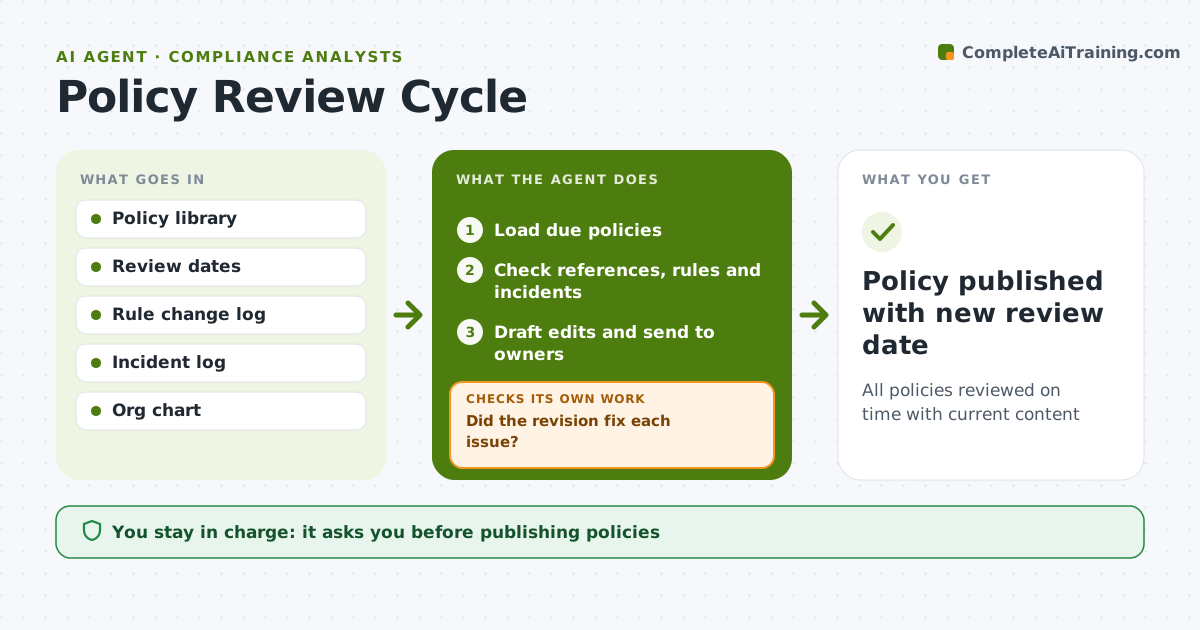
What it does
Policies go stale between reviews and end up citing repealed rules, old systems or roles that no longer exist. This agent runs the policy review calendar. Each month it lists policies due for review and checks each one for outdated references to laws, roles, systems and other policies. It compares the policy to recent rule changes and incidents linked to it. It drafts suggested edits with reasons and sends them to the policy owner. It tracks responses and escalates when a review date has passed. When a revision comes back, it checks that each issue was fixed. If any remain, it returns them to the owner. The compliance officer and policy committee approve changes, and approved policies get new review dates. Edge case: a policy refers to a role renamed in a reorganization, so the agent updates the reference.
How it works
Follow the arrows from top to bottom. The orange dashed arrow is the loop: when a check fails, the agent goes back and tries again.
Read the steps as a list
- Monthly review list
- Load due policies
- Check references, rules and incidents
- Draft edits and send to owners
- Did the revision fix each issue?If not: return remaining issues to the owner. Back to step 4.
- Committee approves policyThe agent waits here for your OK.
- Policy published with new review date
How it decides
It flags outdated references and gaps from rule changes and incidents.
- Review date passed: escalate
- Reference to repealed rule: must fix
- Incident linked to policy: review content
Make it yours
Every agent is a starting point. You choose these settings for your own situation.
- Review cycle length
- Checks to run
- Escalation rules
- Edit format
What keeps you in control
It always asks you first
- Publishing policies
Hard limits
- Never publishes policies
- Never removes requirements without approval
It stops when
- Done: policy approved
- Stop: owner not assigned
Set it up
We guide you through the set-up, step by step
Members get the full set-up guide for this agent. No technical skills needed: you copy, paste and upload.
- One set of instructions to paste into your AI, with the clicks for ChatGPT, Claude, Microsoft 365 Copilot, Gemini and Grok
- The agent then walks you through connecting your own data, one source at a time
- A downloadable copy with the flow chart, the rules and the full guide