AI agent for insurance risk analysts
Portfolio Accumulation Monitoring Agent
Exposure kept within appetite limits with early warnings
What it does
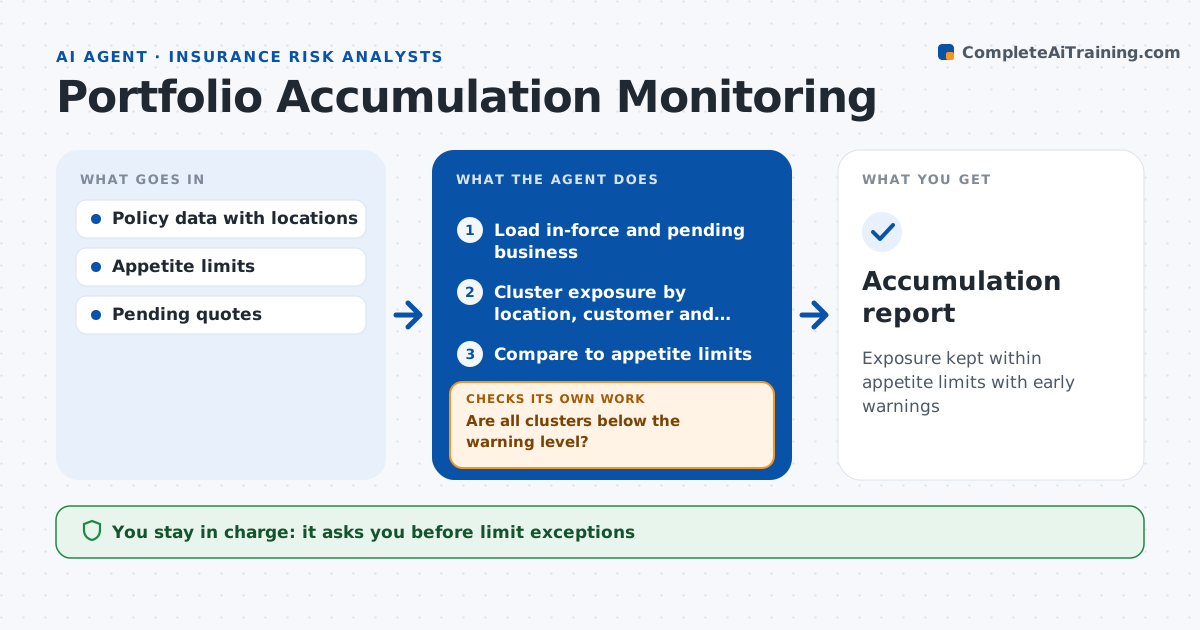
Insurers can quietly build up too much exposure in one city block or one large customer until a single event threatens results. Each week this agent loads in-force and pending business and measures concentration by location cluster, large customer and industry. It compares each cluster to the appetite limits and marks anything over 85% as a warning. For new quotes and binds, it checks whether they add to a near-limit area. If a cluster is near the limit, it alerts underwriters and lists pending quotes that would push it over. It reclusters after any bind over $10 million and after cancellations. Quotes that would breach a limit need an exception. Risk leaders approve every exception. Edge case: two separate customers own buildings on the same block, so the agent clusters by location, not by customer.
How it works
Follow the arrows from top to bottom. The orange dashed arrow is the loop: when a check fails, the agent goes back and tries again.
Read the steps as a list
- Weekly accumulation check
- Load in-force and pending business
- Cluster exposure by location, customer and industry
- Compare to appetite limits
- Are all clusters below the warning level?If not: alert underwriters and list quotes that would breach. Back to step 3.
- Risk leader approves exceptionsThe agent waits here for your OK.
- Accumulation report
How it decides
It clusters exposure by distance and group, and warns at a set share of each limit.
- Cluster over 85% of limit: warning
- Quote would breach limit: needs exception
- Recluster after any bind over $10 million
Make it yours
Every agent is a starting point. You choose these settings for your own situation.
- Cluster radius
- Warning level
- Limits by peril
- Report timing
What keeps you in control
It always asks you first
- Limit exceptions
Hard limits
- Never declines quotes
- Never changes limits
It stops when
- Done: report shared
- Stop: location data missing
Set it up
We guide you through the set-up, step by step
Members get the full set-up guide for this agent. No technical skills needed: you copy, paste and upload.
- One set of instructions to paste into your AI, with the clicks for ChatGPT, Claude, Microsoft 365 Copilot, Gemini and Grok
- The agent then walks you through connecting your own data, one source at a time
- A downloadable copy with the flow chart, the rules and the full guide