AI agent for graphic designers
Portfolio Case Study Refresh Agent
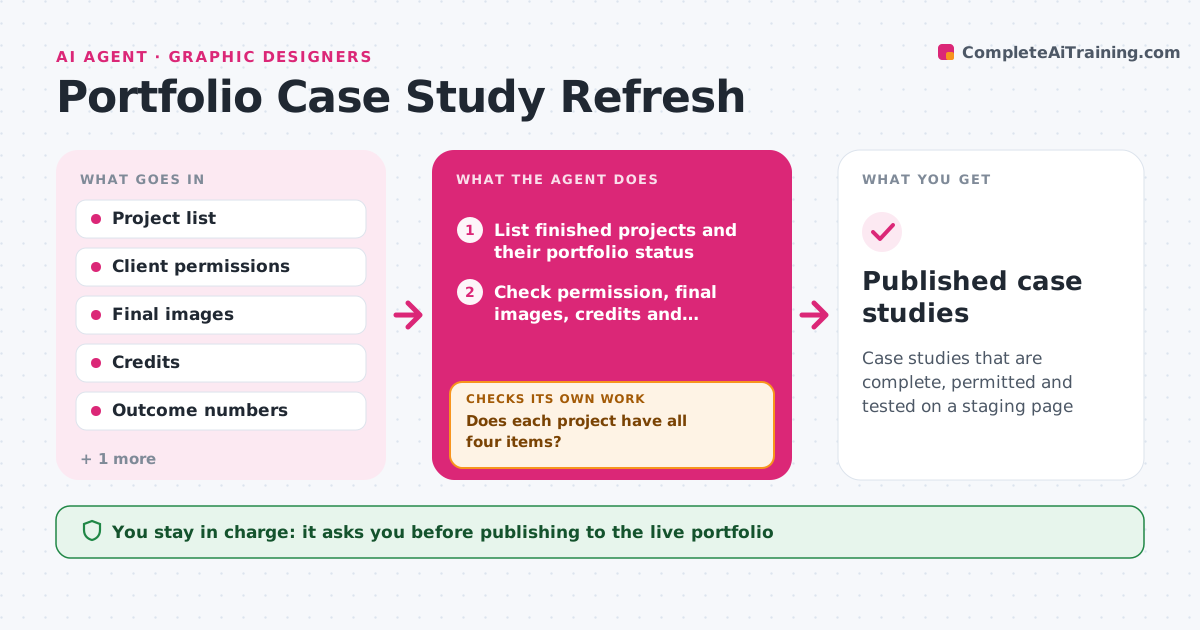
Case studies that are complete, permitted and tested on a staging page
What it does
Portfolios go stale, and many projects lack results, credits or permission to show client work. This agent lists the finished projects and checks each one for client permission, final images, credits and outcomes. It asks the designer for each missing item, such as a metric or a release email. For ready projects it assembles a case study draft: challenge, process, result and credits. It then publishes the draft only to a staging page and verifies that links, images and files work. If something is broken, it fixes the file or flags it and tests the page again. The designer approves publishing. Edge case: a project under NDA gets a version with anonymized client details only if the contract allows.
How it works
Follow the arrows from top to bottom. The orange dashed arrow is the loop: when a check fails, the agent goes back and tries again.
Read the steps as a list
- Monthly check or project finished
- List finished projects and their portfolio status
- Check permission, final images, credits and outcomes
- Does each project have all four items?If not: ask the designer for the missing items and wait. Back to step 3.
- Draft each case study: challenge, process, result, credits
- Publish the draft to the staging page
- Test links, images and files on the staging page
- Does everything load correctly on staging?If not: fix or replace the broken file and test the staging page again. Back to step 6.
- Designer approves publishingThe agent waits here for your OK.
- Published case studies
How it decides
A project is ready when permission is confirmed, images are final, credits are listed and at least one outcome is stated.
- Require client permission before drafting
- Do not invent results
- Anonymize only if the contract allows
- Test every link and image on staging
Make it yours
Every agent is a starting point. You choose these settings for your own situation.
- Required items for each project
- Case study structure
- Staging site
- How often to check (default monthly)
What keeps you in control
It always asks you first
- Publishing to the live portfolio
- Using client names or logos
Hard limits
- Never publishes without approval
- Never contacts clients directly
It stops when
- Done: case studies live and verified
- Stop: permission is not available
Set it up
We guide you through the set-up, step by step
Members get the full set-up guide for this agent. No technical skills needed: you copy, paste and upload.
- One set of instructions to paste into your AI, with the clicks for ChatGPT, Claude, Microsoft 365 Copilot, Gemini and Grok
- The agent then walks you through connecting your own data, one source at a time
- A downloadable copy with the flow chart, the rules and the full guide