AI agent for public relations specialists
Press Event RSVP and Briefing Agent
Hit the attendance target for a press event and brief spokespeople on every attending reporter
What it does
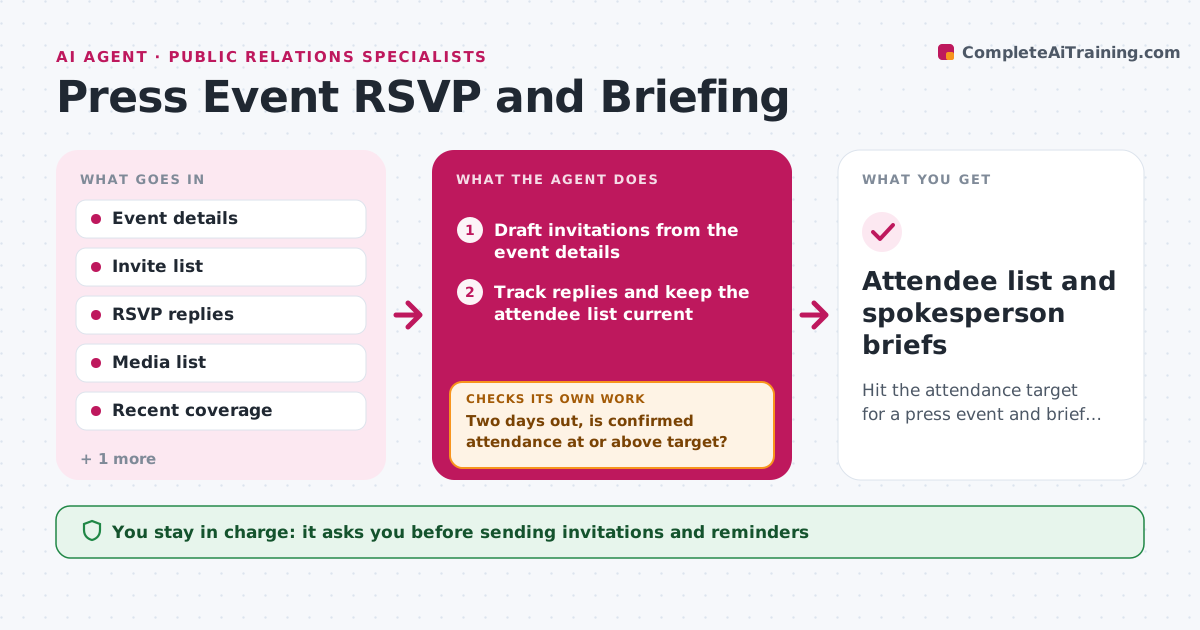
Press events fail quietly when RSVPs are unclear and spokespeople are not briefed on who is coming. This agent manages the run-up to a press event. It tracks invitations and replies, sends reminder drafts, and keeps a live attendee list with outlet, beat and recent coverage of the company. Two days before the event, it compares confirmed attendance with the target. If it is short, it proposes a second wave of invites from the media list and goes back to tracking. It then builds a one-page brief per spokesperson: who is attending, what each reporter has written lately, and likely questions. It checks each brief against the approved messaging and flags any reporter who wrote critically so the spokesperson is ready. The specialist approves invites, reminders and briefs. Edge case: a reporter sends a freelancer instead, so it updates the record and rebuilds that profile.
How it works
Follow the arrows from top to bottom. The orange dashed arrow is the loop: when a check fails, the agent goes back and tries again.
Read the steps as a list
- Press event date confirmed
- Draft invitations from the event details
- Specialist approves and sends invitationsThe agent waits here for your OK.
- Track replies and keep the attendee list current
- Two days out, is confirmed attendance at or above target?If not: propose a second invite wave from unused best-fit contacts. Back to step 4.
- Pull recent coverage for each attendee
- Build a one-page brief per spokesperson with likely questions
- Do briefs match approved messaging and flag critical reporters?If not: correct the brief lines and add the flags. Back to step 7.
- Specialist approves briefs for spokespeopleThe agent waits here for your OK.
- Attendee list and spokesperson briefs
How it decides
It compares confirmed attendance to the target two days out and proposes a second invite wave from the best-fit unused contacts when short.
- Start the second wave when confirmed attendance is below 80% of target two days out
- Send one reminder 24 hours before to confirmed attendees
- Flag reporters whose last two pieces on the company were critical
- Rebuild a profile whenever the attendee changes
Make it yours
Every agent is a starting point. You choose these settings for your own situation.
- Attendance target
- Second-wave trigger (default 80% two days out)
- Reminder timing (default 24 hours before)
- Brief length (default one page)
What keeps you in control
It always asks you first
- Sending invitations and reminders
- Spokesperson briefs
Hard limits
- Never sends invites or reminders without approval
- Never puts private information about reporters in briefs
- Uses only published coverage in profiles
It stops when
- Done: event held with briefs delivered
- Stop: event cancelled or postponed
Set it up
We guide you through the set-up, step by step
Members get the full set-up guide for this agent. No technical skills needed: you copy, paste and upload.
- One set of instructions to paste into your AI, with the clicks for ChatGPT, Claude, Microsoft 365 Copilot, Gemini and Grok
- The agent then walks you through connecting your own data, one source at a time
- A downloadable copy with the flow chart, the rules and the full guide