AI agent for online sellers
Print-on-Demand Listing Quality Agent
Listings whose files, mockups and details are correct and verified on the live shop page
What it does
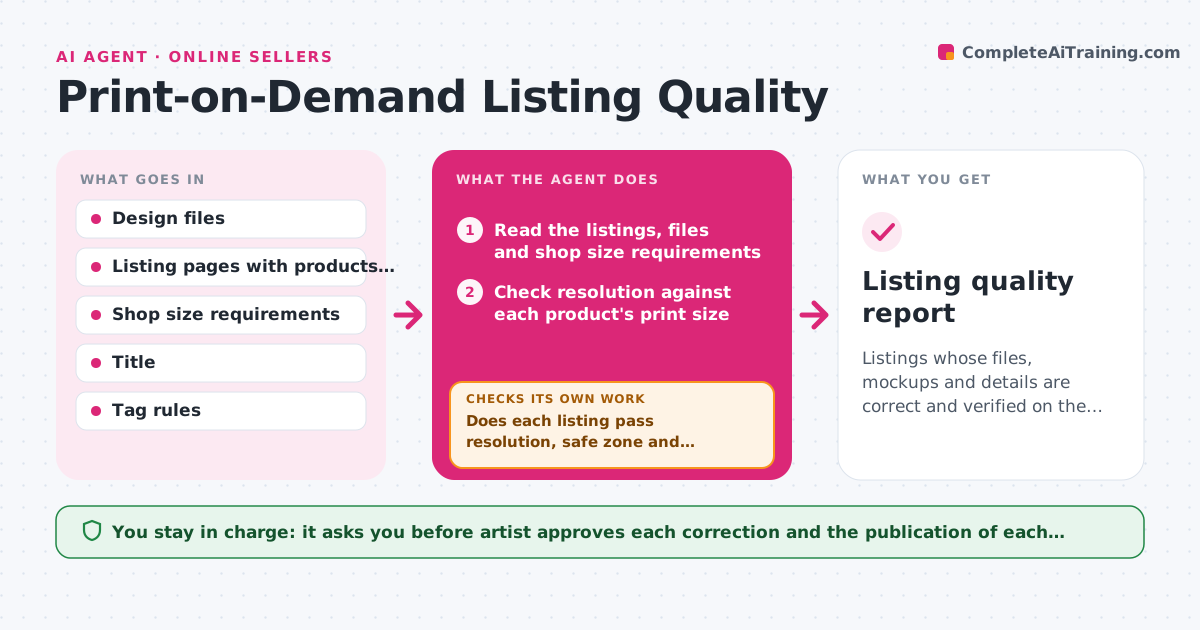
An artist uploads a design to forty products and finds later that the poster is blurry, the phone case crops the signature and the mockup shows a different color. This agent reads each listing and checks the file resolution against the product's size, whether the print area crops key elements, whether the mockup matches the file, and whether titles, tags and descriptions are complete. It flags problems with the product and the exact issue, proposes fixes such as a larger export or a corrected tag, and, after the artist makes the changes, it rechecks the live listing page. It repeats until the listing passes. The artist approves publication of each corrected listing. Edge case: a design with a transparent background on a dark product is flagged for a contrast problem.
How it works
Follow the arrows from top to bottom. The orange dashed arrow is the loop: when a check fails, the agent goes back and tries again.
Read the steps as a list
- Design uploaded or monthly check
- Read the listings, files and shop size requirements
- Check resolution against each product's print size
- Check the safe zone for cropping of key elements
- Check mockups, titles, tags and descriptions
- Does each listing pass resolution, safe zone and details checks?If not: List each issue with the product and propose a fix. Back to step 3.
- Artist approves the corrections and publicationThe agent waits here for your OK.
- Reload the live listing pages after the artist updates them
- Do the live listings now show the corrected files and mockups?If not: Report what still differs and propose the next fix. Back to step 8.
- Listing quality report
How it decides
A listing passes when file resolution reaches the shop's minimum for the product, the print area keeps key elements inside the safe zone, and the mockup shows the final design.
- Require 150 pixels per inch or the shop's minimum, whichever is higher
- Flag any key element within 3 percent of the print area edge
- Flag transparent designs on dark products
- Check at least the title, 5 tags and a description on each listing
Make it yours
Every agent is a starting point. You choose these settings for your own situation.
- Minimum resolution (default 150 pixels per inch)
- Safe zone margin
- Shop and product list
- Required tags and description rules
- Check frequency
What keeps you in control
It always asks you first
- Artist approves each correction and the publication of each fixed listing
Hard limits
- Never publish or change listings on its own
- Never delete a listing without approval
It stops when
- Done: All checked listings pass on the live page
- Stop: A file is too small for the product, so the agent recommends removing that product until a larger file exists
Set it up
We guide you through the set-up, step by step
Members get the full set-up guide for this agent. No technical skills needed: you copy, paste and upload.
- One set of instructions to paste into your AI, with the clicks for ChatGPT, Claude, Microsoft 365 Copilot, Gemini and Grok
- The agent then walks you through connecting your own data, one source at a time
- A downloadable copy with the flow chart, the rules and the full guide