AI agent for education consultants
Program Evaluation Data Agent
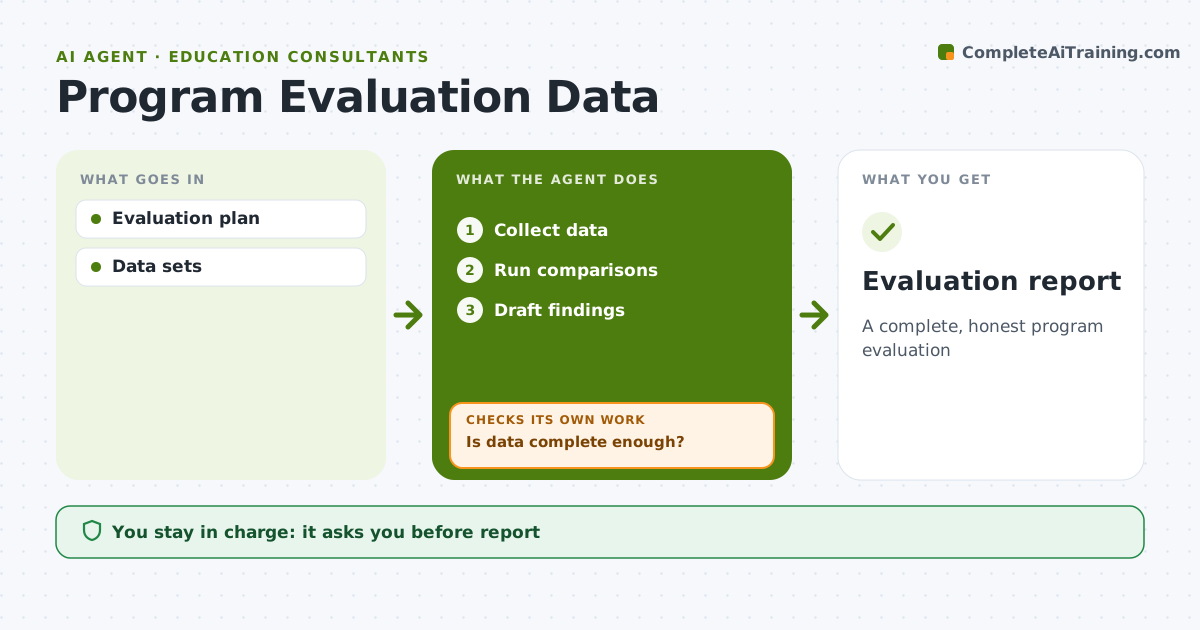
A complete, honest program evaluation
What it does
Evaluating an education program means pulling outcome data, attendance, surveys and implementation records from several schools into one picture, and missing or messy files can stall the work for weeks. This agent follows the agreed evaluation plan. It collects each data set, checks completeness and quality, and sends specific requests to school contacts for missing or inconsistent data. It checks again after each reply. Once the data passes the completeness bar, it runs the planned comparisons, such as before and after or program versus comparison schools, and drafts findings with their limits stated clearly. If a school never sends data, it reports results without that school and explains the gap. The evaluation lead reviews everything before it is shared. Edge case: groups smaller than the set size are suppressed so no student can be identified.
How it works
Follow the arrows from top to bottom. The orange dashed arrow is the loop: when a check fails, the agent goes back and tries again.
Read the steps as a list
- Evaluation point
- Collect data
- Is data complete enough?If not: request missing data. Back to step 2.
- Run comparisons
- Draft findings
- Lead reviewsThe agent waits here for your OK.
- Evaluation report
How it decides
Data completeness decides whether findings are reported.
- 80% completeness needed
- Groups under 10 suppressed
- Limits stated
Make it yours
Every agent is a starting point. You choose these settings for your own situation.
- Plan
- Thresholds
- Comparisons
- Format
What keeps you in control
It always asks you first
- Report
Hard limits
- No individual data reported
It stops when
- Done: report
- Stop: data unavailable
Set it up
We guide you through the set-up, step by step
Members get the full set-up guide for this agent. No technical skills needed: you copy, paste and upload.
- One set of instructions to paste into your AI, with the clicks for ChatGPT, Claude, Microsoft 365 Copilot, Gemini and Grok
- The agent then walks you through connecting your own data, one source at a time
- A downloadable copy with the flow chart, the rules and the full guide