AI agent for user experience designers
Prototype Iteration Change Log Agent
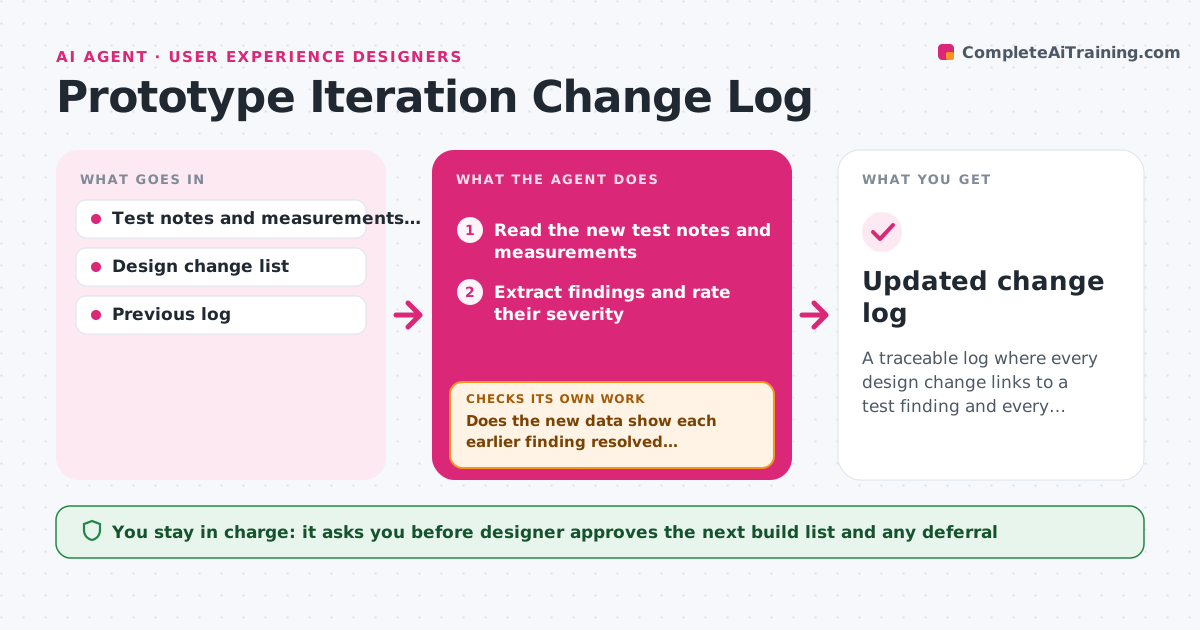
A traceable log where every design change links to a test finding and every finding has a verified outcome
What it does
Version 4 of a prototype has six changes, but nobody remembers which test finding each change was for, or whether the problem it addressed was actually solved. After each test session, this agent reads the findings, such as 'handle slips when wet' or 'hinge feels loose', and links them to the design changes planned for the next build. When the next version is tested, it checks whether each earlier finding was resolved, partly resolved or still open, using new test notes and measurements. Open findings loop back to the plan. It maintains a log with finding, change, version and result, so reviewers can see why every change was made. The designer approves the next build list. Edge case: a change made with no matching finding is flagged as untraced so the team can decide if it was needed.
How it works
Follow the arrows from top to bottom. The orange dashed arrow is the loop: when a check fails, the agent goes back and tries again.
Read the steps as a list
- Test session completes
- Read the new test notes and measurements
- Extract findings and rate their severity
- Read the previous log and the changes made for earlier findings
- Does the new data show each earlier finding resolved, partial or open?If not: Ask the tester for the missing note and review the data again. Back to step 3.
- Link new findings to proposed changes for the next build
- Flag changes with no linked finding
- Designer approves the next build listThe agent waits here for your OK.
- Update the change log with versions and results
- Is every open finding either in the next build list or deferred with a reason?If not: Add the finding to the plan or ask the designer for a deferral reason. Back to step 6.
- Updated change log
How it decides
A finding is resolved only if the next test notes show the issue gone or the measurement within spec. Partial results stay open with the evidence attached.
- Mark a finding resolved only with test evidence
- Keep partial results open
- Flag any change without a linked finding
- Order the next build list by severity then effort
Make it yours
Every agent is a starting point. You choose these settings for your own situation.
- Severity scale
- Evidence needed to resolve a finding
- Test note format
- Log location
- Who approves build lists
What keeps you in control
It always asks you first
- Designer approves the next build list and any deferral
Hard limits
- Never mark a finding resolved without evidence
- Never change the design files
It stops when
- Done: All findings have a status and all changes are traced
- Stop: Test notes are too thin to judge findings, so the agent asks for another test
Set it up
We guide you through the set-up, step by step
Members get the full set-up guide for this agent. No technical skills needed: you copy, paste and upload.
- One set of instructions to paste into your AI, with the clicks for ChatGPT, Claude, Microsoft 365 Copilot, Gemini and Grok
- The agent then walks you through connecting your own data, one source at a time
- A downloadable copy with the flow chart, the rules and the full guide