AI agent for event marketers
Registrant Communication Flow Agent
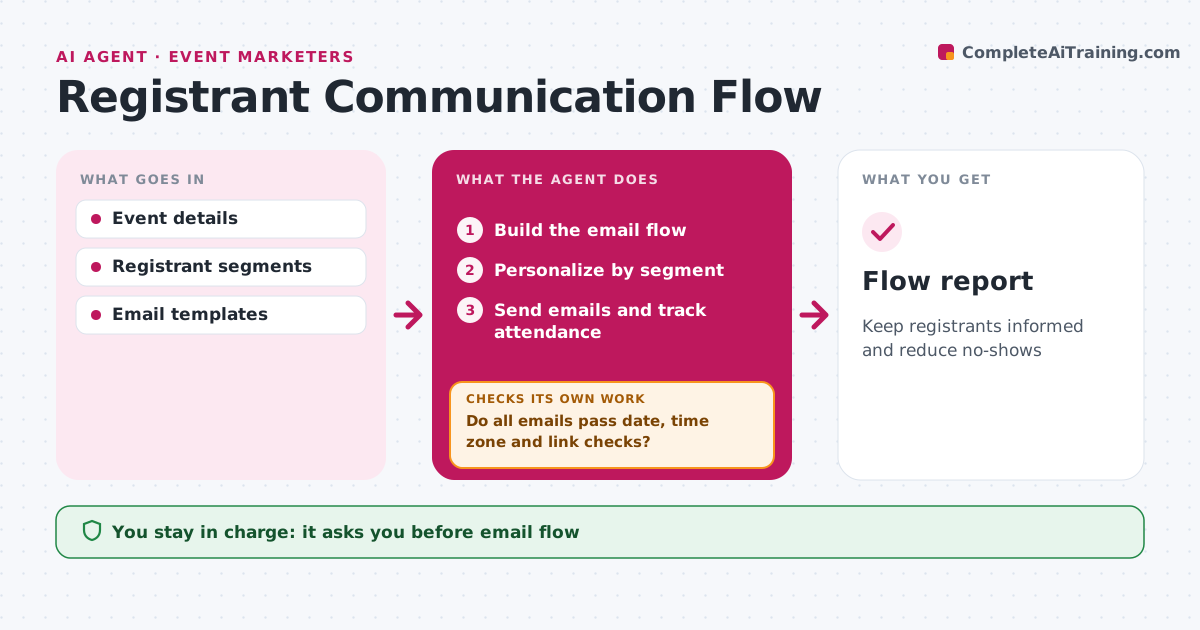
Keep registrants informed and reduce no-shows
What it does
Registrants need confirmations, reminders and logistics at the right time, and one wrong time zone can empty a session. When registration opens, this agent builds the email flow for the event: confirmation, calendar invite, reminders, logistics and last-minute details. It personalizes each email by segment, such as in-person or virtual and region, with times shown in the registrant's time zone. It checks every email for the correct date, time zone, links and venue details. If any check fails, it fixes the email and checks again. The event marketer approves the whole flow before it starts. After sends, it tracks opens, bounces and attendance and adjusts reminder timing for the next event. Edge case: a schedule change triggers an update email to all registrants, which the marketer approves before it goes out.
How it works
Follow the arrows from top to bottom. The orange dashed arrow is the loop: when a check fails, the agent goes back and tries again.
Read the steps as a list
- Registration opens
- Build the email flow
- Personalize by segment
- Do all emails pass date, time zone and link checks?If not: fix errors and recheck. Back to step 3.
- Event marketer approves the flowThe agent waits here for your OK.
- Send emails and track attendance
- Flow report
How it decides
Each email must pass date, time zone and link checks.
- Time zone by registrant region
- Schedule changes trigger updates
- Reminder timing adjusted from past events
Make it yours
Every agent is a starting point. You choose these settings for your own situation.
- Reminder timing
- Segments
- Templates
What keeps you in control
It always asks you first
- Email flow
Hard limits
- Never sends unapproved emails
- Never shares registrant lists
It stops when
- Done: event over
- Stop: event cancelled
Set it up
We guide you through the set-up, step by step
Members get the full set-up guide for this agent. No technical skills needed: you copy, paste and upload.
- One set of instructions to paste into your AI, with the clicks for ChatGPT, Claude, Microsoft 365 Copilot, Gemini and Grok
- The agent then walks you through connecting your own data, one source at a time
- A downloadable copy with the flow chart, the rules and the full guide