AI agent for regulatory affairs specialists
Regulatory Submission Dossier Completeness Agent
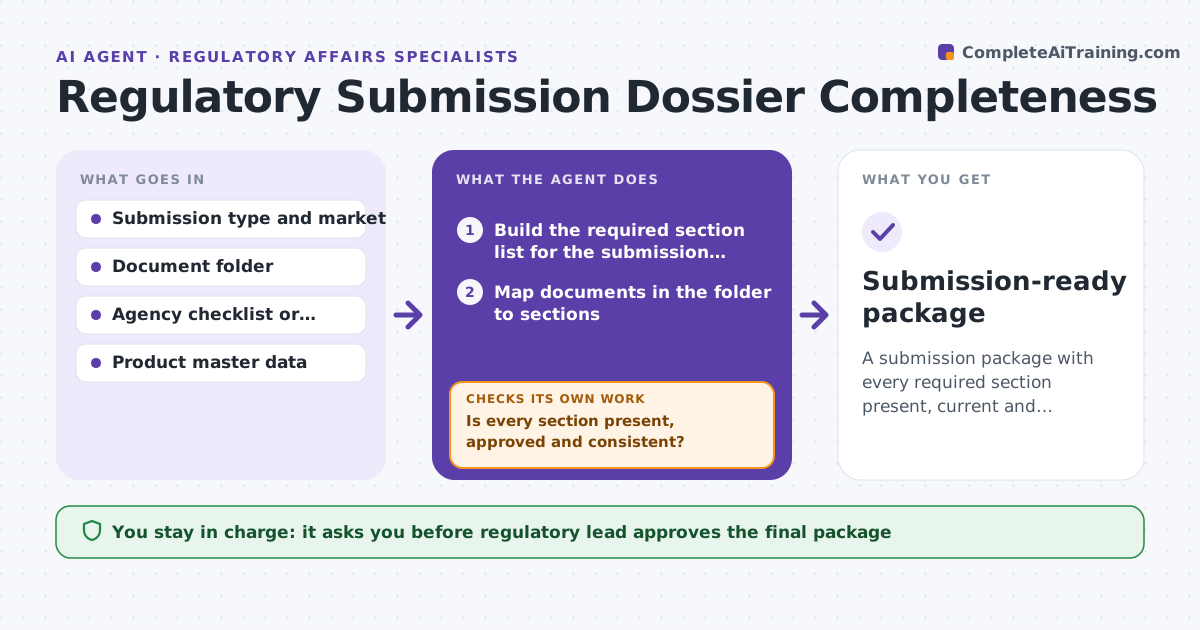
A submission package with every required section present, current and consistent
What it does
A regulatory submission, such as a 510(k), a marketing authorization or a CTD dossier, has hundreds of required parts, and one missing signature can delay it by weeks. This agent builds the required section list for the submission type and market, maps every document in the team folder to a section, and checks each one for version, signature, date and product details. Unsigned or draft documents fail, and product data must match the master record exactly. Missing or wrong items go on a task list with owners taken from the document's author field. When owners upload fixes, it checks again until every section passes. It then generates the table of contents and cross-reference report. The regulatory lead approves the package before submission. Edge case: a product name or model number mismatch between labeling and the technical file blocks completion until someone confirms the correct one.
How it works
Follow the arrows from top to bottom. The orange dashed arrow is the loop: when a check fails, the agent goes back and tries again.
Read the steps as a list
- Submission project opened
- Build the required section list for the submission type and market
- Map documents in the folder to sections
- Check version, signature, date and product details for each document
- Is every section present, approved and consistent?If not: assign missing or wrong items to owners and wait for uploads. Back to step 3.
- Generate the table of contents and cross-reference report
- Regulatory lead approves the package for submissionThe agent waits here for your OK.
- Submission-ready package
How it decides
A section passes when the document is the approved version, signed, dated and matches the product master data.
- Unsigned or draft documents fail
- Product data must match the master record exactly
- Owners are assigned from the document's author field
Make it yours
Every agent is a starting point. You choose these settings for your own situation.
- Submission types and markets covered
- Check frequency (default twice a week)
- Fields to compare against product master data
- Who gets owner tasks
What keeps you in control
It always asks you first
- Regulatory lead approves the final package
- Submission to the agency is done by a person
Hard limits
- Never submits to an agency
- Never changes the content of controlled documents
It stops when
- Done: all sections pass
- Stop: target market or submission type not confirmed
Set it up
We guide you through the set-up, step by step
Members get the full set-up guide for this agent. No technical skills needed: you copy, paste and upload.
- One set of instructions to paste into your AI, with the clicks for ChatGPT, Claude, Microsoft 365 Copilot, Gemini and Grok
- The agent then walks you through connecting your own data, one source at a time
- A downloadable copy with the flow chart, the rules and the full guide