AI agent for 3d artists
Render Farm Queue Prioritization Agent
A queue order that finishes every job before its deadline, with risky shots tested first
What it does
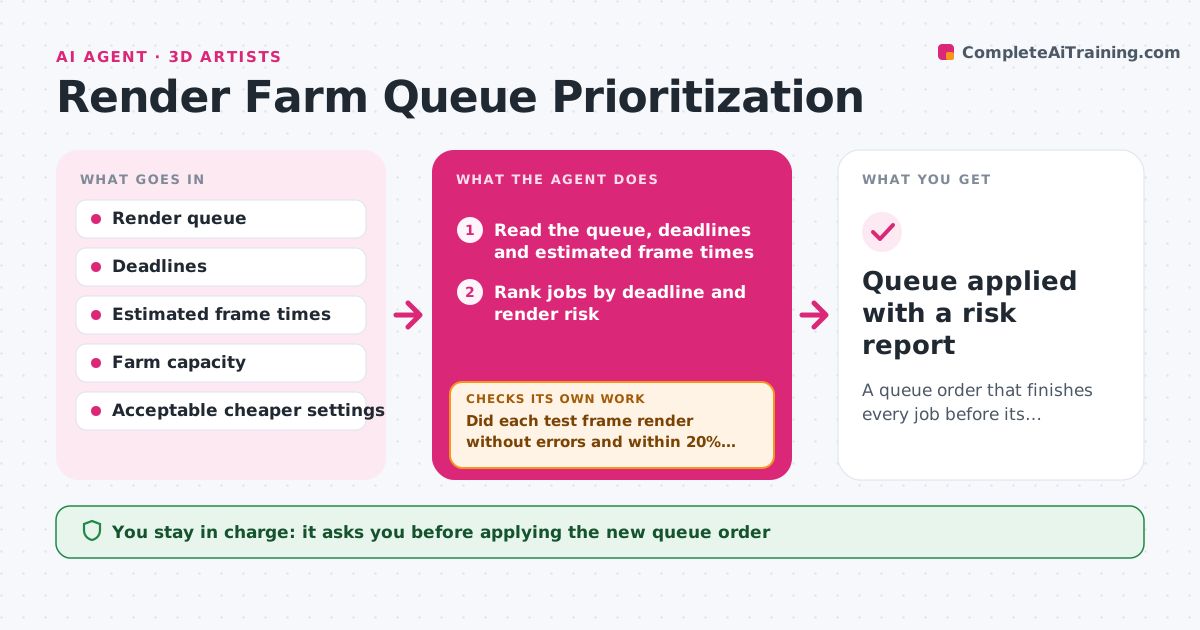
Render jobs sit in the queue in the wrong order, and a late failure wastes the night before a delivery. This agent reads the queue, the delivery deadlines and each job's estimated frame time. It ranks jobs by due date and risk, then sends test frames from the riskiest shots first, such as heavy simulations or new lighting. If a test frame fails or runs far over estimate, it offers cheaper options like lower sampling or resolution, and re-tests the shot. It recalculates the total render time against the deadline after each change. The lead approves the final queue order before it is applied to the farm. Edge case: a job that cannot meet its deadline even with cheaper settings is flagged early so the lead can renegotiate instead of finding out at midnight.
How it works
Follow the arrows from top to bottom. The orange dashed arrow is the loop: when a check fails, the agent goes back and tries again.
Read the steps as a list
- Queue changes or a deadline moves
- Read the queue, deadlines and estimated frame times
- Rank jobs by deadline and render risk
- Send test frames for the riskiest shots
- Did each test frame render without errors and within 20% of its estimate?If not: offer lower sampling or resolution settings and re-test the shot. Back to step 3.
- Recalculate total farm time against each deadline
- Can every job finish before its deadline?If not: propose moving lower priority jobs or flag the job that cannot make it. Back to step 3.
- Lead approves the final queue orderThe agent waits here for your OK.
- Queue applied with a risk report
How it decides
Jobs are ranked by hours to deadline minus estimated render time, with a risk bonus for shots with new setups. A job is tested first when its estimate is least reliable.
- Test a shot first when its estimate is a guess or the setup is new
- Treat a test frame over 20% above estimate as a failure
- Never lower quality below the delivery spec
- Flag any job with less than 10% time margin
Make it yours
Every agent is a starting point. You choose these settings for your own situation.
- Test frame count per job
- Overrun that counts as a failure (default 20%)
- Cheaper settings allowed
- Margin before a job is flagged
What keeps you in control
It always asks you first
- Applying the new queue order
- Any change to render quality settings
Hard limits
- Never starts or cancels jobs without approval
- Never lowers settings below the delivery spec
It stops when
- Done: all jobs fit their deadlines and the lead approved
- Stop: a job cannot make its deadline and no settings change helps
Set it up
We guide you through the set-up, step by step
Members get the full set-up guide for this agent. No technical skills needed: you copy, paste and upload.
- One set of instructions to paste into your AI, with the clicks for ChatGPT, Claude, Microsoft 365 Copilot, Gemini and Grok
- The agent then walks you through connecting your own data, one source at a time
- A downloadable copy with the flow chart, the rules and the full guide