AI agent for help desk technicians
Repeat Caller Callback Agent
Repeat contacts resolved at the root, with the user contacted before they call again
What it does
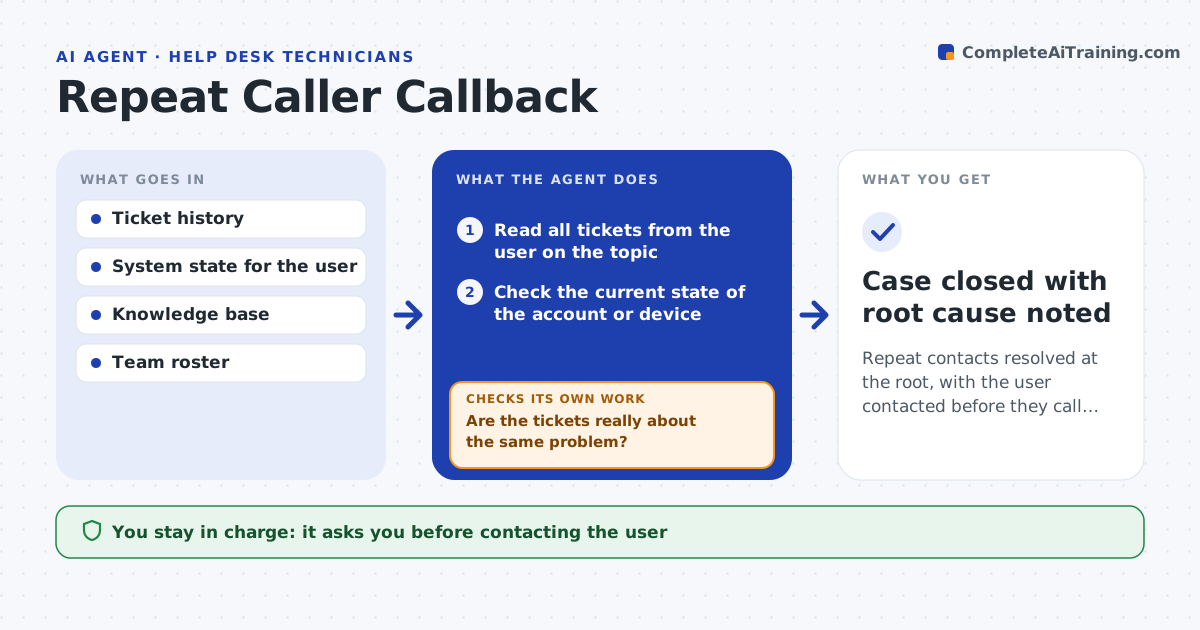
The third time a user calls about the same problem, they are already angry. This agent watches the ticket system for users with repeat contacts on a topic, reads the whole history and works out whether the root cause was ever fixed or only the symptom was closed. It checks the current state, such as whether the account setting is still wrong or the device is still failing. If the root cause remains, it drafts a callback plan: what the fix is, who does it and what to tell the user. After the callback and fix, it checks that the issue is gone and that no new contact has arrived. The lead approves the outreach. Edge case: a user whose repeated tickets are about three different problems is not treated as a repeat caller.
How it works
Follow the arrows from top to bottom. The orange dashed arrow is the loop: when a check fails, the agent goes back and tries again.
Read the steps as a list
- Daily scan finds a repeat contact
- Read all tickets from the user on the topic
- Are the tickets really about the same problem?If not: split them by topic and continue with the repeating one. Back to step 2.
- Check the current state of the account or device
- Decide whether the root cause was fixed
- Draft the callback plan with the real fix and a message
- Lead approves the outreachThe agent waits here for your OK.
- Apply the fix and record the callback
- Is the issue gone and no new contact after 3 days?If not: reopen the case with the previous steps and escalate. Back to step 4.
- Case closed with root cause noted
How it decides
A repeat is two or more contacts on the same topic within 30 days. The callback includes a real fix, not a repeat of earlier advice.
- Count 2 contacts in 30 days on the same topic as a repeat
- Escalate when 3 contacts reach the same unresolved cause
- Phone the user for severe cases, email for minor ones
- Do not repeat advice that already failed
Make it yours
Every agent is a starting point. You choose these settings for your own situation.
- Contacts in days that count as repeat (default 2 in 30 days)
- Channels for outreach
- Wait days before closing (default 3)
- Topics excluded from repeat tracking
What keeps you in control
It always asks you first
- Contacting the user
- Any change to the user's account or device
Hard limits
- Never contacts a user without the lead's approval
- Never closes a case without confirming the fix held
It stops when
- Done: root cause fixed and confirmed
- Stop: the user cannot be reached after 3 attempts
Set it up
We guide you through the set-up, step by step
Members get the full set-up guide for this agent. No technical skills needed: you copy, paste and upload.
- One set of instructions to paste into your AI, with the clicks for ChatGPT, Claude, Microsoft 365 Copilot, Gemini and Grok
- The agent then walks you through connecting your own data, one source at a time
- A downloadable copy with the flow chart, the rules and the full guide