AI agent for primary school teachers
Rubric Grading Agent
Fair rubric grades with useful feedback
What it does
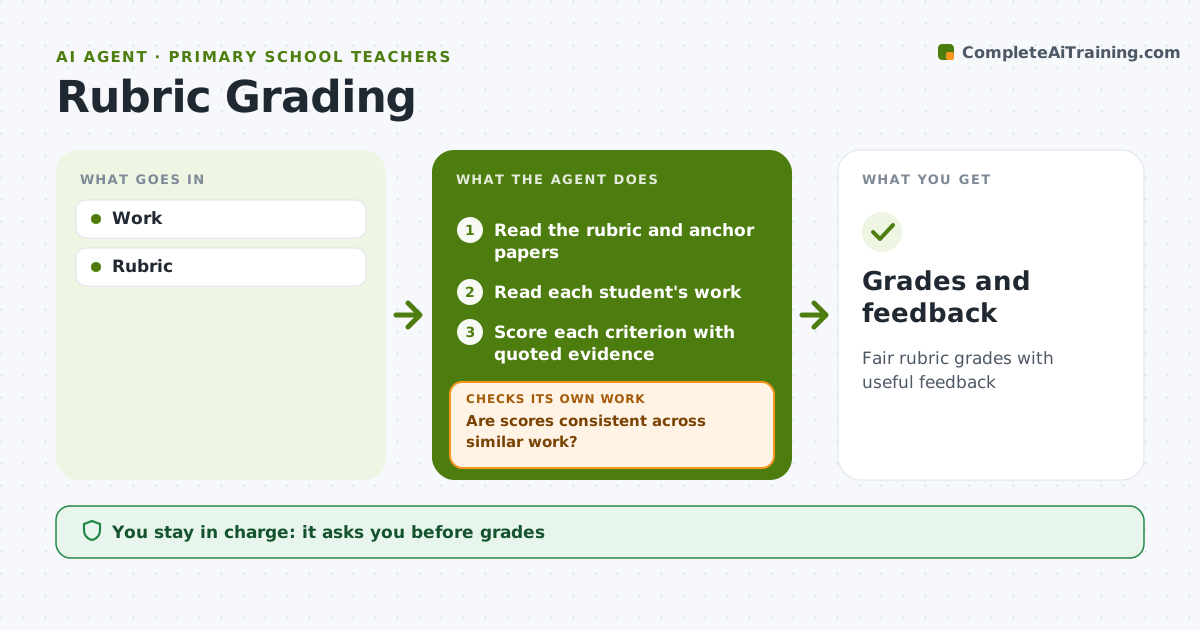
Grading writing and projects against a rubric keeps feedback fair, but it takes evenings. This agent reads each piece of student work, scores every rubric criterion and quotes the part of the work that supports each score. It drafts child-friendly feedback with one thing done well and one thing to work on next. After a full set, it compares scores across similar pieces to catch inconsistent grading. When an outlier appears, it rescores that piece against the anchor papers and checks consistency again. Scores that sit on the line between two levels are flagged as borderline for the teacher. The teacher reviews, adjusts and finalizes every grade; the agent never posts grades. Edge case: work with very unusual answers or formats, such as a comic in place of an essay, is passed to the teacher without a suggested score.
How it works
Follow the arrows from top to bottom. The orange dashed arrow is the loop: when a check fails, the agent goes back and tries again.
Read the steps as a list
- Work submitted
- Read the rubric and anchor papers
- Read each student's work
- Score each criterion with quoted evidence
- Are scores consistent across similar work?If not: rescore outliers against the anchor papers. Back to step 4.
- Draft short feedback per student
- Teacher finalizes grades and feedbackThe agent waits here for your OK.
- Grades and feedback
How it decides
Evidence per criterion.
- Evidence quoted
- Borderline flagged
- Unusual work to teacher
Make it yours
Every agent is a starting point. You choose these settings for your own situation.
- Rubric
- Feedback style
- Consistency check
- Format
What keeps you in control
It always asks you first
- Grades
Hard limits
- Teacher finalizes all grades
It stops when
- Done: graded
- Stop: none
Set it up
We guide you through the set-up, step by step
Members get the full set-up guide for this agent. No technical skills needed: you copy, paste and upload.
- One set of instructions to paste into your AI, with the clicks for ChatGPT, Claude, Microsoft 365 Copilot, Gemini and Grok
- The agent then walks you through connecting your own data, one source at a time
- A downloadable copy with the flow chart, the rules and the full guide