AI agent for chief sales officers
Sales Tool Adoption Evaluation Agent
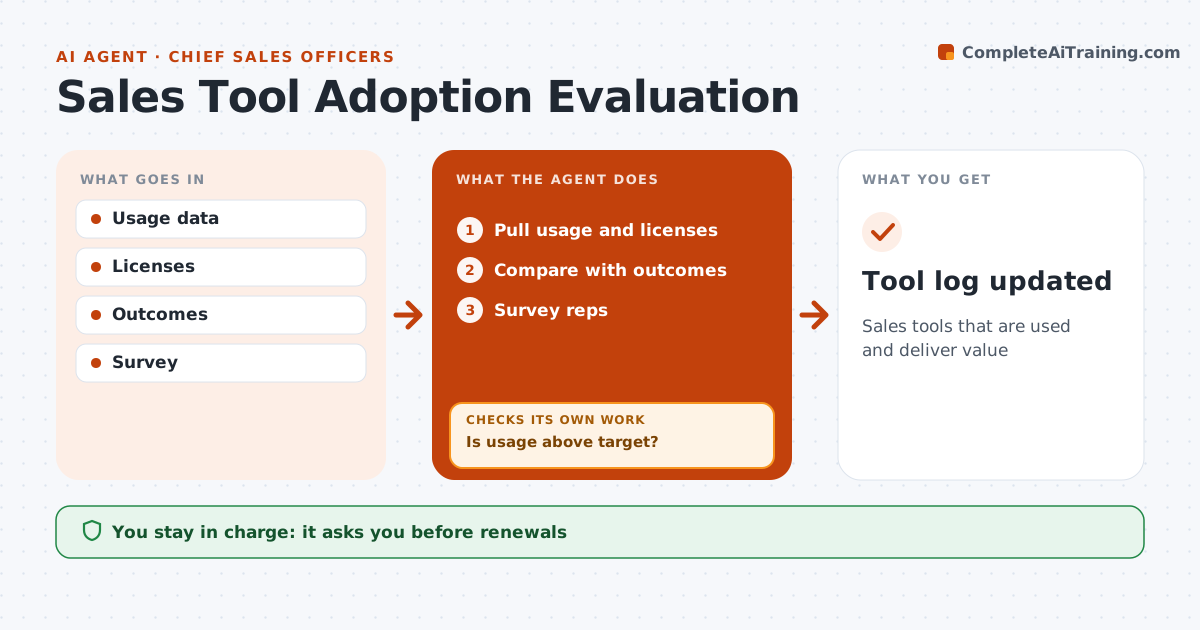
Sales tools that are used and deliver value
What it does
Sales teams buy tools for calling, email and forecasting, then keep paying for licenses nobody uses. Each month this agent pulls usage for every tool and compares active users with licenses paid for. It looks at links to outcomes, such as meetings booked by reps who use the tool against those who do not, and surveys reps for feedback. It checks whether usage is above target. If a tool falls below 50 percent use, it looks at why: a training issue, a setup problem or a tool that does not fit the work. It then suggests action, such as a training session or fewer licenses. At renewal, it drafts a keep, reduce or cancel recommendation with the evidence. The sales leader approves every renewal decision. Edge case: a tool used by only one team gets a suggestion to cut licenses to that team's size.
How it works
Follow the arrows from top to bottom. The orange dashed arrow is the loop: when a check fails, the agent goes back and tries again.
Read the steps as a list
- Monthly review
- Pull usage and licenses
- Compare with outcomes
- Survey reps
- Is usage above target?If not: identify cause and suggest action. Back to step 2.
- Sales leader approves keep or cancelThe agent waits here for your OK.
- Tool log updated
How it decides
It compares usage and outcomes and identifies causes of low use.
- Below 50% use triggers review
- Licenses matched to users
- Value linked to outcomes
Make it yours
Every agent is a starting point. You choose these settings for your own situation.
- Targets
- Tools
- Survey
- Review cycle
What keeps you in control
It always asks you first
- Renewals
- Cancellations
Hard limits
- No contract changes
- Survey anonymous
It stops when
- Done: log
- Stop: contract locked
Set it up
We guide you through the set-up, step by step
Members get the full set-up guide for this agent. No technical skills needed: you copy, paste and upload.
- One set of instructions to paste into your AI, with the clicks for ChatGPT, Claude, Microsoft 365 Copilot, Gemini and Grok
- The agent then walks you through connecting your own data, one source at a time
- A downloadable copy with the flow chart, the rules and the full guide