AI agent for film composers
Sample Library and Plugin Compatibility Agent
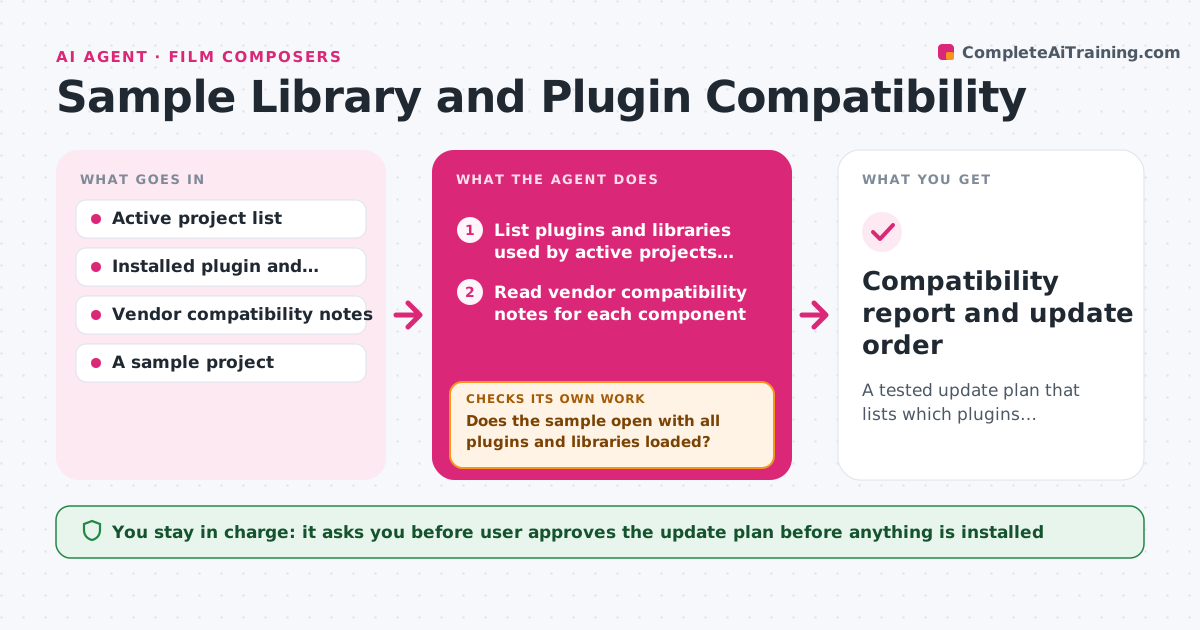
A tested update plan that lists which plugins, libraries and sessions are safe and in what order to update
What it does
A new macOS release lands and a composer wonders whether three years of sessions will still open. This agent works out the risk before the update. It lists the plugins and sample libraries used by active projects, reads the vendors' compatibility notes, and notes what each version supports. It then tests opening a sample project on a spare drive or a test machine, logging which plugins fail to load, which libraries are missing or unauthorized, and which sessions change. It builds a safe update order, such as updating the host first, then plugins, and revises that order if a test fails. If a test fails, it looks for a fix in the notes, applies it on the test copy and tests again. The user approves the update. Edge case: a plugin that loads but is silently replaced by a different version is flagged.
How it works
Follow the arrows from top to bottom. The orange dashed arrow is the loop: when a check fails, the agent goes back and tries again.
Read the steps as a list
- Update is being considered
- List plugins and libraries used by active projects with versions
- Read vendor compatibility notes for each component
- Mark each as supported, unsupported or unknown for the update
- Open a sample project on a test copy with the planned versions
- Does the sample open with all plugins and libraries loaded?If not: Look for a vendor fix, apply it on the test copy and open it again. Back to step 4.
- Build the update order and the list of items to hold back
- Does a second sample project from a different era also open cleanly?If not: Add the failing item to the hold list and retest. Back to step 4.
- User approves the update planThe agent waits here for your OK.
- Compatibility report and update order
How it decides
A component is safe only if the vendor notes support the new version and the sample project opens with it loaded. Anything uncertain is held until tested.
- Hold back any component marked unsupported by its vendor
- Test at least one old and one recent project
- Update the host last unless a plugin needs it first
- Keep a rollback copy of the previous versions
Make it yours
Every agent is a starting point. You choose these settings for your own situation.
- Projects used for testing
- Update order preferences
- Sources for vendor notes
- Backup location for rollback
- Which projects count as active
What keeps you in control
It always asks you first
- User approves the update plan before anything is installed
Hard limits
- Never install updates itself
- Always test on a copy, never on the live session
It stops when
- Done: All active projects have a safe path or a held-back item
- Stop: A key plugin has no support yet, so the agent advises waiting
Set it up
We guide you through the set-up, step by step
Members get the full set-up guide for this agent. No technical skills needed: you copy, paste and upload.
- One set of instructions to paste into your AI, with the clicks for ChatGPT, Claude, Microsoft 365 Copilot, Gemini and Grok
- The agent then walks you through connecting your own data, one source at a time
- A downloadable copy with the flow chart, the rules and the full guide