AI agent for scriptwriters
Script Authenticity Research Agent
Every technical and period detail checked before the draft goes out
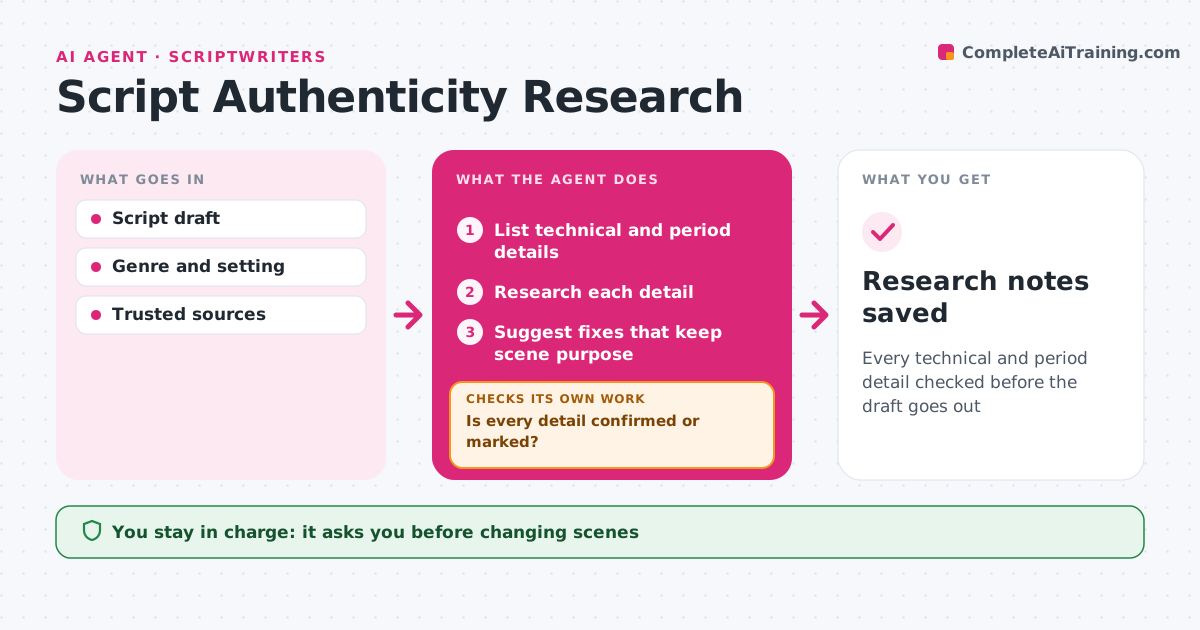
What it does
Scripts often include procedures, jargon and period details that writers guess at, and experts in the audience notice. When a draft is ready, this agent reads it and lists every detail that needs checking, such as a hospital procedure, a court step or a 1970s slang term. It researches each one in reliable sources, preferring primary sources for period details, and marks it accurate, wrong or unclear, with notes. It checks that every detail on the list has been confirmed or marked. Items it cannot confirm get a specific question for an expert. For wrong details, it suggests fixes that keep the scene's dramatic purpose. The writer decides what to change, since drama sometimes wins. Research notes are saved with the draft. Edge case: a detail left wrong on purpose for drama is recorded, so it is not flagged again in later drafts.
How it works
Follow the arrows from top to bottom. The orange dashed arrow is the loop: when a check fails, the agent goes back and tries again.
Read the steps as a list
- Draft ready
- List technical and period details
- Research each detail
- Is every detail confirmed or marked?If not: search other sources or add to expert questions. Back to step 3.
- Suggest fixes that keep scene purpose
- Writer decides changesThe agent waits here for your OK.
- Research notes saved
How it decides
A detail is accurate when reliable sources agree. Unclear items go to the expert list.
- Prefer primary sources for period details
- Send unclear items to an expert
- Record deliberate inaccuracies
Make it yours
Every agent is a starting point. You choose these settings for your own situation.
- Fields to check
- Trusted sources
- Note format
- Expert contacts
What keeps you in control
It always asks you first
- Changing scenes
- Contacting experts
Hard limits
- Does not give real medical or legal advice
- Records sources for every claim
It stops when
- Done: all details marked
- Stop: setting unclear; ask writer
Set it up
We guide you through the set-up, step by step
Members get the full set-up guide for this agent. No technical skills needed: you copy, paste and upload.
- One set of instructions to paste into your AI, with the clicks for ChatGPT, Claude, Microsoft 365 Copilot, Gemini and Grok
- The agent then walks you through connecting your own data, one source at a time
- A downloadable copy with the flow chart, the rules and the full guide